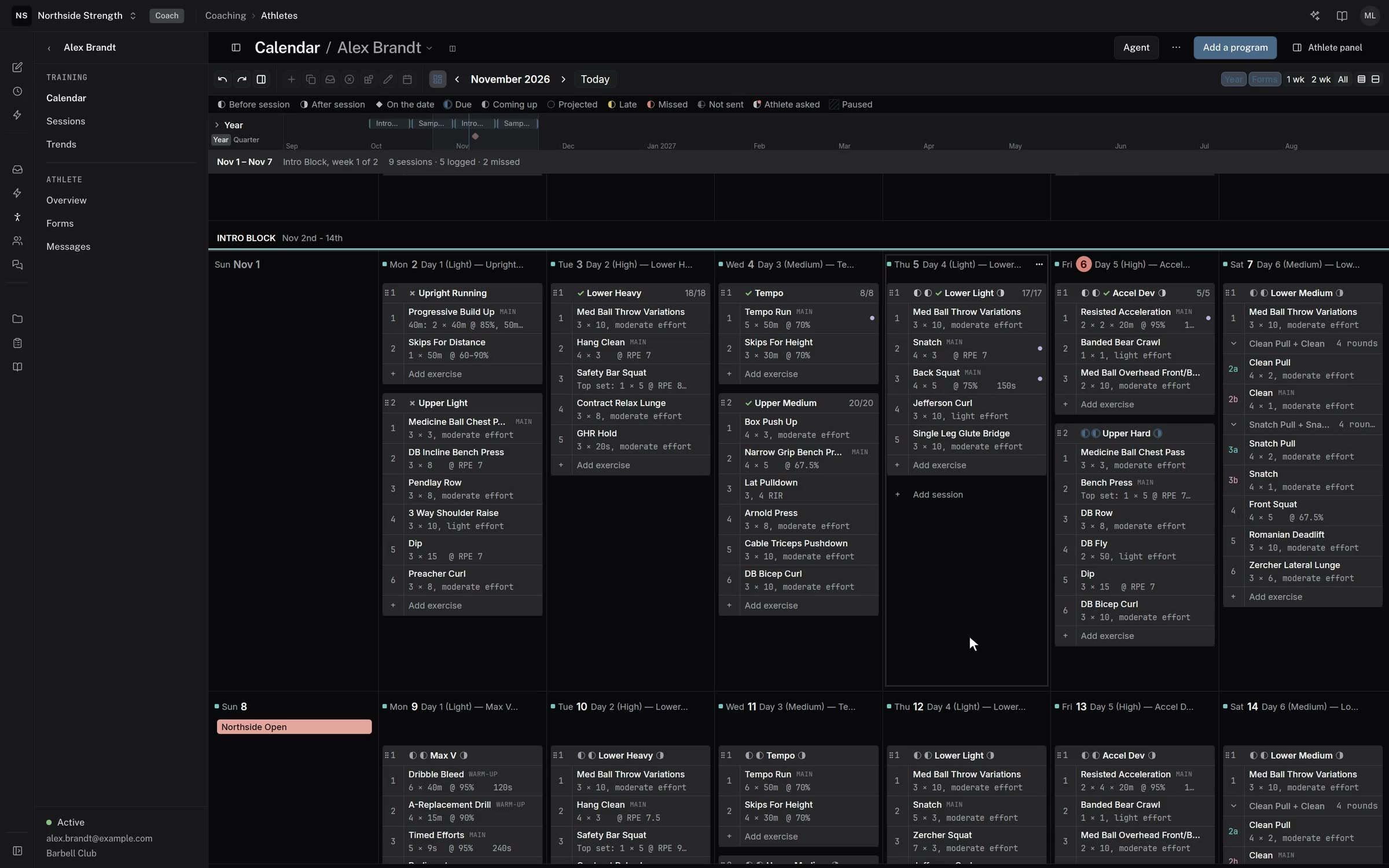
On an athlete's calendar in the builder, a session the athlete finished has a tinted header with a tick and what they did, for example "done · RPE 7.5 · 14 of 15 sets". A missed session's header is red and one in progress is amber.
Completed shows a finished session as it was logged, and Edit plan takes you back to the plan. View review opens the athlete's Review.
Improvements
- The Overview month map marks each past session as done, in progress or missed, with its set count.
- New exercises start blank, so you type the prescription instead of changing a 3 × 5.
- Add day sits apart from the day's own menu, where it was easy to hit by mistake.
- An exercise with several segments can carry one note for the whole exercise.