Updates
New features and fixes you can use, explained for coaches.
- Open a second athlete or team beside the firstThe builder's split can show another athlete's or a team's calendar, and dragging a session from one to the other copies it.
- Series shows one training day across every weekIn the builder, Series lays a day out week by week, so you can edit the same lifts across a block in one place.
- Fixes for rules and teamsArchiving a rule asks you first, and a team list that fails to load says so.
- A new getgridlines.comThe site has a page for each part of Gridlines, with screens from the product, and the docs are rewritten for coaches.
- Free covers you and one athleteThe Free plan is for you and one athlete, without the AI features, and there's no AI trial on Free.
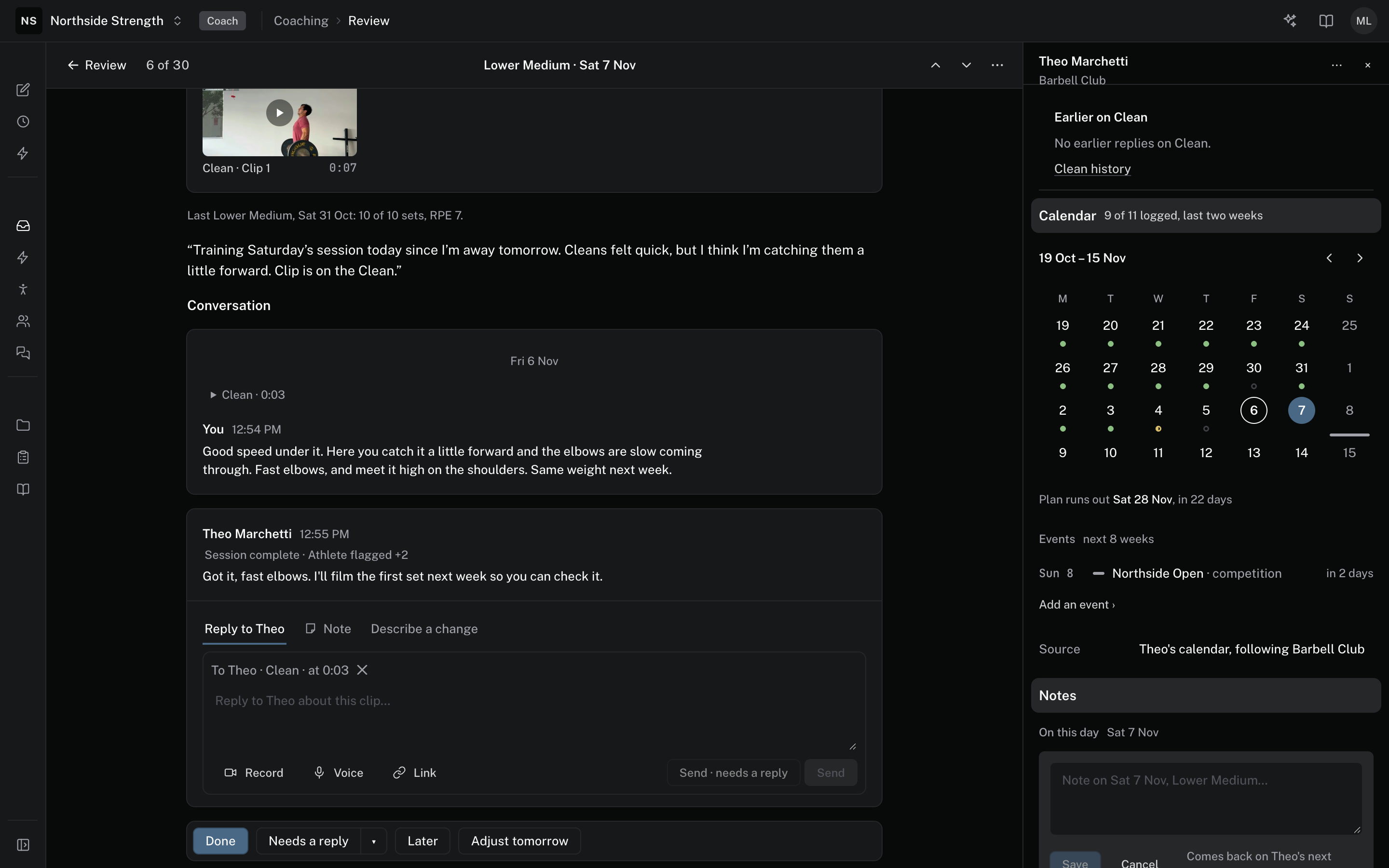
- Session notes come back on days like this oneA note you write on a session shows again on the athlete's next session with the same name, until a coach marks it Done.
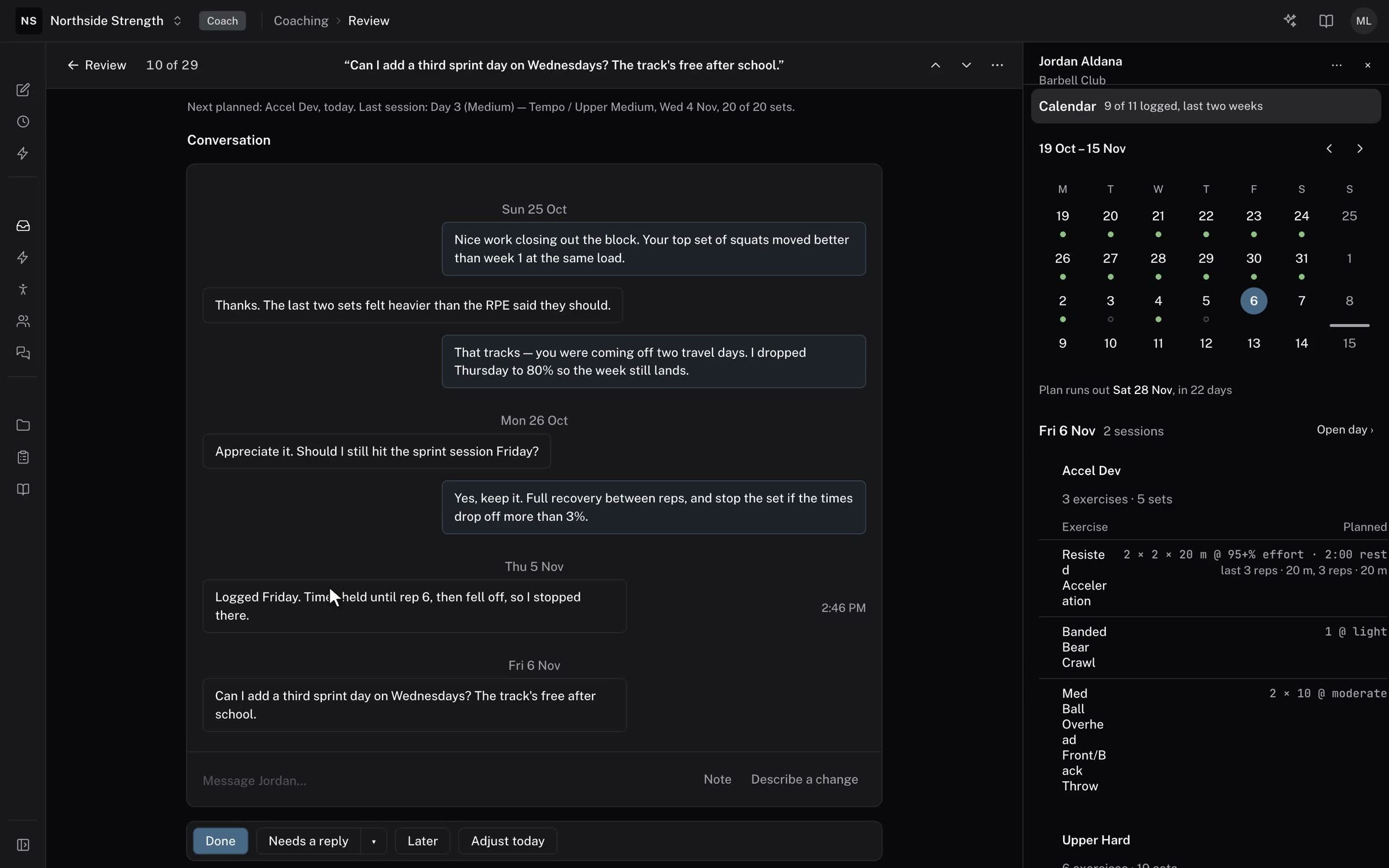
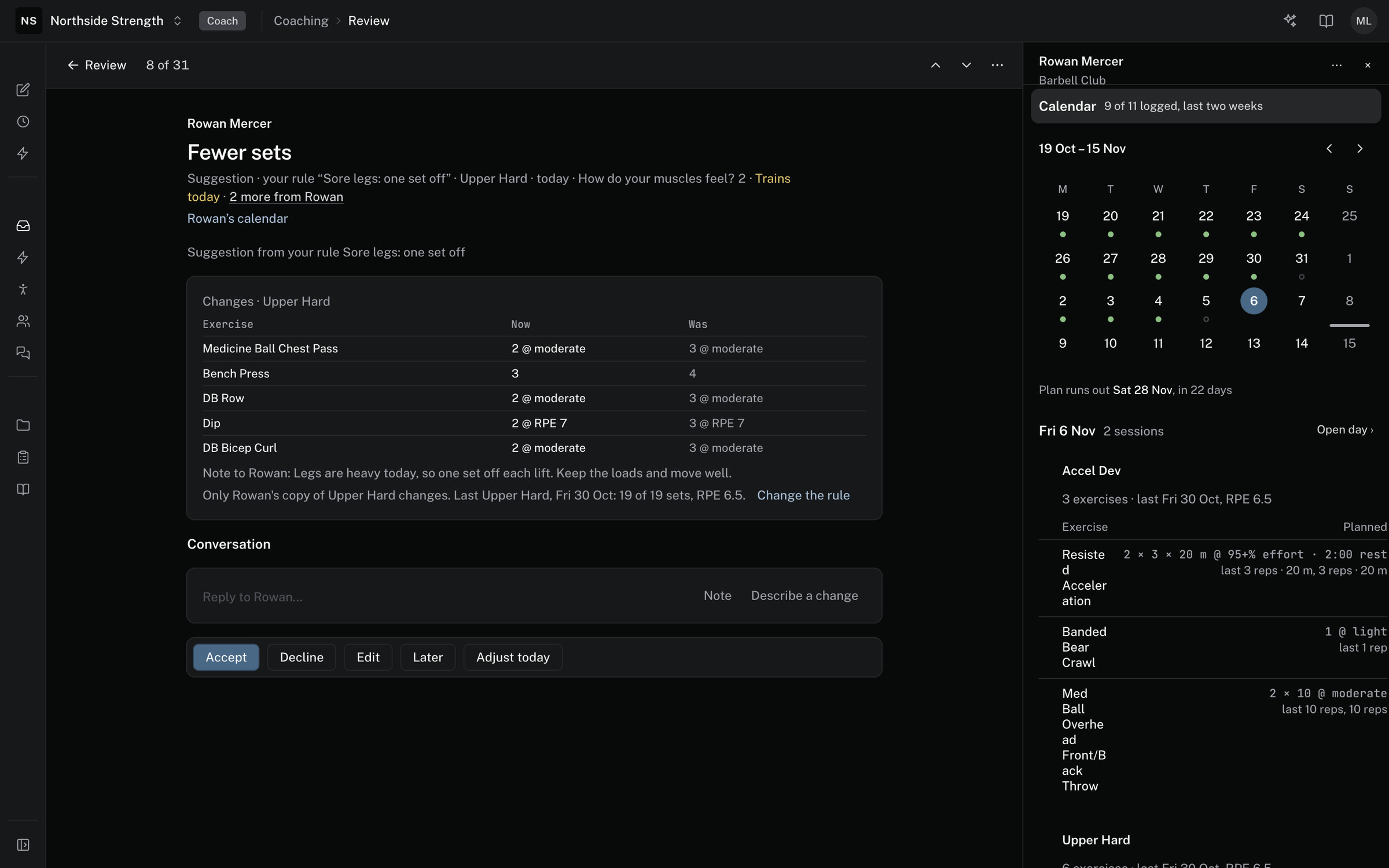
- Each Review item opens on its own pageOpening an item in Review shows the plan beside what the athlete did, their clips and the conversation in one column, with the reply under the last message.
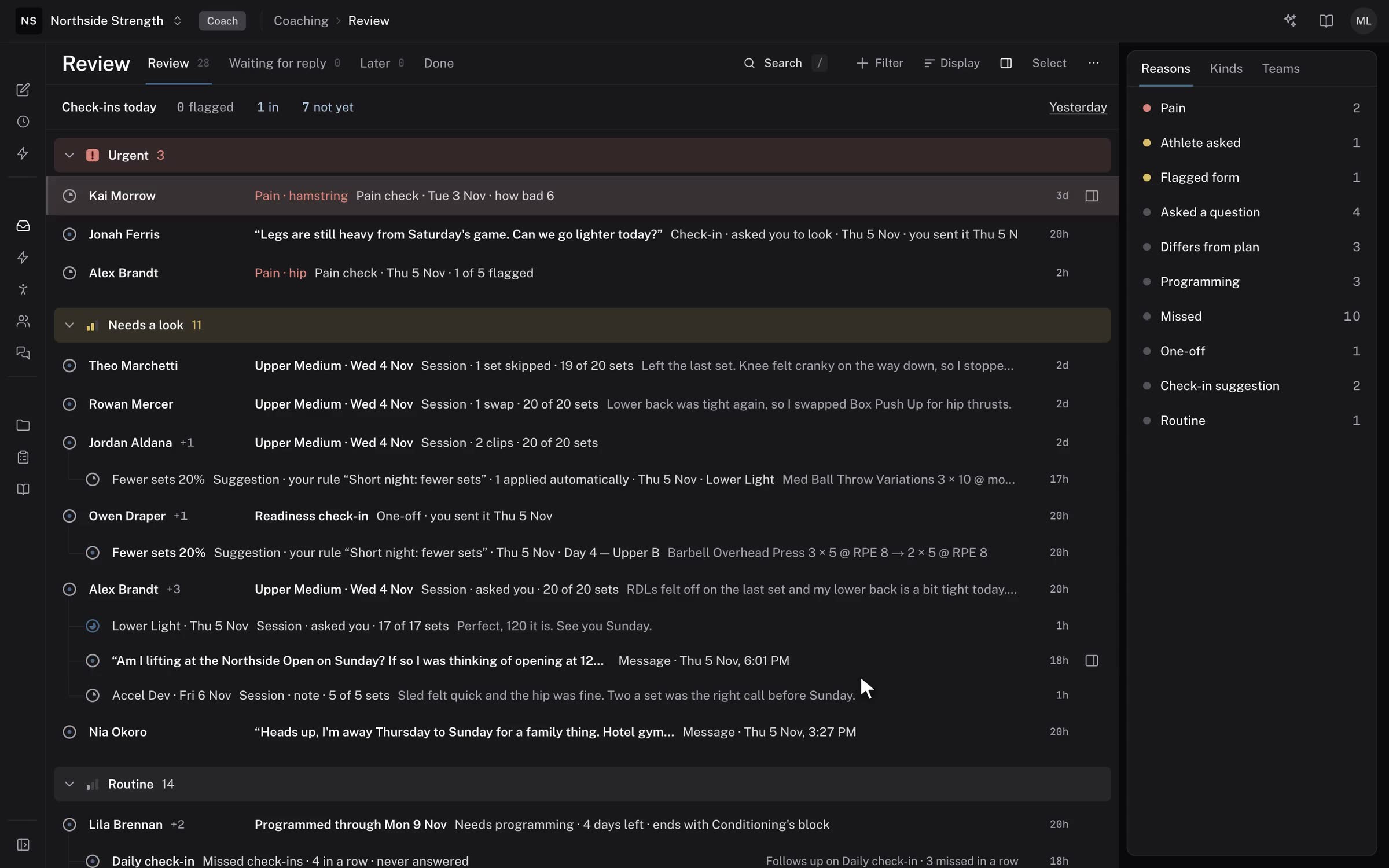
- Review is on for every organizationEvery organization has Review from its first day, so your athletes' sessions, check-ins and messages collect there without anything to turn on.
- Voice notes and library tags in every messageRecord a voice note from an athlete's Messages tab as well as from Review, and tag any exercise in your library.
- Your logo and colour on athlete emailsSettings has a Branding section for your logo and brand colour, with a preview of an email and the athlete app.
- Forms, rules and steps sit together under AutomationYou write a form's questions under Build. Automation is where you set when a form goes out, which rules read its answers and how far a rule may change a session.
- Add an athlete before they have an accountAdd athlete takes a name, with the email optional, so you can build the athlete's calendar before they join.
- The athlete panel shows what they last liftedOn a planned day, the athlete panel lists what the athlete did the last time they trained each movement, with reps, load and RPE.
- Ask the Agent when an athlete last did a liftAsk the Agent or Claude "when did Kai last squat?" and it answers from the logs, with the sets and loads.
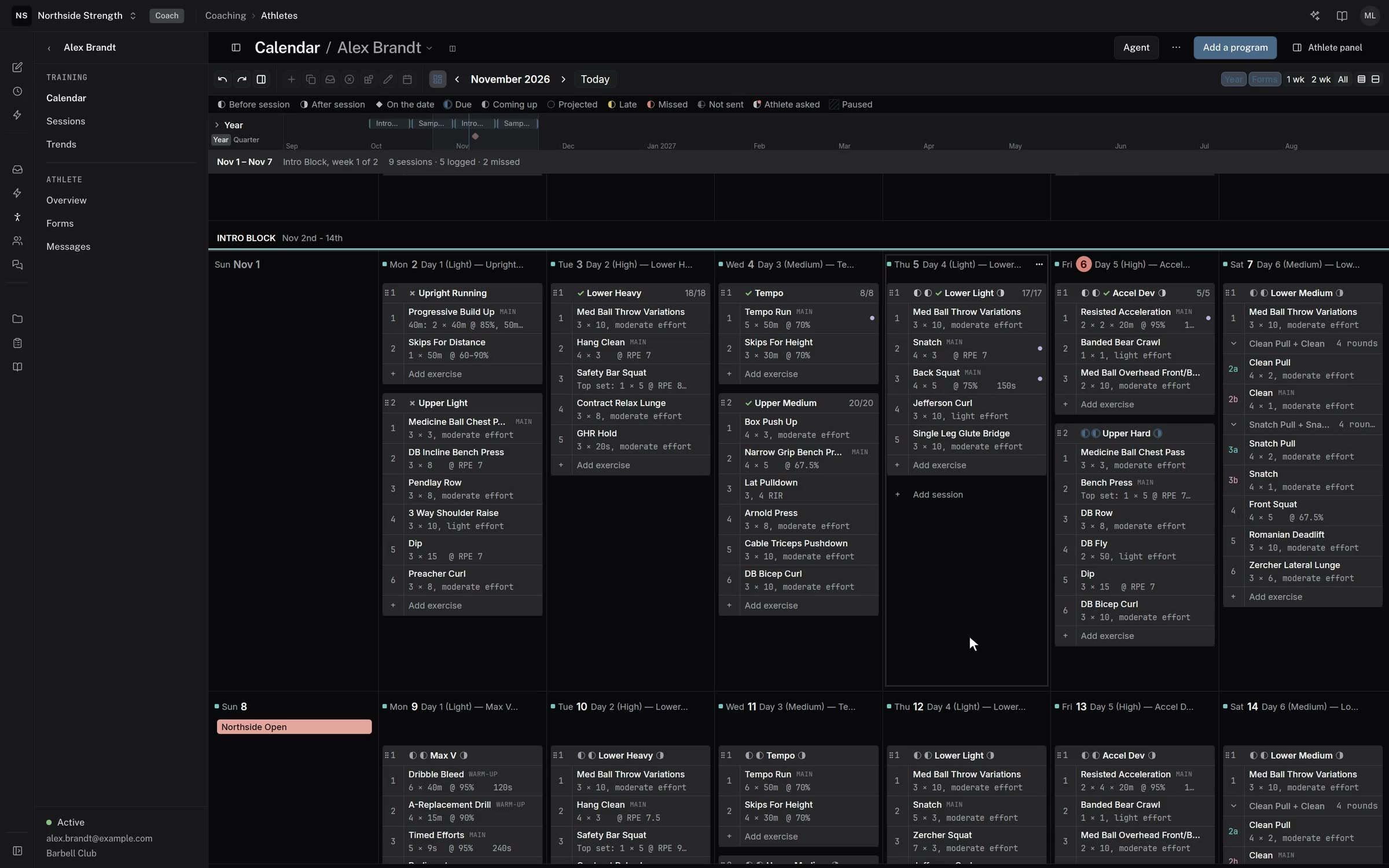
- The calendar week reads like the week gridEach day on the builder's calendar is a column of ruled rows, and each session is a band with its exercises numbered under it.
- Every item in Review says what it isEach row in Review now leads with what happened, and its second line gives the kind of item and the reason it's there.
- Finished sessions show on an athlete's calendarIn the builder, a session the athlete finished has a tinted header with a tick and what they did, for example "done · RPE 7.5 · 14 of 15 sets".
- Check-ins show their answersA check-in in Review now shows the answers themselves, each beside that athlete's 28-day usual.
- Pain and injuries over 90 days on the athlete panelRecent sessions covers four weeks: the two before this one, this week, and next week's planned sessions at the top.
- Test a rule against the last 28 daysBefore you turn a rule on, run it against the last 28 days of check-ins to see which athletes and days it would have changed.
- Pin a reply to a moment in a clipWhen you reply to an athlete's video in Review, pause the clip and press Add time.
- Answers filled from a wearable name their sourceWhen a check-in answer comes from WHOOP, Oura or Apple Health, a line under it says so.
- Units for the whole organization, with pound plate stepsSet your organization's units once, for weight and for distance, and every coach sees training in them.
See your own program in Gridlines.
Send us your program and we'll build it in Gridlines for you. Apply to start.
Apply to joinGridlines is in early access. Apply, and we'll call you to get set up.