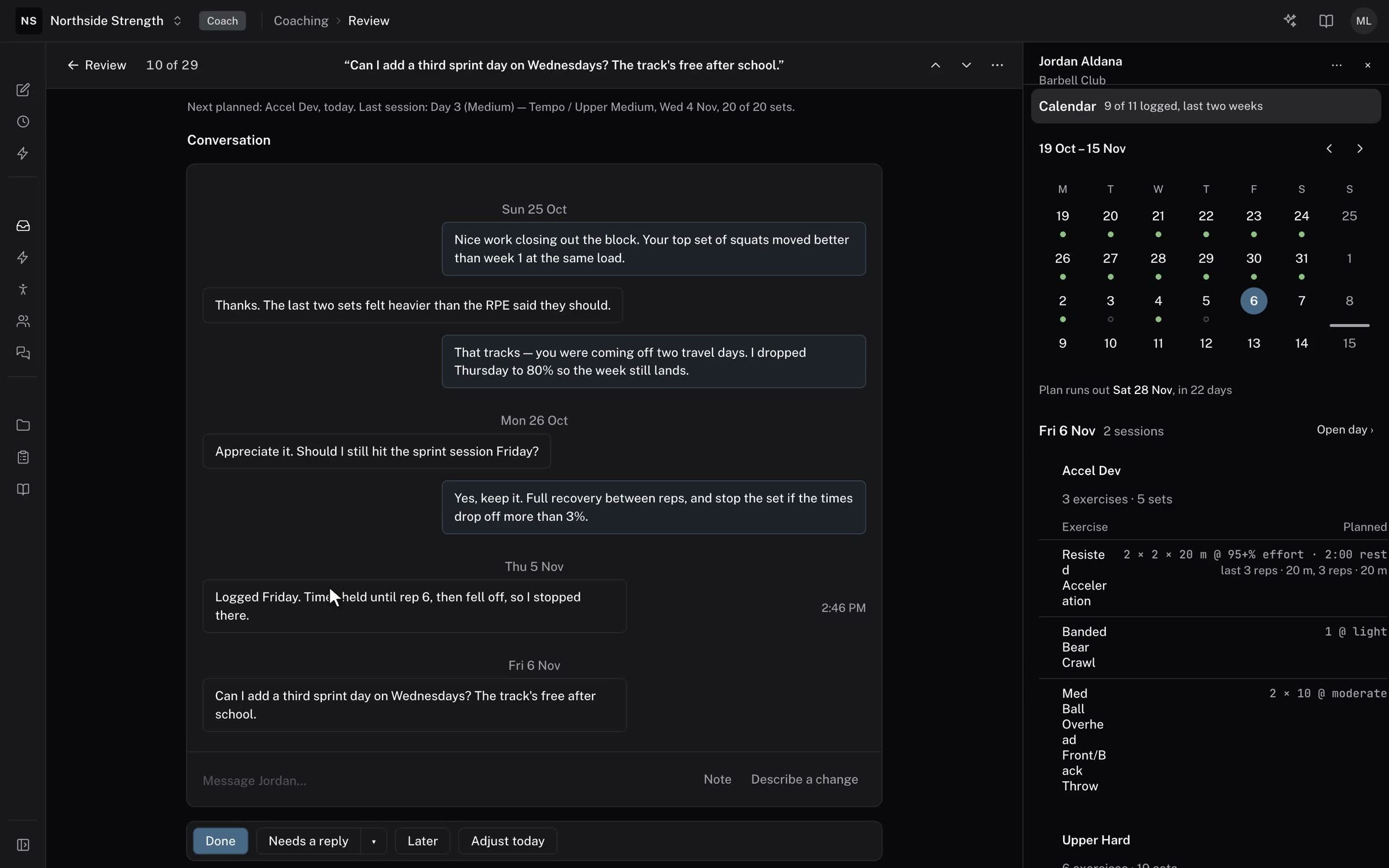
Opening an item in Review shows the plan beside what the athlete did, their clips and the conversation in one column, with the reply under the last message. The bar at the top says where you are, for example "10 of 29", and its ↑ and ↓ move between items.
The athlete panel stays closed until you press i or click the athlete's name. The tools for a reply (Record, Voice, Link and Tag movement) show once you start typing.
Improvements
- Review has kinds for a message, a question the athlete asked you, a missed session, missed check-ins, a calendar that needs programming, an intake and a one-off form.
- A clip opens inside the item's page instead of on a black screen, with its notes beside it. Clicking a note plays the clip from that moment.
- The list's groups are tinted bands, and each row has an icon for how far along the item is.
- A reply or Done shows the moment you send it.