Templates and calendars
When you create a program, the New program panel asks for a Type. This is the one choice that shapes everything downstream:
- Template — a fixed-length plan with no dates. Twelve weeks is twelve weeks. You place it onto a calendar as a copy, and every athlete who gets it runs the same weeks from their own start. This is the type for a finished product: an off-season block, a peaking cycle, a program you sell on the marketplace.
- Calendar — a plan on real dates. It has no fixed end. You keep writing forward. Your edits go to everyone who follows it. This is the type for ongoing coaching shared by many: a monthly programming membership, a plan several teams run.
Every athlete and every team already has a calendar of its own. Programs holds your reusable templates and calendars. To program one athlete or team, open their calendar under Athletes or Teams.
"Subscription" is not a program type. That word is for billing only.
The panel also asks for Editors — You and org admins, or one team's coaches. It controls who can edit the program. It schedules nothing, and it's separate from type.
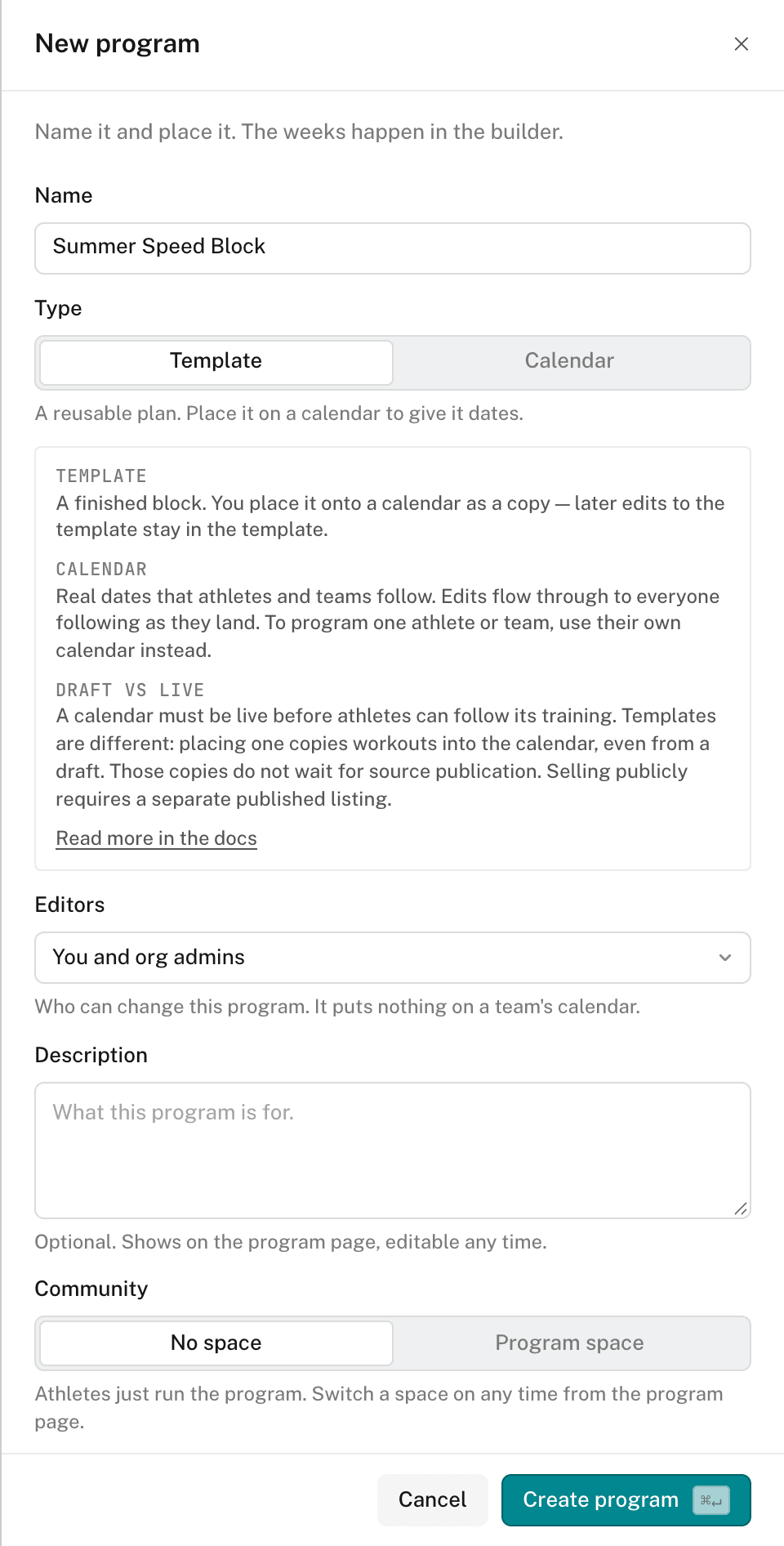
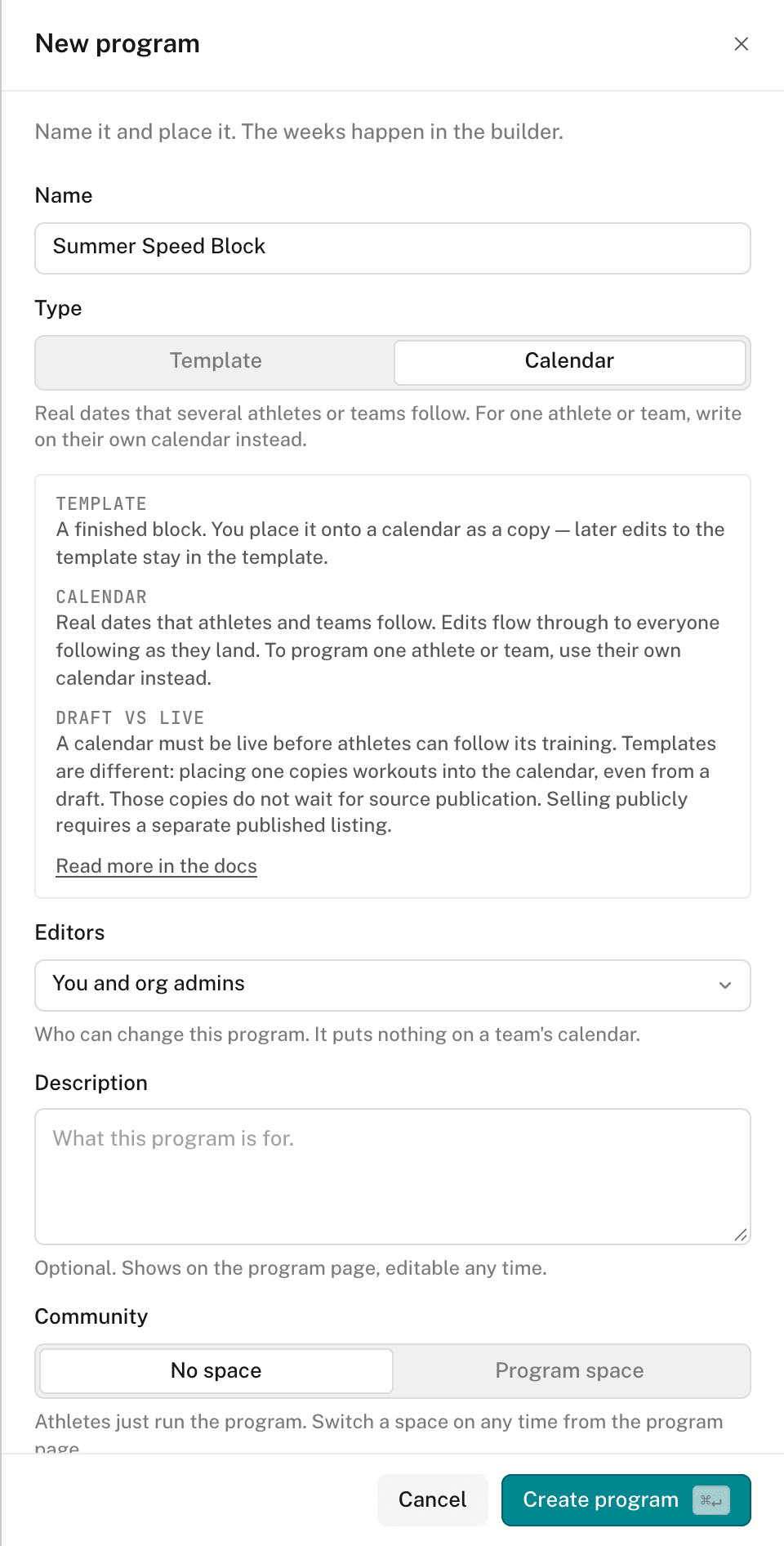
Which type to pick
Ask one question: is this a thing athletes complete, or a feed they stay on? Completed → template. Ongoing → calendar. If you're unsure, start with a template. A fixed-length plan is the easier one to reuse and to sell.
Draft and Live
Every program starts as a Draft. Open Program info & settings from the editor's Program menu. The settings page has four tabs: Overview, Following, Details, and Access & community.
The Overview tab shows the status and a Go live button. Go live can't be undone. What it changes depends on the type:
- Template — the template becomes eligible for a Storefront listing. Placing it on a calendar doesn't wait for it: a draft template can be placed. Placing copies the workouts, so later edits to the template don't change existing copies.
- Calendar — athletes and teams can follow it. Followers receive dated training within their follow dates. Saved edits reach them from then on, with no separate step.
Going live doesn't put a program on sale. Selling needs a published listing and a price in Storefront.
The Following tab lists the calendars that follow a calendar program. Details holds the name, type, units, folder, tags, and Archive. Details edits wait for Save changes. Access & community controls save at once.
Placing a template on a calendar
Open the athlete or team under COACHING, then open their calendar. Place the template from there. Adding a program to a calendar walks through it.
Editing a calendar
A calendar uses real dates, not "Week 1". Thus its editor uses a calendar, not a week tab strip:
- The calendar rail — the dated spine down the left of the week view. Click a date to move the week. Shift-click a second date to select a range of dates.
- Overview — a month grid of the whole plan. The chevrons beside the month name page one month at a time. Each day shows its date. You can rename a dated day and its sessions. A day name shows beside the date.
- Today — a button in the toolbar. It returns the view to the current date from wherever you scrolled to.
- The rail toggle — hides the rail, giving the grid the full width.
Everything below the day works the same as in a template program. Sessions, groups, exercises, and the helper bar are unchanged. See The program editor for the structure tools.
The type also matters when you sell. How buyers experience a template versus a calendar is part of listing on the marketplace.