Accounts & workspaces
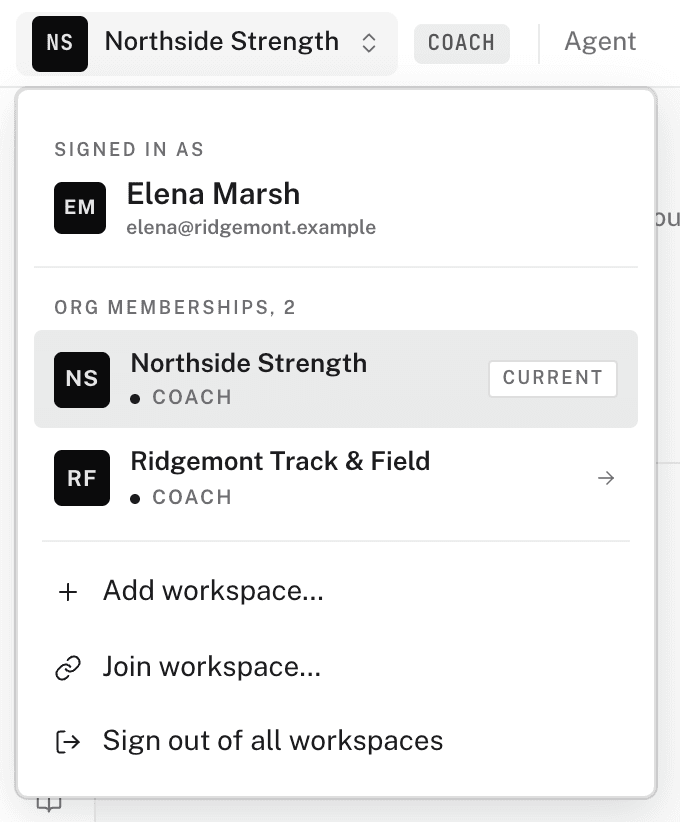
Your email is your account, and it is the only one you will ever need. Everything you do happens inside an organization. Each organization you belong to appears in your account as a workspace. The workspace switcher sits at the left of the web dashboard's topbar. Pick a workspace, and the sidebar changes to match your role in that organization.
Organizations and roles
A workspace is a membership in an organization. Your role in that organization decides what you see:
- Admin — you run the organization: programs, staff, teams, athletes, billing, and anything it sells. When you create an organization, you are its admin.
- Coach — you coach inside an organization someone else runs. You get the builder, your teams, and your athletes. The admin handles billing and selling.
- Athlete — a coach invited you to their organization. The organization's plan covers you. You mostly live in the mobile app.
Coaching on your own is still an organization. There is no separate "personal" workspace kind. An independent coach runs an organization of one. The setup asks for one field: a name. The organization starts on the Free plan, with no card.
Selling is something an organization turns on
Selling is not a workspace kind. When an admin sets up selling, the organization gets a storefront. The storefront is a page name and a permanent handle. In the sidebar, SELL > Storefront opens it. Its own sub-rail holds Profile, All-access, Program listings, Links, and Payouts. Only admins see the SELL group. Coaches and athletes never see it.
Deciding to sell later
You can start selling at any time from the account you already have. The setup asks for a page name and a handle, and no payment details. See Setting up your storefront.
Workspaces stack
One account can be the admin of its own organization, a coach in someone else's, and an athlete on a third's team. All of this happens at once, under one login. The workspace switcher moves between them. To add another, see Adding or joining a workspace.
Already have an account? It stays your only one
An invite link, a program purchase, or a new signup can meet an email that already has an account. Each time, the page asks you to sign in. The new membership is added to the account you already have. One email never gets a second account, so your history stays in one place.
This matters most for invites. A coach can invite you with the address you already use. Accepting adds their organization to your existing account.
One sign-in everywhere
The web dashboard, the builder (where coaches write programs), and the mobile app all use the same sign-in. Sign in anywhere, and every workspace on your account comes with you.
Next, read creating your account. If you arrived through a coach's link, read buying a program instead.