Your exercise library
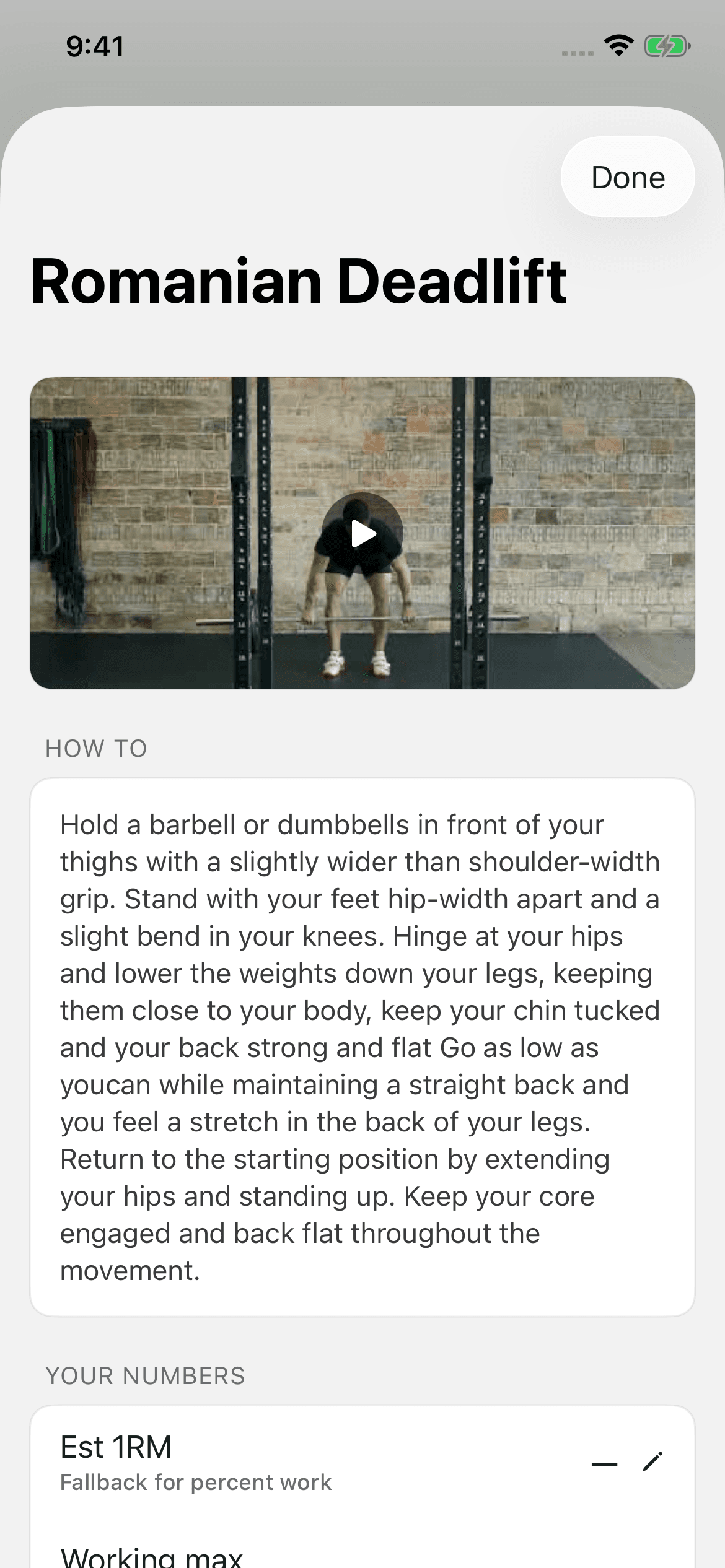
Every exercise you program comes from the library. The demo video, the description, and the coaching notes live on the library entry, not on the row you typed it into. An athlete reads them in the app every time the exercise comes up.
The Exercises list
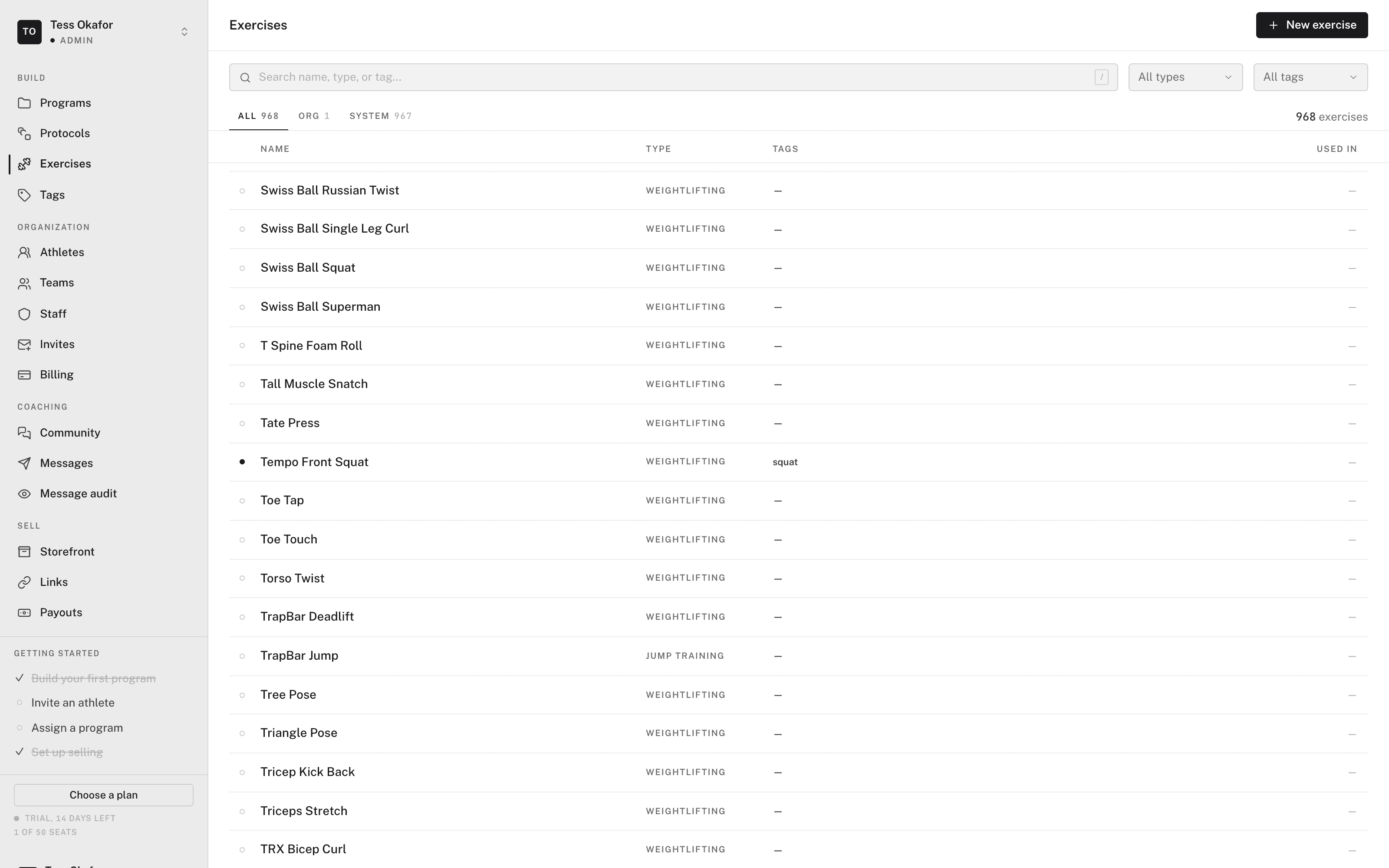
In the sidebar, open Library. It opens on Exercises. Three tabs set the scope:
- All — your organization's exercises and the system catalog together.
- Org library — your organization's exercises. Everyone in the organization can program with them.
- System — the catalog that ships with the builder. It is read-only.
Search, the type filter, and the tag filter apply to the selected tab. Each row shows the Name, Type, Tags, and Used in count. Click a row to open the exercise in a side panel. The panel lists the programs that use it.
Creating an exercise
- Open a new exercise
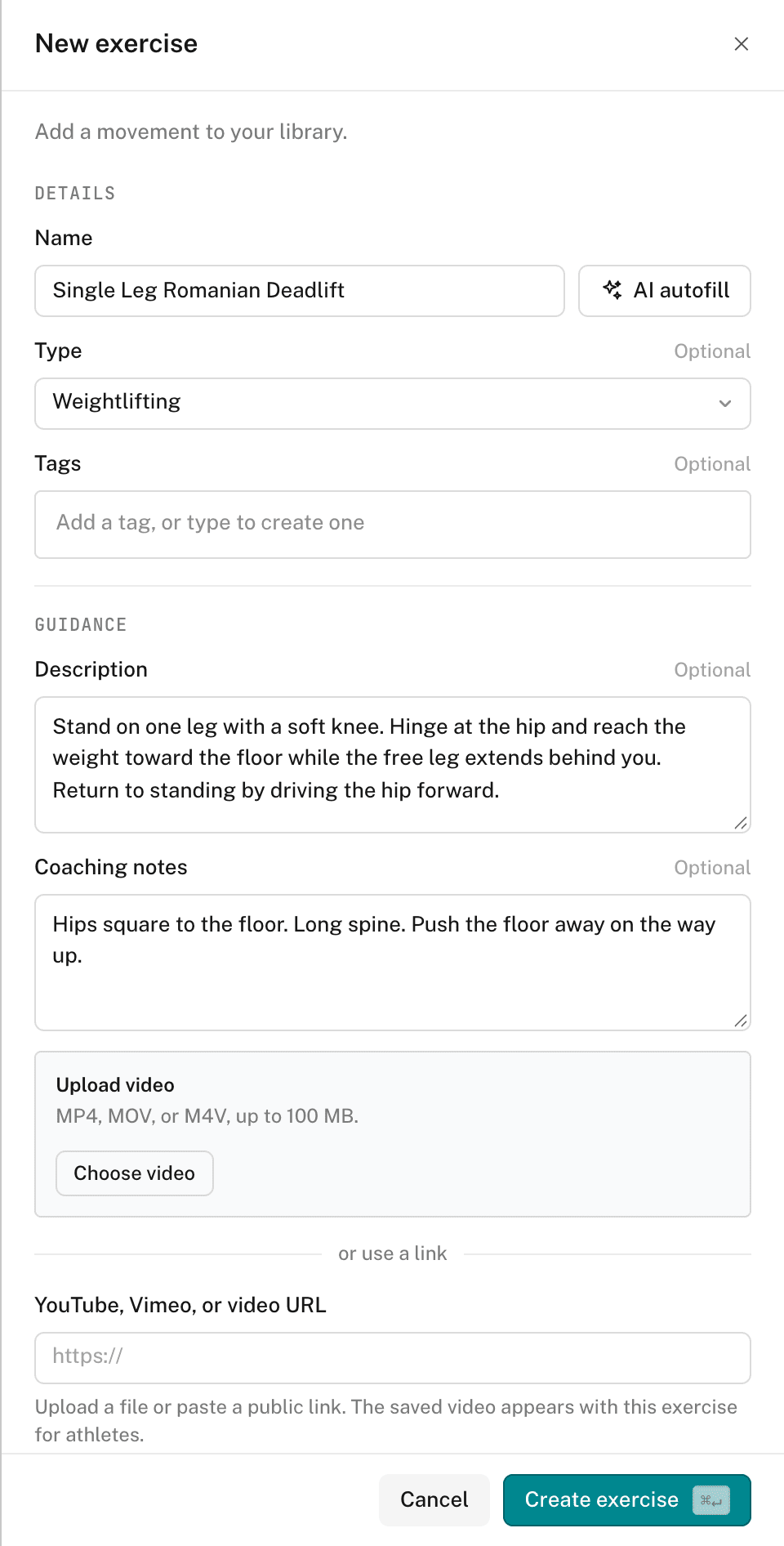
Click New exercise. The panel opens beside the list.
- Name it
Enter the Name. Type and Tags are optional. To create a tag that doesn't exist yet, type it and press Enter.
- Fill the guidance
Enter a Description and Coaching notes, or click AI autofill. The Agent fills the type, tags, description, and notes from the name. It doesn't overwrite what you already wrote. AI autofill needs AI on your plan.
- Add a demo video
Click Choose video to upload an MP4, MOV, or M4V file, up to 100 MB. Or paste a YouTube, Vimeo, or other public video link.
- Save it
Click Create exercise. It saves to your organization's library.
There is no private, per-coach exercise list. You can edit or delete any exercise in the org library.
In the app, an athlete opens an exercise to see its demo video and coaching cues.
To add many exercises at once, see importing exercises from CSV.
Changing a system exercise
You can't edit a System exercise in place. Open it and click Duplicate to copy it to your library. The copy is yours to change, and the original stays as it is.
Tags
Tags filter the exercise list and keep a large library findable. Open Library, then click Tags in the side rail. The Tags list has:
- All, Org library, and System tabs, plus search.
- New tag — creates an org tag. Tagging an exercise creates tags inline too.
- A Used in count on every tag, to spot duplicates and unused tags.
The Tags list has no rename, archive, or delete.