Maxes and percentages
Coaches often prescribe in percentages, such as "4×6 @ 75%". For a percentage to mean anything on the bar, the app needs a number to work from. That number is your max. It lives in one place: Profile > Maxes.
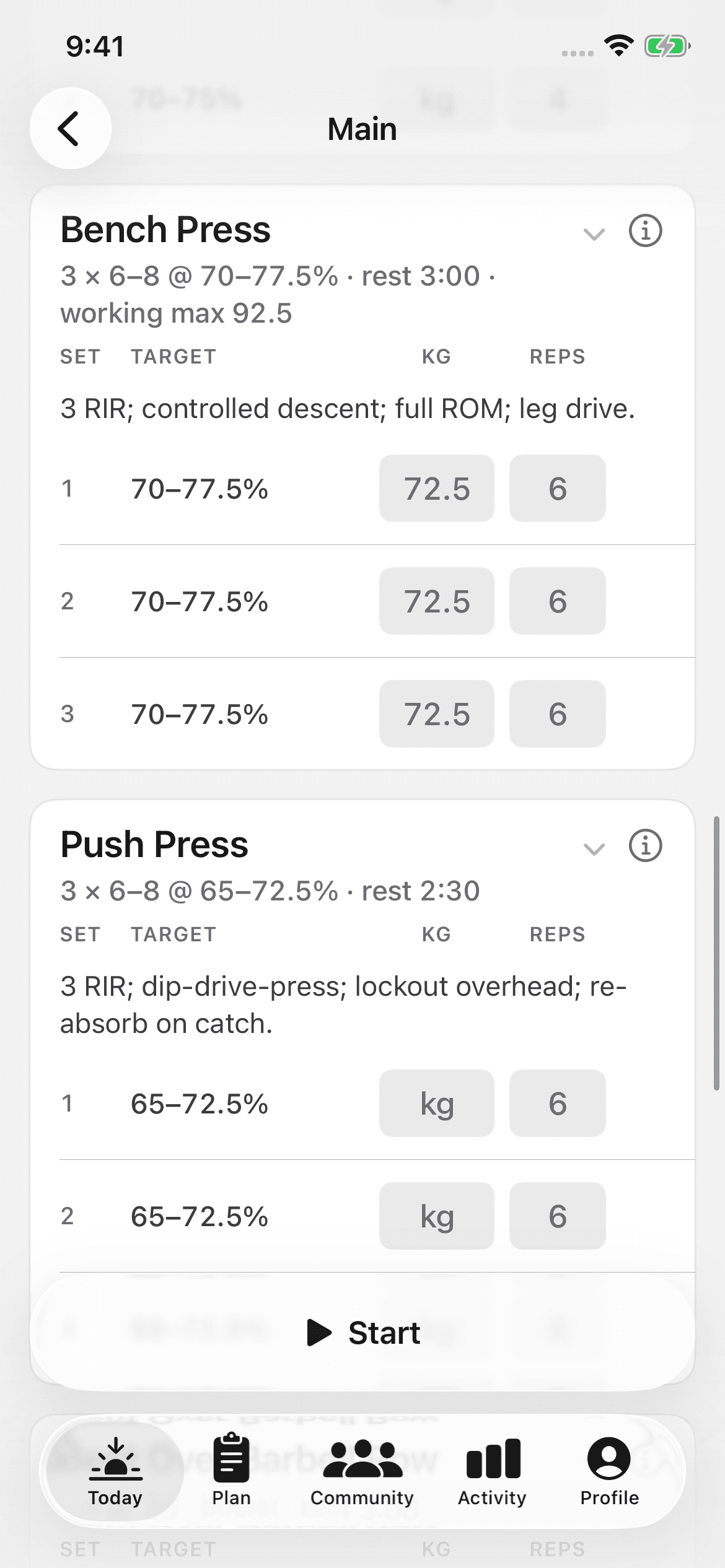
Save a max once. Every percent-based prescription then resolves to an actual load. This happens on Today, in the session detail, and in the logger.
1RM versus working max
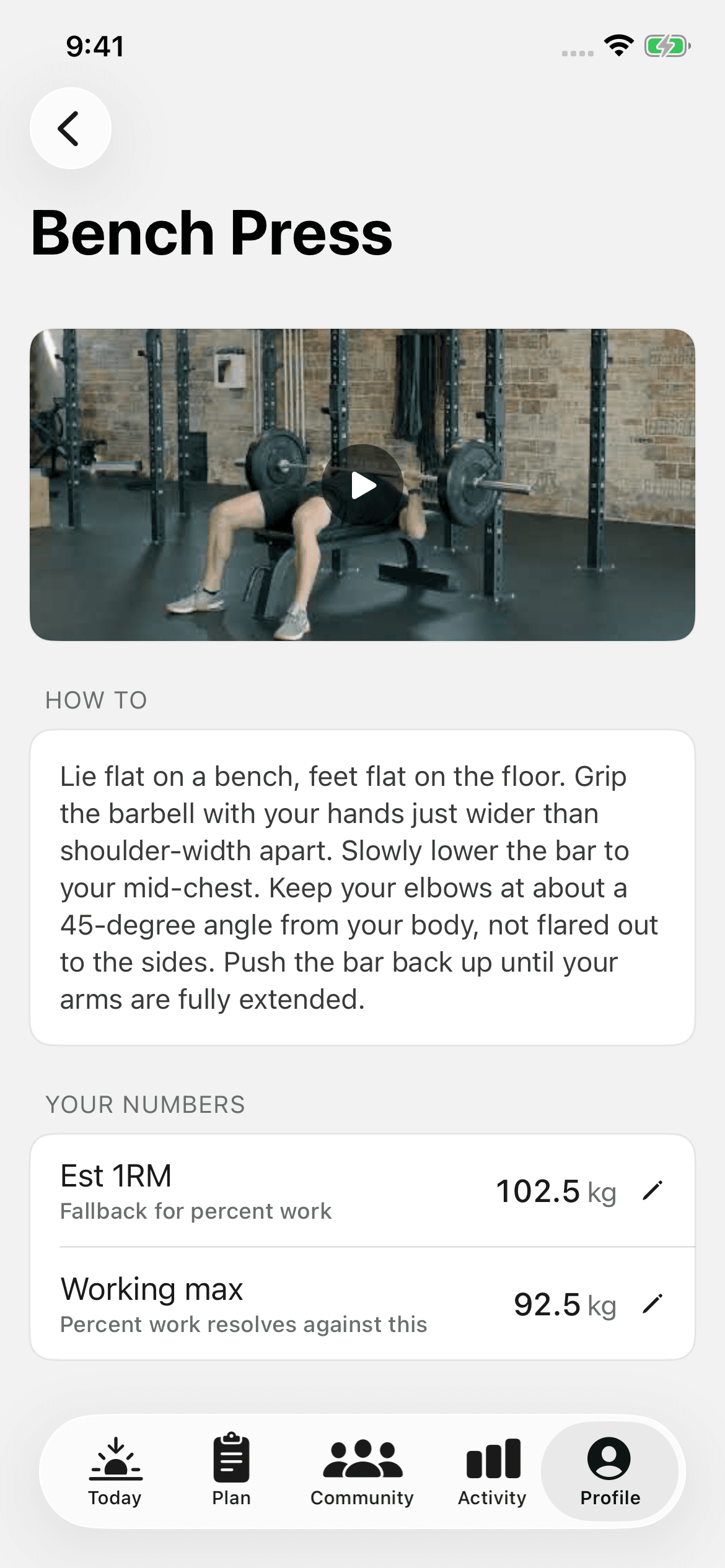
Each exercise can hold two values:
- Est 1RM — your one-rep max for the lift, as you enter it. The number can come from a real test or from an estimate. The app stores what you type and never checks it against a lift.
- Working max — the number you actually want your training math based on. Many programs run percentages off a working max that sits a little under a true 1RM. That keeps prescribed loads honest on an ordinary day.
The app prints the rule on the screen: "Percent work resolves against this". Percent work uses the working max when you save one. It falls back to the Est 1RM when you don't. If your coach tells you to use a specific training max, enter that number as the working max.
Saving and updating a max
- Open Maxes from Profile
Open the Profile tab, then Maxes. Add a max for an exercise. You can also open a max you already track.
- Save the value
Under Your numbers, tap the Est 1RM row or the Working max row to edit it. Tap Save 1RM or Save working max. Recent history below lists your recent top sets for the lift. The coach's cues and the demo video sit alongside it.
- Update when it changes
You hit a new max, or a coach retests you. Save the new value. Every future percentage then resolves against it. Past sessions keep the loads you actually logged.
If you don't know your max
Leave the max blank. A percentage with no saved max shows as prescribed. The app never invents a load. There are two honest ways to fill the gap:
- Let the coach test it. Many programs test maxes in week one. That result is the number to save.
- Set it inline. A session can prescribe percent work for a lift with no resolved max. The logger then lets you set the max on the spot, without leaving the session.
About estimated 1RM
The tools sheet and the Exercise trend widget both give you an estimated 1RM. The tools sheet calculates it from the load and reps you enter. The widget calculates it from your logged top sets, and the app is explicit about the method: "Epley, from your top set. A model, not a measurement." Neither result is your saved max, because the app never writes an estimate to Maxes. Save the number yourself if you want percent work to use it.
An estimate is a reasonable starting point when you never tested the lift. Over months it also makes a good trend line. A tested max, or a working max your coach set, is the better number to save.