Managing invites
The invite ledger lists every invite your organization sent, for athletes and staff, with the status of each. In your web dashboard, open Coaching > Athletes or Organization > Staff, and click All invites.
The invite ledger
Each row shows the Email, the Role, the Invited date, and the Status. The role reads Coach, Athlete · and the team name for a team invite, or Athlete (no team).
Filter the ledger with the tabs: All, Pending, Accepted, Revoked, and Expired. Before a season starts, open Pending to see who still needs to accept.
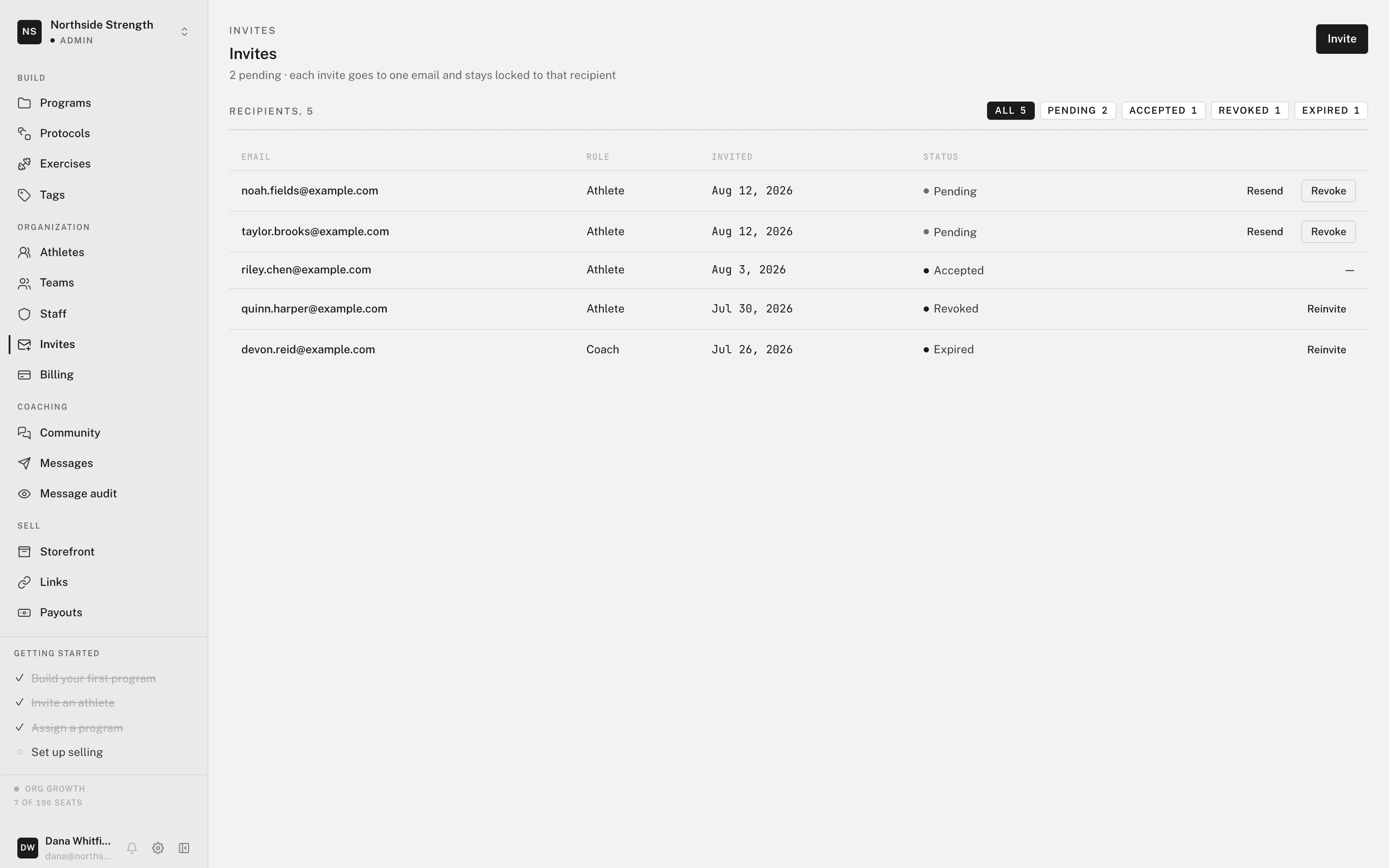
The four statuses:
- Pending — sent, and not yet accepted.
- Accepted — the person joined.
- Revoked — you cancelled the invite. The link no longer works.
- Expired — the invite passed its end date. Send a new invite if the person should still join.
Seats and pending invites
A pending invite holds one of your plan's seats until someone accepts it, you revoke it, or it expires. This stops two invites from competing for the last seat.
When members plus pending invites fill your plan, you can't send another invite. The dialog reads "This organization has reached its seat limit." To make room, revoke a pending invite you no longer need, or choose a larger plan on Billing.
Resending, revoking, and reinviting
Each row has actions for its status:
- Resend (pending) — sends the same invite email again. Use it when an invite is lost in an inbox or in spam.
- Revoke (pending) — cancels the invite now. The link in the email stops working, and the seat frees up.
- Reinvite (revoked or expired) — sends a new invite to the same address and the same team.
Accepted rows have no actions. Old rows stay in the ledger as a record.
Why invites are email-locked
Every invite is email-locked and single-use. It works only for the address you sent it to, and only once. The dashboard never shows an invite code. The invitee gets a link in their email.
A code pasted into a group chat could be used by anyone who sees it. An email-locked link is useless to everyone but the person you chose.
To change the address, revoke the invite and send a new one. You can't redirect an invite that is already sent.
If the invited email already has an account, accepting adds your organization to that account. It never creates a second account. See accounts and workspaces.
To sell a program rather than coach someone, an invite is the wrong tool. See invites vs. program links.