Managing your programs
In the mobile app, Profile > Programs lists every program on your calendar and every program you can start. Today runs the current day. Programs decides what is on your calendar.
Programs your coach puts on a team or organization calendar do not appear here. Their days show up on Today by themselves, and your coach manages them.
What's on the Programs screen
- ON YOUR CALENDAR — one card for each program you started, with its week and its dates. When nothing is on your calendar, a No active program card takes its place.
- AVAILABLE TO START — programs you own but did not start, each with a Start row. The heading reads READY TO START when nothing is on your calendar.
- Your programs — your whole library: ON YOUR CALENDAR, AVAILABLE TO START, LAPSED, and FINISHED.
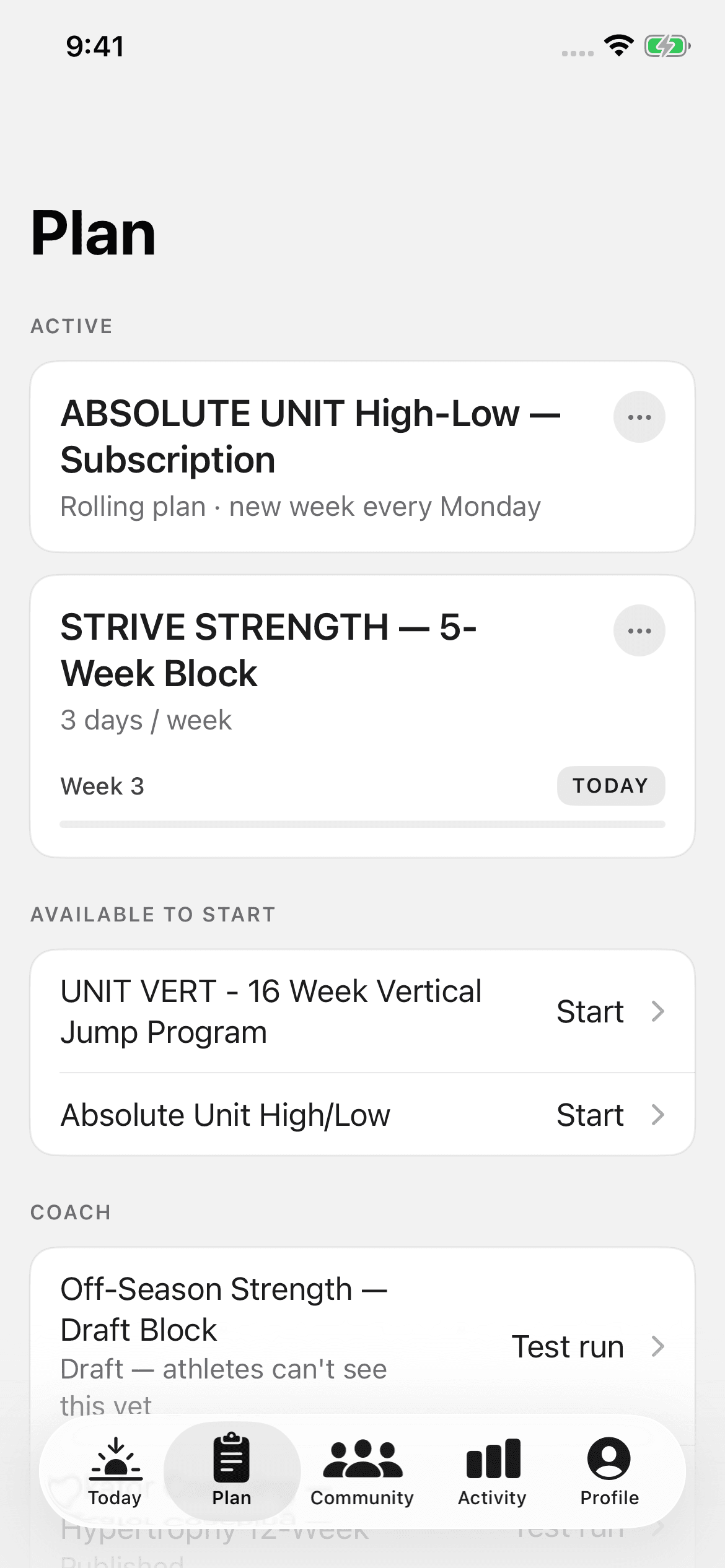
Starting a program
Tap Start on a program. The app asks one question before it adds the program to your calendar:
- A template asks for your training days. Pick the days of the week your sessions land on.
- An ongoing program asks which week to start from. New weeks arrive on your coach's schedule.
Tap Start program. The program's days then appear on Today.
Managing a program on your calendar
Tap ··· on a program's card. The sheet shows only the actions that apply to that program:
- Change training days — for a template. It moves your sessions to other days from today on.
- End program — removes the program's days from today on. For an ongoing program, the plan stops today. Days before today and your logged sessions stay. Ending a program does not cancel a subscription.
- Manage subscription — for a program you pay for monthly. It opens your account on the web.
- Restore — for a lapsed program. It opens the program's page on the web, where you renew it.
Outside the United States, the app does not show Manage subscription or Restore.
A program lapses when the subscription that pays for it ends. Its days stay in your history, and new days stop until you renew.
Missed sessions
Tap Mark as missed on a session you did not do. Tap Unmark missed if you change your mind. When several sessions are missed, a tray appears on Today. It offers two choices:
- Move into this week — the app moves the missed sessions forward, and you continue where you stopped.
- Skip them — the plan stays where it is, and you continue from today.
Reading the programming ahead
Tap a program's card to read it without starting a session. A lapsed program does not open. The overview shows WHAT THIS BUILDS, TRAINING BLOCKS, and WEEK STRUCTURE. Open a week for its days, then open a day for its session.