Wearables and Apple Health
Connect Apple Health, and the mobile app reads what your Apple Watch records. Your logged sessions then show heart rate. Watch workouts can match the sessions you logged. The app also scores your daily readiness from your sleep and heart data.
Connecting Apple Health
- Open the Apple Health row
Open Profile and find the Connected group. Tap Apple Health. The same row is in Check-in > Sources.
- Review what the app reads
The sheet lists What Gridlines reads: workouts, heart rate, walking and running distance, active energy, heart rate variability, resting heart rate, and sleep.
- Allow access
Tap Connect Apple Health. iOS asks which data to share. Allow the types you want the app to read.
The row then reads Connected. To change access later, open the Health app on your iPhone, then Sharing.
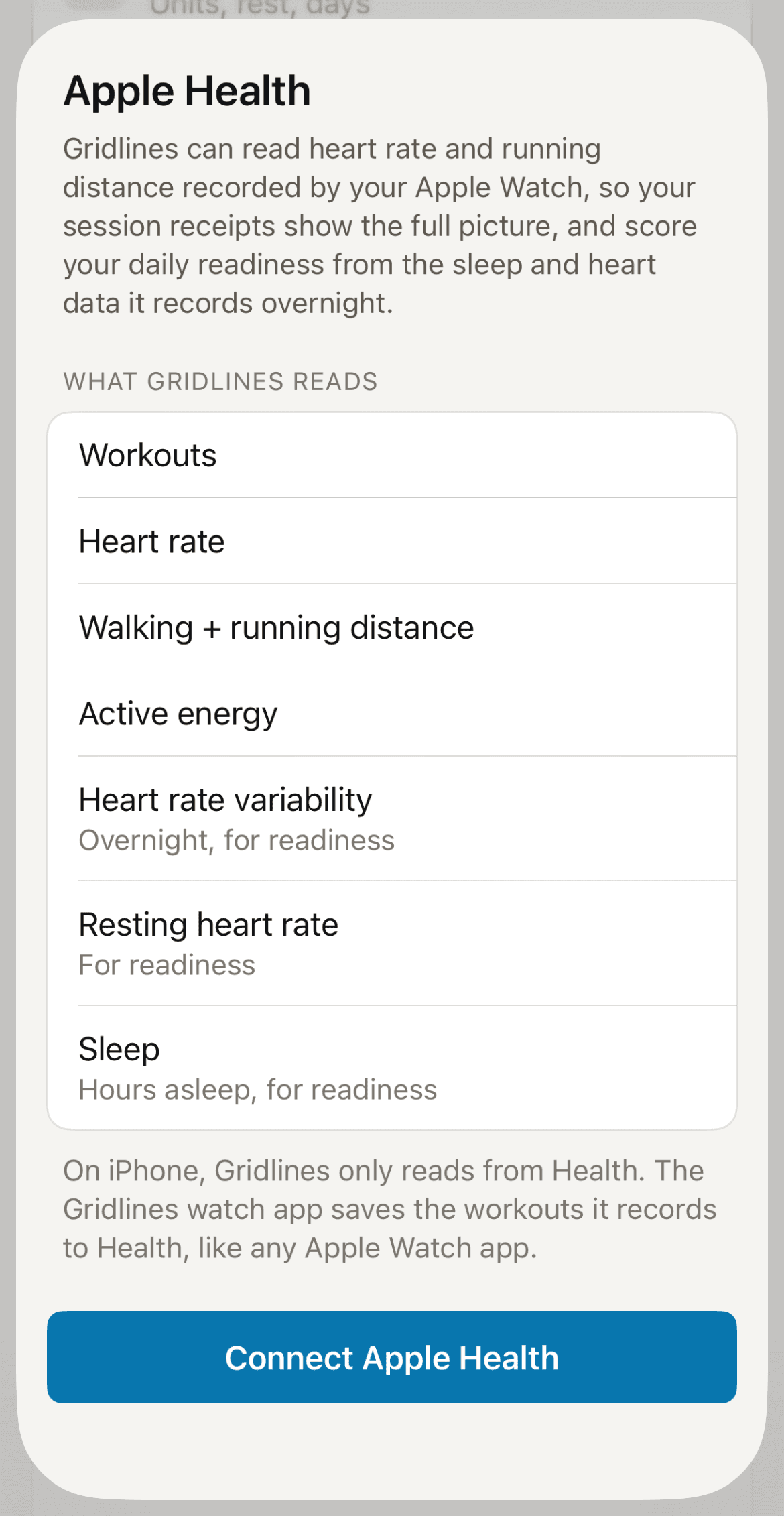
If you connected before readiness existed, the row reads Update access. Tap it, then tap Update Health access to add sleep and heart data.
Readiness from Apple Health
The app scores your readiness on your phone from last night's data. It compares each input with your own last 28 nights. It needs a week of nights before the first score, and the Check-in tab shows your progress until then. If your watch recorded nothing overnight, the tab shows No data last night. Check in by hand on those days.
Your coach sees the daily score, not the raw data. See The Check-in tab.
Matching watch workouts to sessions
When you record a workout on your watch and also log it in the app, the app can suggest a match. Open Profile > Apple Health to see Suggested matches. Each card shows your log beside what the watch recorded:
- Link — joins the watch workout to your session.
- Not a match — dismisses the suggestion.
Linking never changes your sets, your totals, or your session.
Choosing a readiness source
Profile > Readiness source decides which source scores your day. Auto uses the best connected source that has a score for the day. Pick one source to use it whenever it has a score.