Community
Each organization you train with can run one community. In the mobile app, the Community tab shows it. If you train with more than one, the initials button switches between them. A community appears when a coach who runs one has you on their roster.
The feed and spaces
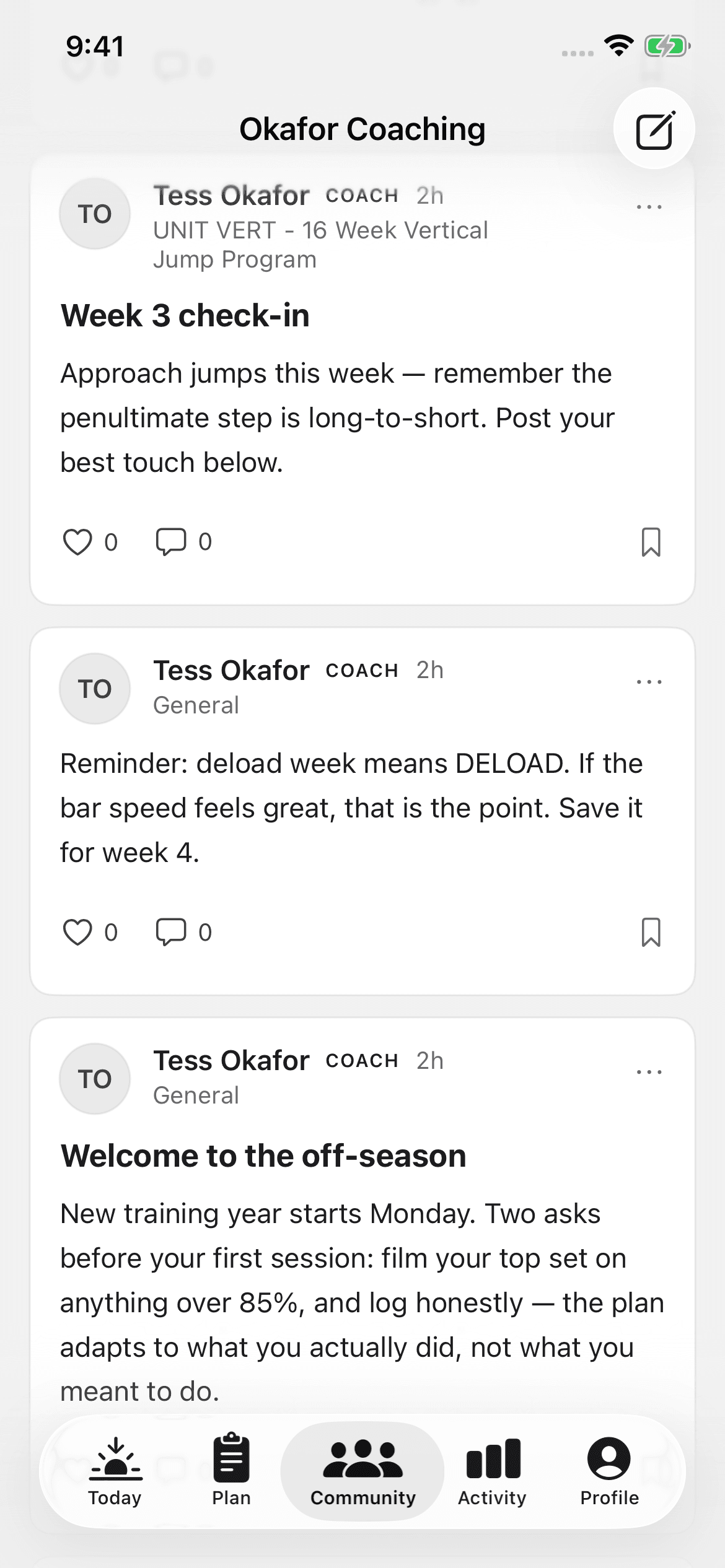
The root feed merges everything in the community. Beneath it sit spaces, focused feeds that follow your programs. The people in a space train the same thing you do. When your run of a program ends, its space goes read-only. The archive stays, and the conversation moves on.
Before your first post, the app asks you to accept the community's ground rules. You accept them one time.
Posting
- Start a new post
A post takes an optional title and a body. Choose which space it belongs in.
- Add what the words can't carry
Attach Photos, run a Poll, or use Attach session. Attach session is the one unique to a training community. It adds a completed receipt from your Activity log, with sets and loads intact.
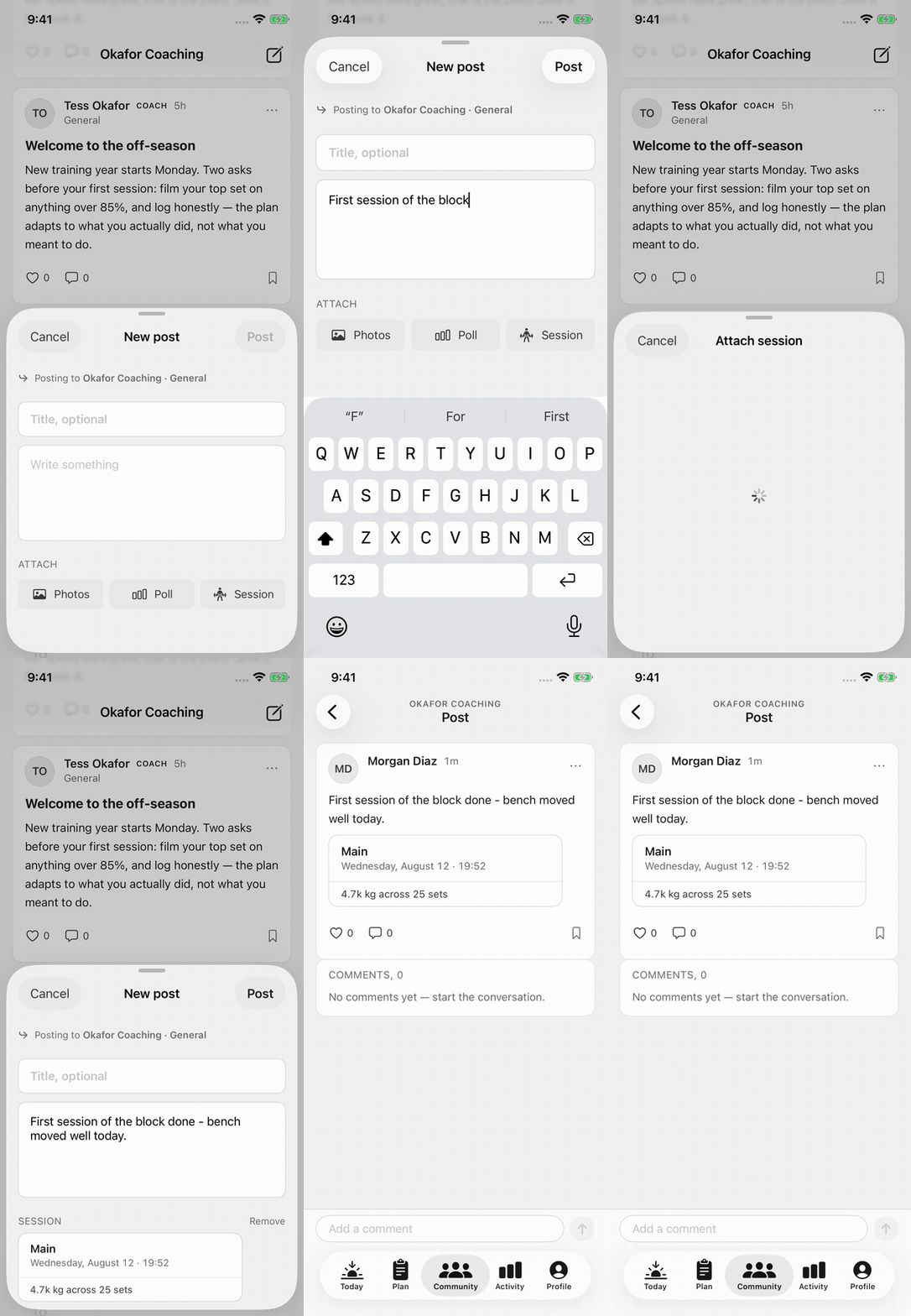
You can also share straight from the source. A finished session's receipt offers sharing into a space or a coach conversation, without composing from scratch.
Reading and reacting
You can like posts, bookmark the ones worth returning to, comment, and vote in polls. Poll results show after you vote. You can edit or delete your own posts and comments. You cannot edit or delete other people's. The members roster shows who's in the community.
When something's off
Two tools are available on any post or profile:
- Report — flag content as Spam, Not training related, Harassment, or Other. Reports go to the people who run the community.
- Block — you stop seeing a person. Blocked users appear on Profile under Blocked users, where you can unblock them later.
Hiding a space or a community
You can hide what you do not want in your feed. Hidden items stay yours, and you can show them again at any time.
- Hide a space — long-press the space and tap Hide space. To bring it back, open the hidden-spaces tile at the end of the row and tap Show with the space's name.
- Hide a community — open the community switcher, long-press the community, and tap Hide community. If you hide every community, the tab lists them under Hidden communities.