Charging athletes directly
Athlete billing lets you charge the athletes you coach for your coaching. The money goes straight to your organization's Stripe account. You are the merchant, you pay Stripe's processing fee, and the platform takes nothing.
Only admins can set it up. In your web dashboard, open Organization > Billing and click the Athlete billing tab.
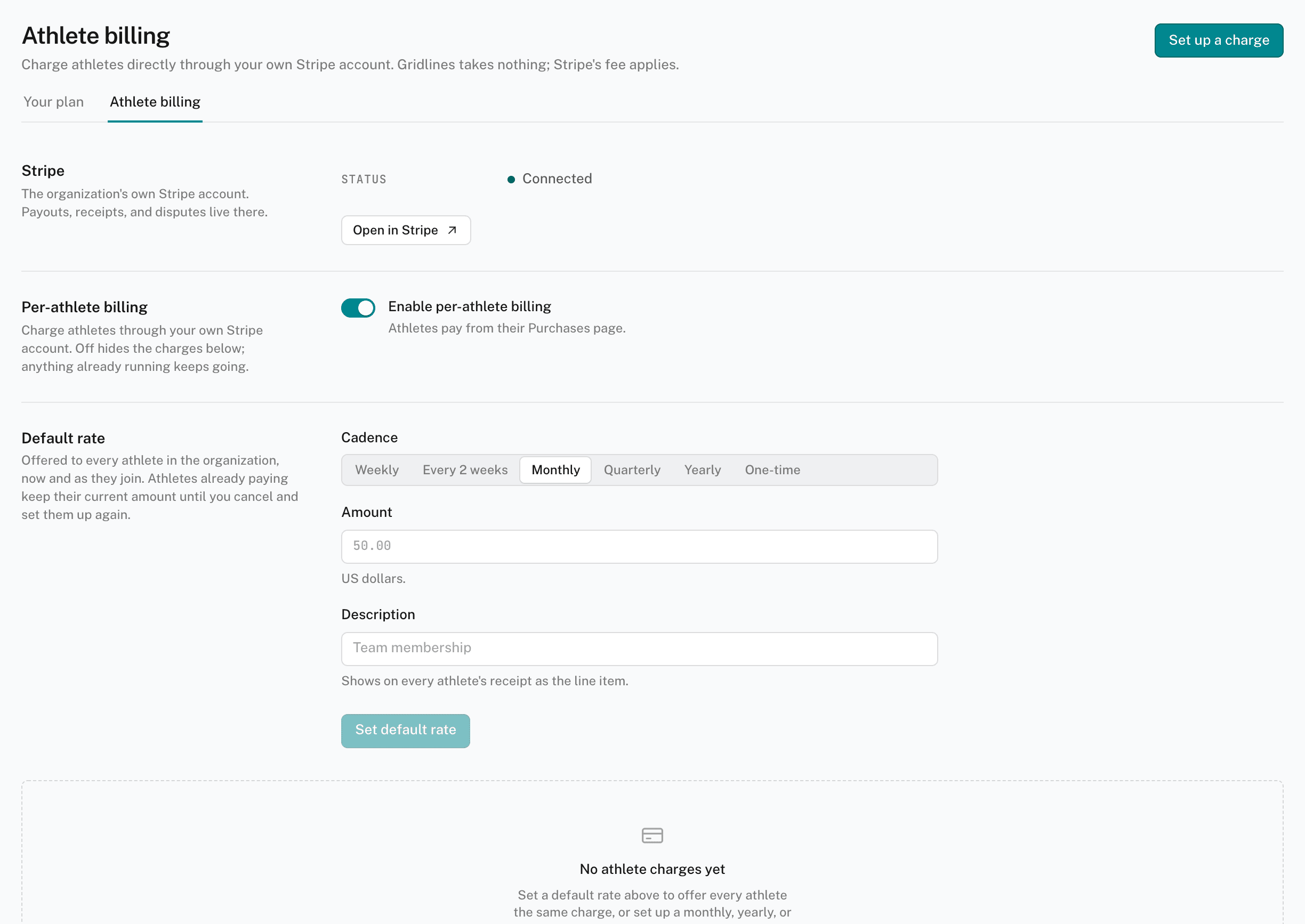
How it works
- Payment never gates training. An unpaid charge changes nothing in the app. An athlete who hasn't paid keeps their calendar.
- Athletes pay from Purchases. Each new charge is emailed to the athlete. They pay it from the Purchases page of their account.
- One Stripe account per organization. Athlete billing and your Storefront share the same account. You don't need a Storefront to bill athletes.
This is separate from your organization's own plan. Athletes who join by invite are covered by your plan whether or not you charge them.
Set up athlete billing
- Connect Stripe
With no Stripe account yet, the tab reads Connect Stripe to bill athletes. Click Connect Stripe and finish Stripe's setup. If you left setup part-way, click Resume Stripe setup.
- Turn it on
Toggle Enable per-athlete billing on. Nothing is charged while it is off.
- Set a default rate
Under Default rate, choose the Cadence, and enter the Amount and a Description. Click Set default rate. Every athlete is offered this charge, including athletes who join later.
The cadence is Weekly, Every 2 weeks, Monthly, Quarterly, Yearly, or One-time. The description shows on the athlete's receipt.
A later change to the default rate moves only charges nobody has paid yet. Athletes already paying keep their amount.
Charge one athlete
Click Set up a charge. Choose the Athlete, the Cadence, the Amount, and a Description, then click Set up charge. Use it for a rate that differs from the default, or for a one-time fee.
Track and stop charges
The register lists each Athlete, Charge, Amount, Status, and the next or last payment date. Filter it with All, Live, and Ended.
The status reads Awaiting payment, Active, Ends at period end, Past due, Paid, Canceled, or Withdrawn.
- Withdraw — cancels a charge nobody has paid yet.
- Cancel — stops a running charge. Choose At period end or Now.
Turning athlete billing off hides the register. Charges that are already running keep going. Cancel them one by one to stop them.