Tracking your progress
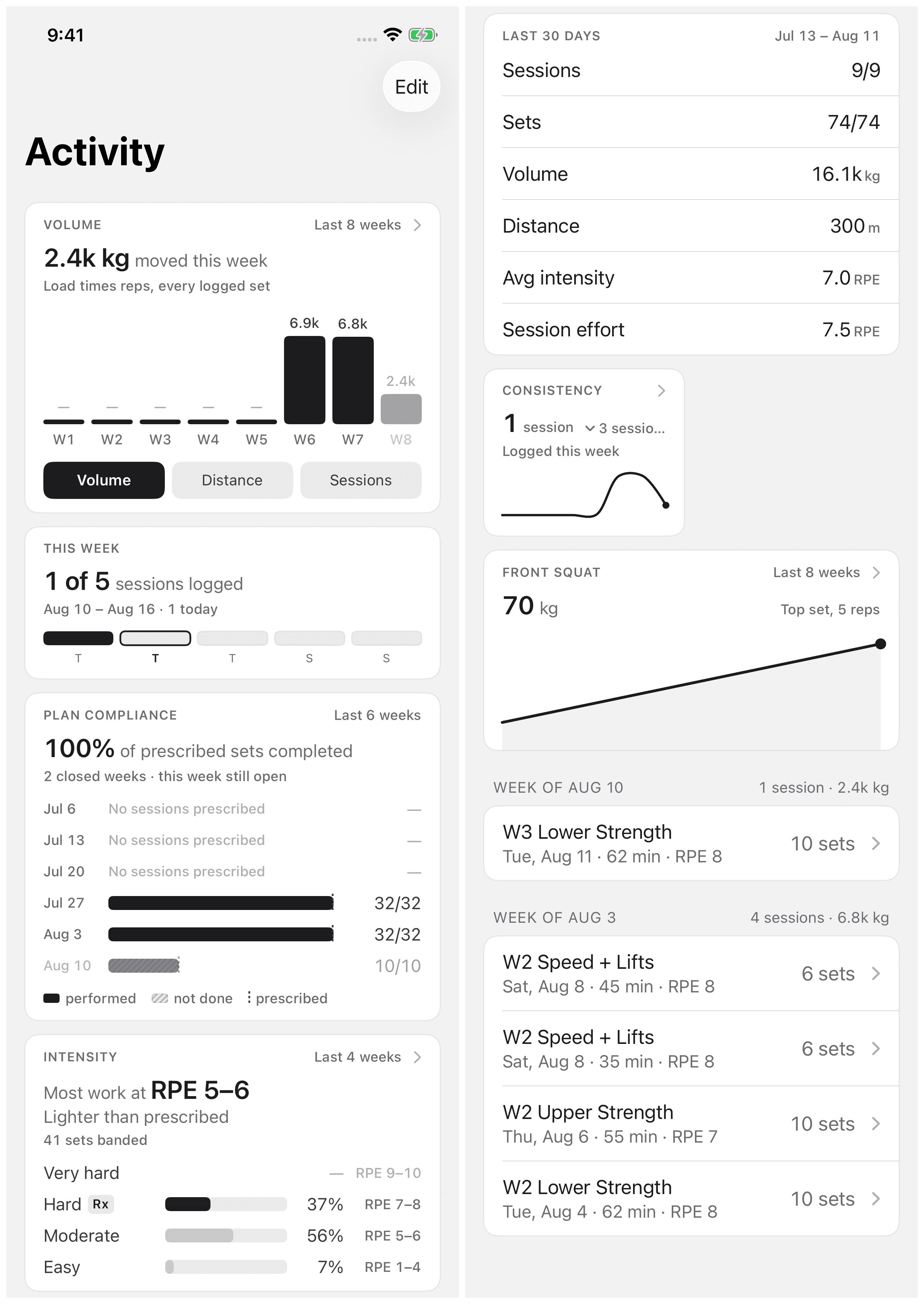
In the mobile app, Activity holds every session you finish. The widgets at the top turn that log into trends. Everything on the tab comes from what you logged, not from what a program planned.
Your sessions
Last 7 days lists this week's sessions. Tap See all sessions for the full list, grouped by week, newest first. Tap a row to open the session. It shows the sets, loads, and notes as you saved them.
Fixing a past session
Open the session and tap Edit. You can change logged values, reopen a set, mark a set skipped, or correct Session effort and the note. Tap Save changes when you finish. To log more sets, tap Reopen workout. The session goes back into the logger.
Widgets
The top of Activity is a widget board you arrange yourself. Tap Edit in the toolbar to open Edit widgets. You can add, reorder, resize (Small or Medium), and remove widgets:
- Weekly volume — total load moved, week by week.
- Time trained — where the hours went.
- Sets per week — the plainest dose measure there is.
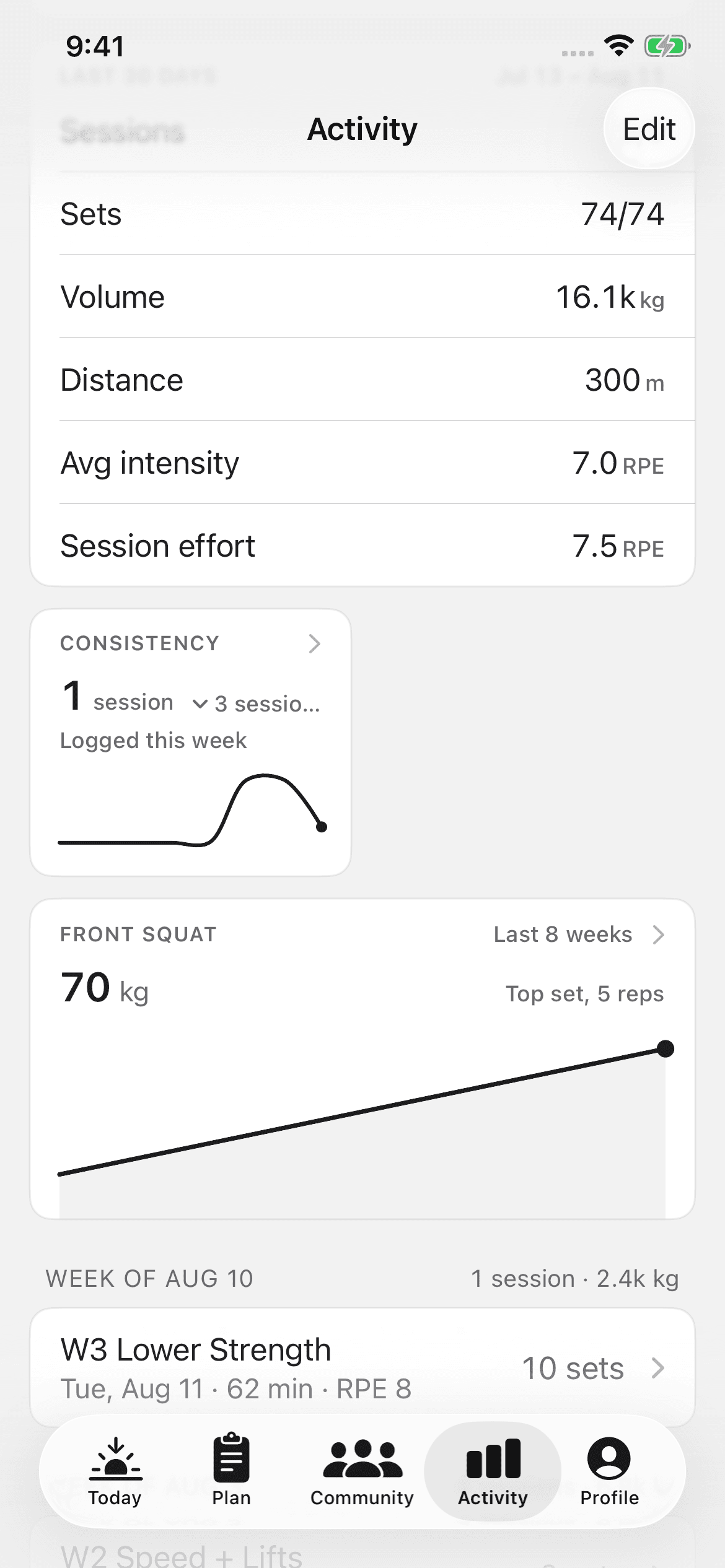
- Consistency — your streak plus a yearly heatmap, with "Sessions logged", "Best week", and "Average per week".
- Exercise trend — choose an exercise and a measure: Top set, Volume, or Estimated 1RM. The ranges are the last 8 weeks, 12 months, this week, or this year.
How the numbers are counted
- Trends use only completed logged sets. Skipped and unlogged work doesn't pad a chart.
- Bodyweight sets count toward your set totals but add no load. Pull-ups don't inflate your volume number.
- Estimated 1RM is exactly what the widget says it is: "Epley, from your top set. A model, not a measurement." It's useful for spotting a trend, not for loading a bar. To load a bar, test a real max. See Maxes and percentages.
Values you leave blank do not count. The charts show only what you logged.
Sharing a session
You can share a finished session's receipt into a community space or a coach conversation. The receipt is a real artifact of the work, not a screenshot. See Community and Messaging your coach.