Protocols
A protocol is a saved loading scheme: sets, reps, intensity, tempo, and rest. Save a structure you repeat — a 5/3/1 wave, a contrast sequence, a tempo-run ladder — once. Then apply it to any exercise as you build. A protocol carries no exercise. You choose the exercise when you apply it.
A protocol is made of segments, one per row. A single-scheme protocol has one segment. A multi-segment protocol chains several, such as top sets and then back-offs.
The protocols list
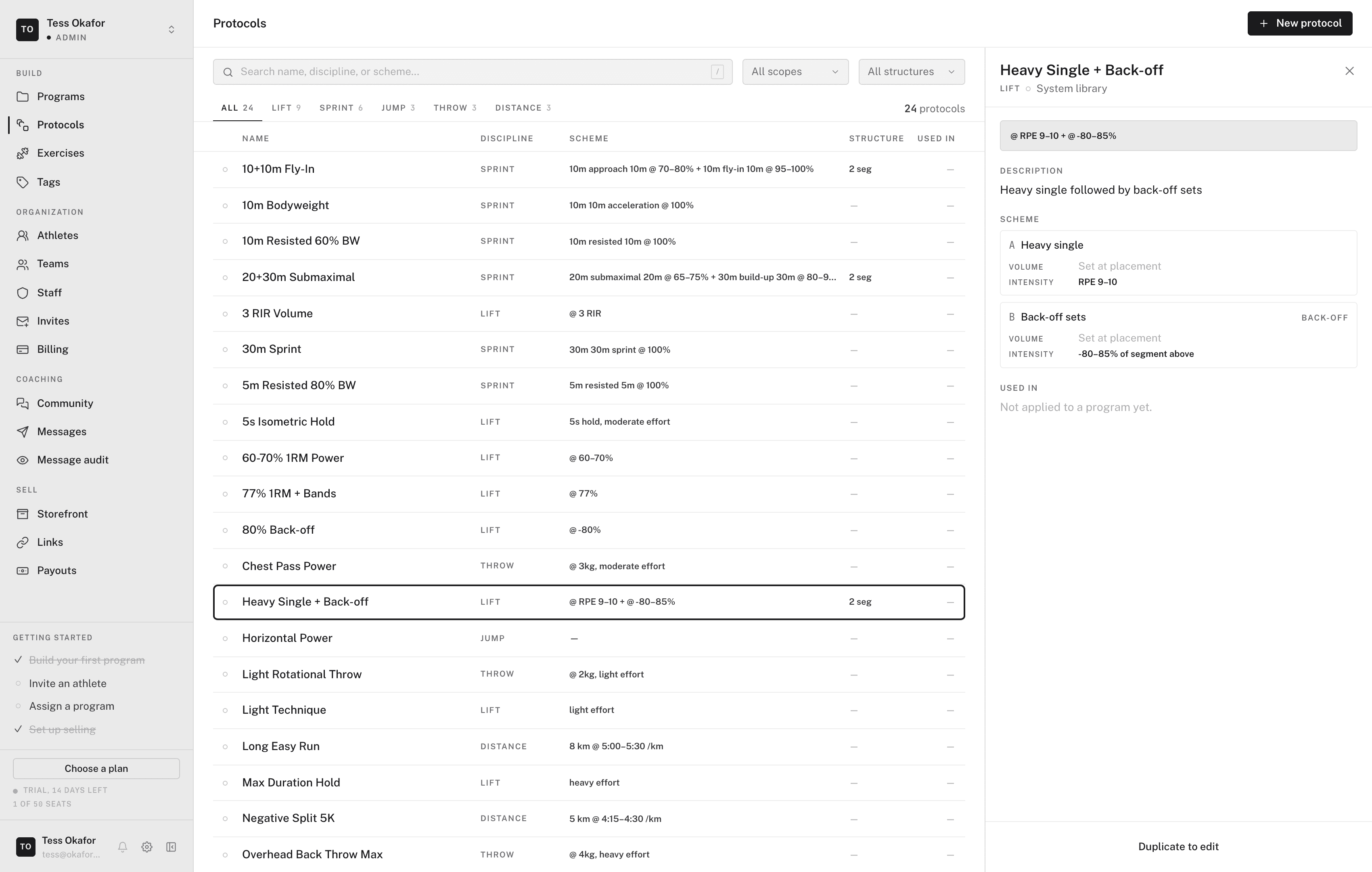
In the sidebar, open Library, then click Protocols in the Library side rail. The list has:
- Discipline tabs — All, Lift, Sprint, Jump, Throw, and Distance.
- Search — matches the name, discipline, or scheme.
- Library filter — All libraries, Org library, or System.
- Structure filter — All structures, Single scheme, or Multi-segment.
Each row shows the Name, Discipline, Scheme, Structure, and Used in count. Click a row to open it in a side panel.
Creating a protocol
- Open a new protocol
Click New protocol. The panel opens beside the list.
- Name it
Enter a Name. Description and Coaching notes are optional.
- Pick a discipline
Choose Lift, Sprint, Jump, Throw, or Distance. The discipline decides the scheme's columns: loads and effort for Lift, distance and pace for Distance. Switching discipline clears the scheme, so the panel asks you to confirm first.
- Write the scheme
Type the scheme into the line above the grid, then press Enter. The line reads the same syntax as the editor's helper bar. Each clause becomes a segment. Edit cells in the grid, or click + Add segment.
- Check the preview and save
Preview shows the scheme as a builder row will read it. Click Create protocol. The protocol saves to your organization's library, and every coach in the organization can apply it.
Editing, duplicating, and deleting
- Edit — open an org protocol and click Edit.
- Duplicate — a System protocol can't be edited in place. Open it and click Duplicate to copy it to your organization's library, then edit the copy.
- Delete — in the edit panel, click the Delete protocol icon, then Confirm delete. There is no archive.
Applying a protocol
In the program editor, select an exercise and start typing in the helper bar. Matching protocols list above the Create row. Choose one and press Enter. See writing schemes.
Applying a protocol copies its scheme at that moment. Editing or deleting the protocol later doesn't change programs that already used it.