The team page
The team page is where you program and run a team. In your web dashboard, open Coaching > Teams, then click a team. Coaches open My teams.
The page opens on the team's Calendar. A sub-rail on the left groups the rest:
- Programming — Calendar and Trends.
- Forms — Intake and Readiness.
- Automation — Readiness rules.
- Team — Roster and Settings.
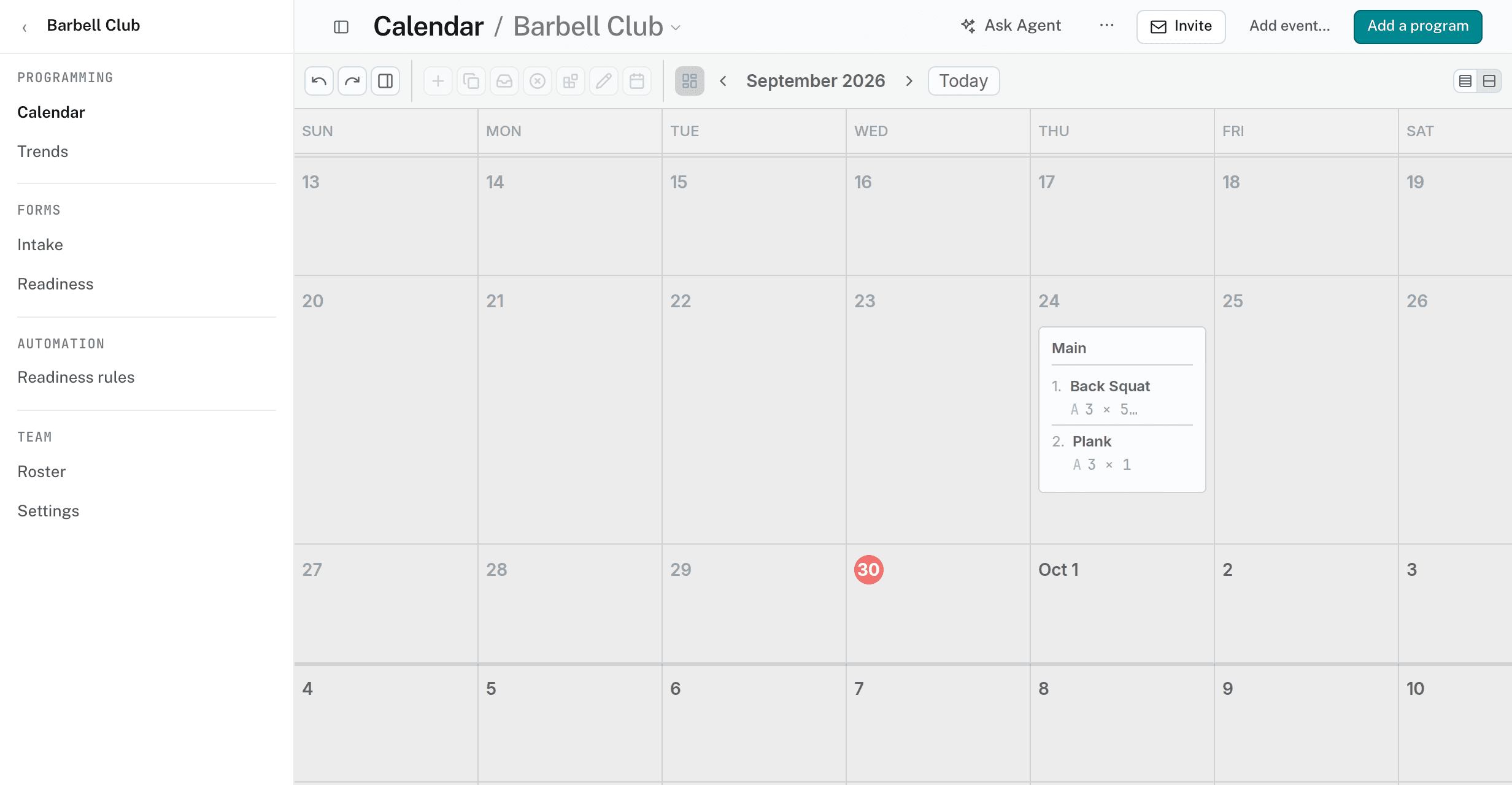
Calendar
Training on the team calendar reaches every athlete on the roster, including athletes who join later. Click Add a program in the header to follow a calendar or place a template. See adding a program to a calendar.
Trends
Trends shows what the roster logged, and who needs a look. Choose the window: 4 weeks, 8 weeks, Quarter, or 6 months.
- Weekly volume by athlete
- Sessions per week — completed, unfinished, and missed.
- Session effort by athlete — RPE.
- Readiness — the roster's readiness over the window.
The Roster table below the charts lists each athlete's Logged, Missed, and Unfinished sessions, their volume, and their RPE. Click an athlete to open the athlete page.
Forms and readiness rules
A team answers the organization's intake and readiness forms until you give it its own. See team forms and readiness rules.
Roster
Roster lists each Member with their Role — Head coach, Coach, or Athlete — and the date they joined.
- Add existing — adds an organization member with no team. Staff join as coaches.
- Remove — takes the member off this team. They stay in the organization. Admins and the team's head coach can remove members.
- Awaiting acceptance — invites that are not accepted yet.
To invite new athletes, see inviting athletes.
Settings
- Team name — enter a new name and click Save name. Admins and the team's head coach can rename a team.
- Details — the focus, head coach, creation date, and team ID. The focus is edited in the builder's team settings.
- Delete team — admins and the team's head coach. Members stay in the organization. The team's calendar, invites, follows, and community space are removed. You confirm by typing the team's name, and you can't undo it.