Building your first program
You write programs in the builder. If you ever programmed in a spreadsheet, the shape is familiar. A program is a hierarchy:
- A program contains weeks.
- A week contains days.
- A day holds one or more sessions — the workouts an athlete opens in the app.
- A session is a list of exercises, each with its sets, reps, load, and anything else you prescribe. You can group exercises for supersets and circuits.
- Create the program and rough out the weeks
In Programs, click New program. The New program panel asks for a Name, a Type (template or calendar), and Editors. Editors decides who can change the program: you and org admins, or one team's coaches. It schedules nothing. Description and Community are optional. Click Create program, and the editor opens.
Rough out the skeleton first: how many weeks, and what each training day is for. Build the structure first and the details second.
- Write the sessions
Fill in each day's session: exercises, sets and reps, loading. Pull from the exercise library rather than retyping movements. An athlete's demos and history in the app hang off the library entry.
- Prescribe the sets and reps
Select an exercise row. Type the scheme in the helper bar, such as
3x5 @ 75%. Press Enter. The builder writes the volume rows under the exercise. Writing schemes covers every form the bar reads.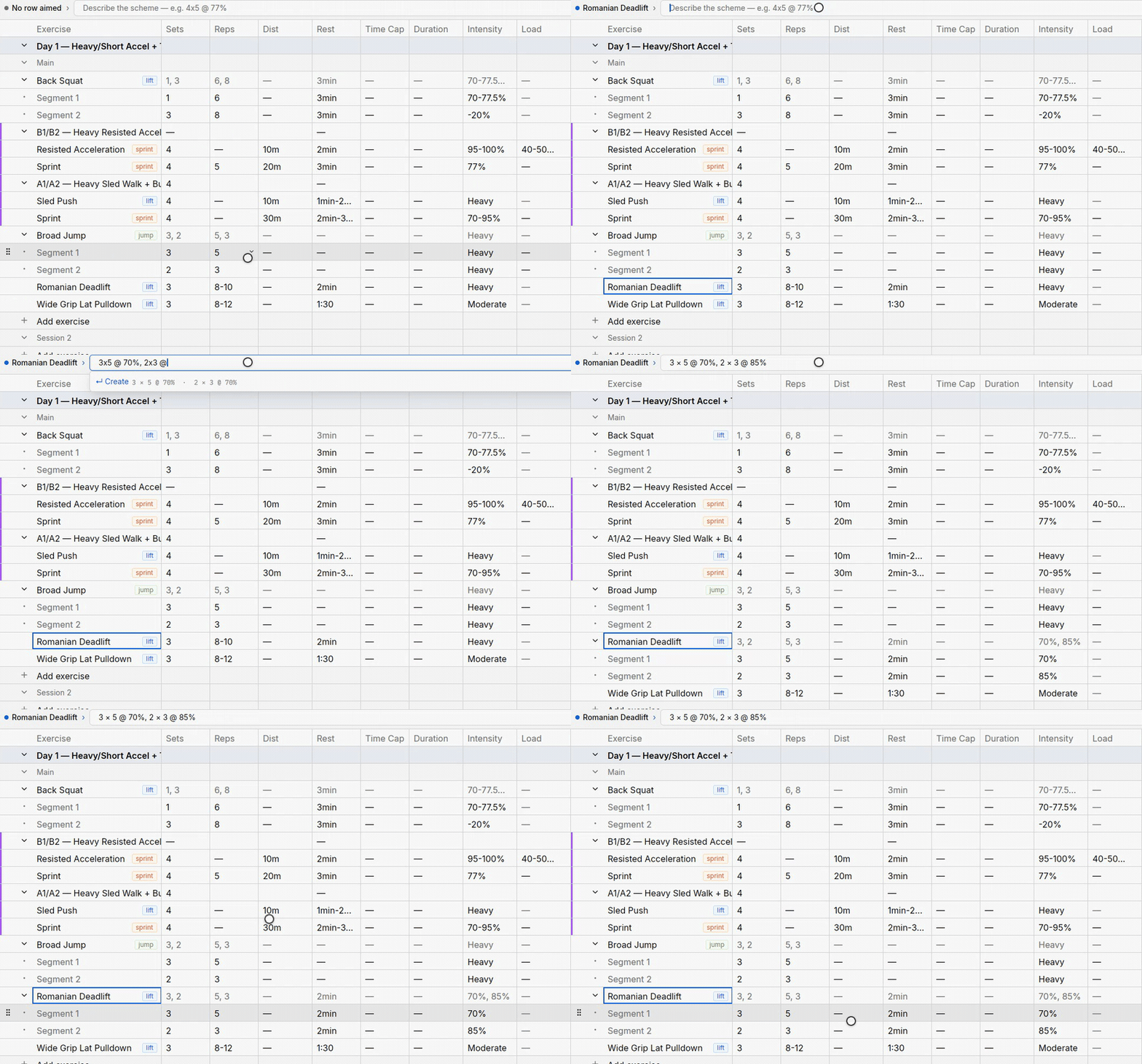
The helper bar filling an exercise's rows. - Reuse instead of retyping
Most programming repeats with variations. The builder is built around that. Right-click a week tab. Choose Duplicate Week. Days duplicate the same way. Then adjust the variable, such as one value in the Intensity column.
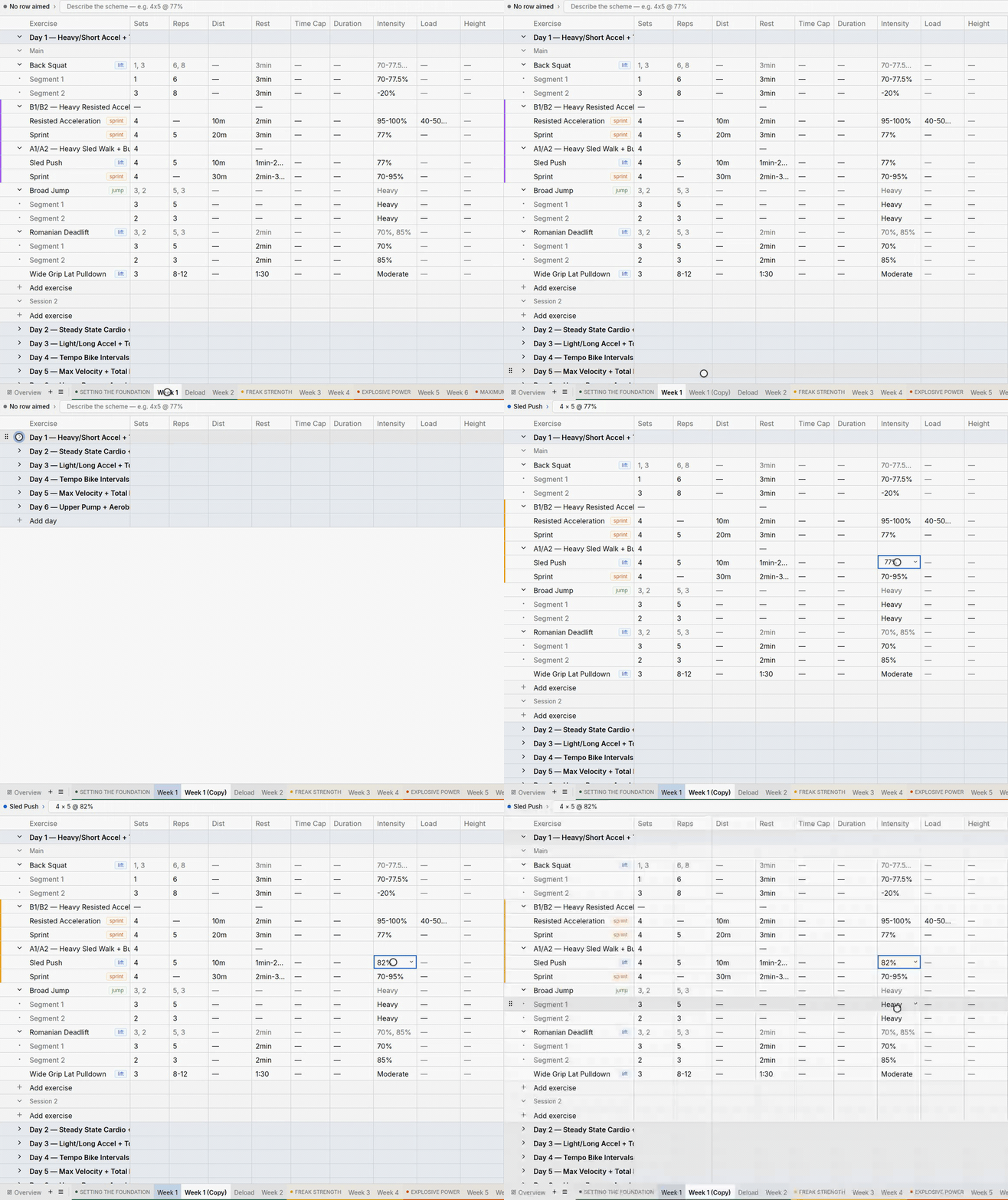
A duplicated week with one changed intensity.
When it's written
Open Program info & settings from the editor's Program menu. On the Overview tab, a new program reads Draft. Review the training, then choose who it is for:
- Your own athletes — open an athlete or team calendar. Place a template as a copy, or follow a calendar. A draft template can be placed. A calendar must be live before anyone can follow it. See adding a program to a calendar.
- Buyers — click Go live, then publish and price it in Storefront.
Go live can't be undone. See templates and calendars for what it changes.