Managing teams & staff
Your organization holds everything else. Teams group your athletes. Staff are the coaches who work with them. Your plan covers all of it, so athletes and staff never pay for coaching.
Teams
A team groups athletes by squad, intake, location, or anything that fits how you coach. A team has its own calendar, so training it follows reaches every athlete on it, including athletes who join later.
In your web dashboard, open Coaching > Teams. The register lists each Team with its Focus, Head coach, and Athletes. Coaches see the same room as My teams, with only the teams they coach.
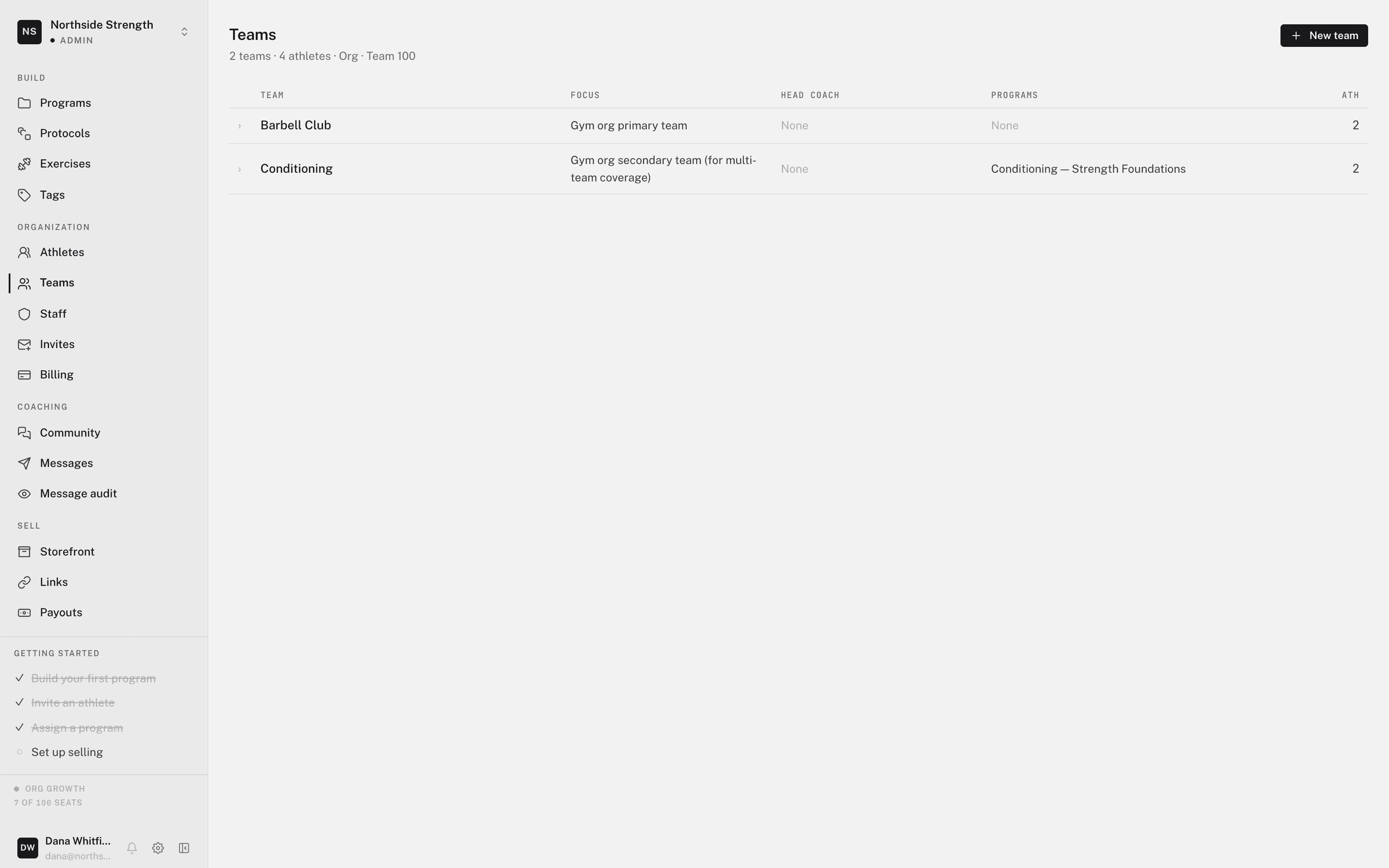
Create a team
- Click New team
On Teams, click New team. Only admins can create teams.
- Name it
Enter a Team name and an optional Description. Click Create team.
- Invite athletes, then set up the calendar
The team's roster opens with the invite dialog. See inviting athletes.
Everything else about a team lives on its own page: the calendar, trends, forms, roster, and settings. See the team page.
Staff
Staff are the coaches in your organization. Open Organization > Staff. The register lists each person with their Role, Teams, Joined date, and Status. Status is Active, or Invite sent while the invite is pending.
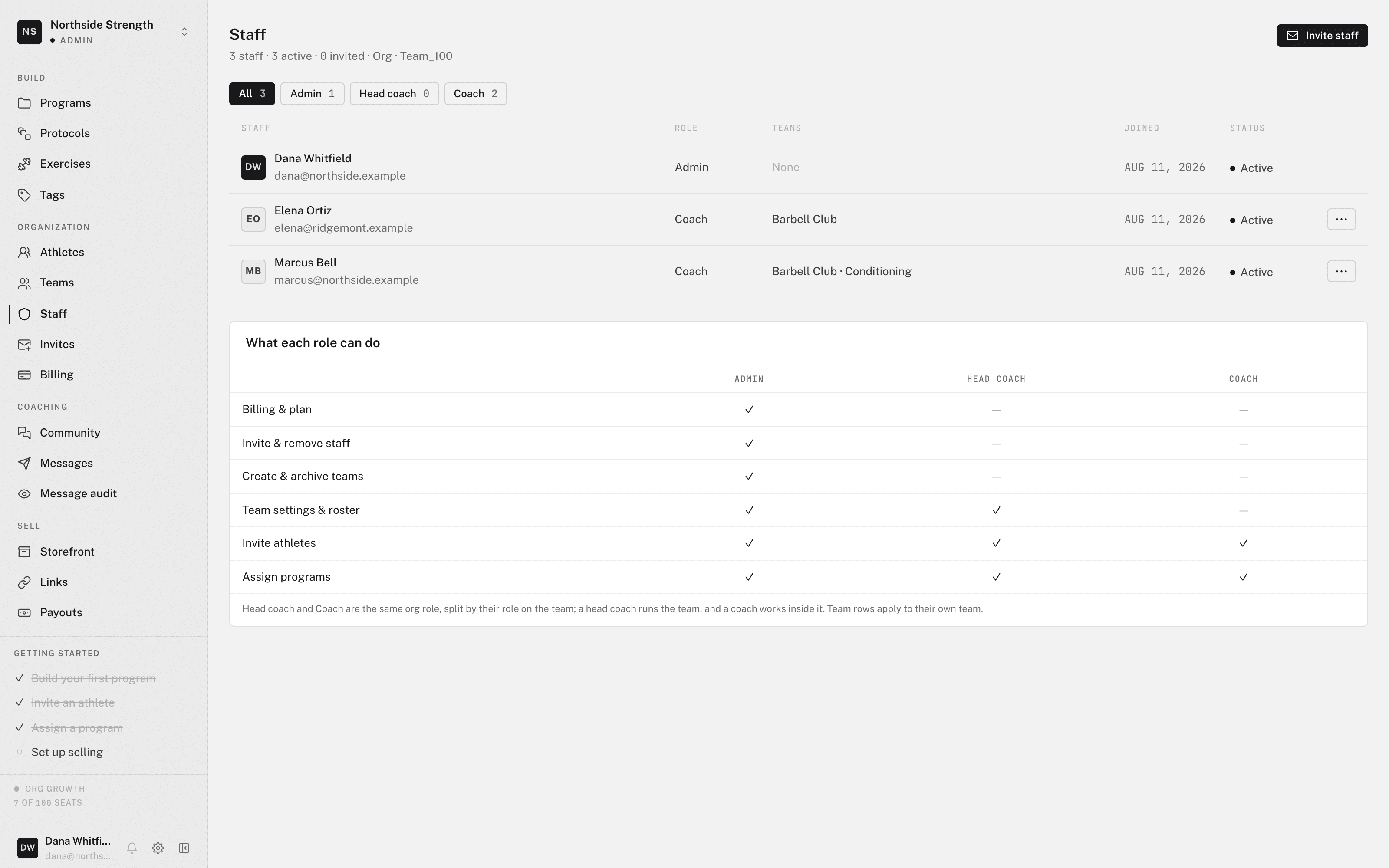
Invite a coach
- Click Invite staff
On Staff, click Invite staff. Only admins can invite staff.
- Send the invite
Enter the coach's Email and click Send invite. The invite is single-use and locked to that address.
- Put them on a team
The coach joins the organization, not a team. After they accept, give them a team. The next section shows how.
To invite many people at once, click Import CSV. See importing staff and athletes from CSV.
Put a coach on a team
There are two ways:
- Make them head coach — on Staff, open the coach's row. In the Manage panel, set Role to Head coach. Select the teams under Head coach of, then click Save.
- Add them to the roster — on the team's Roster, click Add existing and choose the coach. Staff added here join the team as coaches.
A coach sees only the teams they are on. See staff roles and permissions for what each role can do.
Remove a coach
Open the coach's row on Staff and click Remove from org. For a pending invite, the panel offers Revoke invite instead.