Messaging athletes
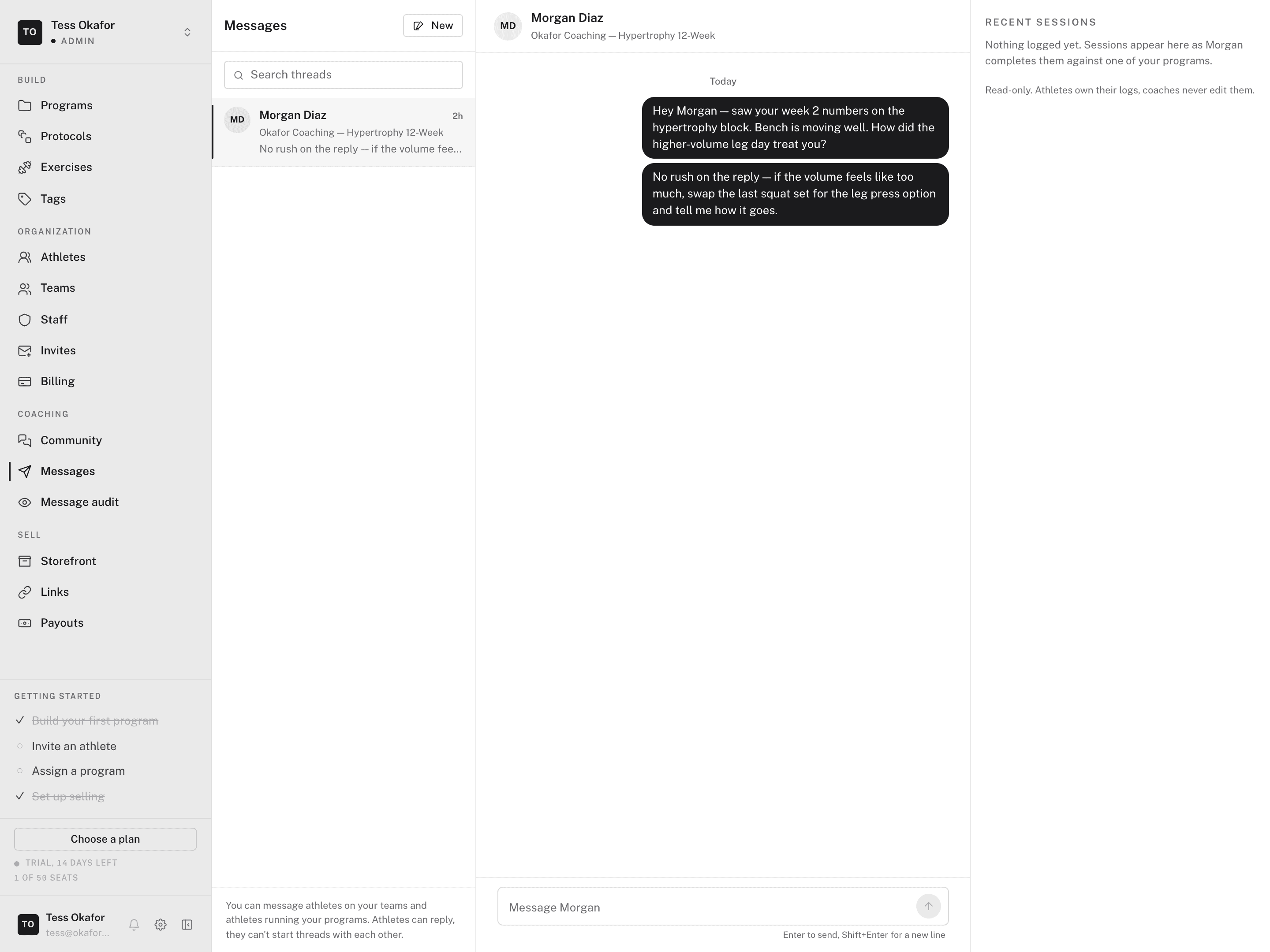
Messages is the one-to-one channel between you and an athlete. Use it for form checks, schedule changes, and the "how did today feel" follow-up. In your web dashboard, open Coaching > Messages.
The page has a thread list on the left and the open conversation on the right. Beside the conversation, Recent sessions shows the athlete's latest training, with a link to their full log.
Who you can message
You can message every athlete in your organization. You can also message athletes who run one of your programs. Coaches start threads, and athletes reply.
Starting a conversation
- Click New
In the thread list, click New.
- Choose the athlete
Search your athletes by name. Each result shows why you can reach them. If a thread already exists, the result reads Open thread.
- Send the first message
Enter the message and press Enter. Use Shift+Enter for a new line. The athlete gets it in the mobile app.
You can also click Message on an athlete's row in Today.
Reading a thread
The thread header shows the athlete's name and a context pill. The pill names the team or program the thread belongs to, or reads Direct.
- Audited — the organization audits this team thread. The athlete sees the same notice.
- Live — new messages arrive as they are sent. Updates paused means the live connection dropped. New messages load when you return to the tab.
- Sent via Agent — the Agent drafted this message for you.
Message audit
Admins see two tabs at the top of Messages: Inbox and Message audit. Message audit is a read-only list of team conversations. It has no reply box. A conversation appears there while your organization runs Audited messaging, or when a participant reports the thread. Both participants see a notice, and each admin view is logged.
What messaging doesn't do
- No group chat. When the whole team needs to hear it, post in the team's community space.
- No edit or unsend. Read a sensitive message again before you send it.
- No coach edits to logs. The training panel is read-only. Athletes own their logs.