All-access
All-access is one monthly subscription that unlocks the programs you include. A subscriber pays one price instead of buying programs one at a time. It's optional. Many coaches sell programs one at a time and never turn it on.
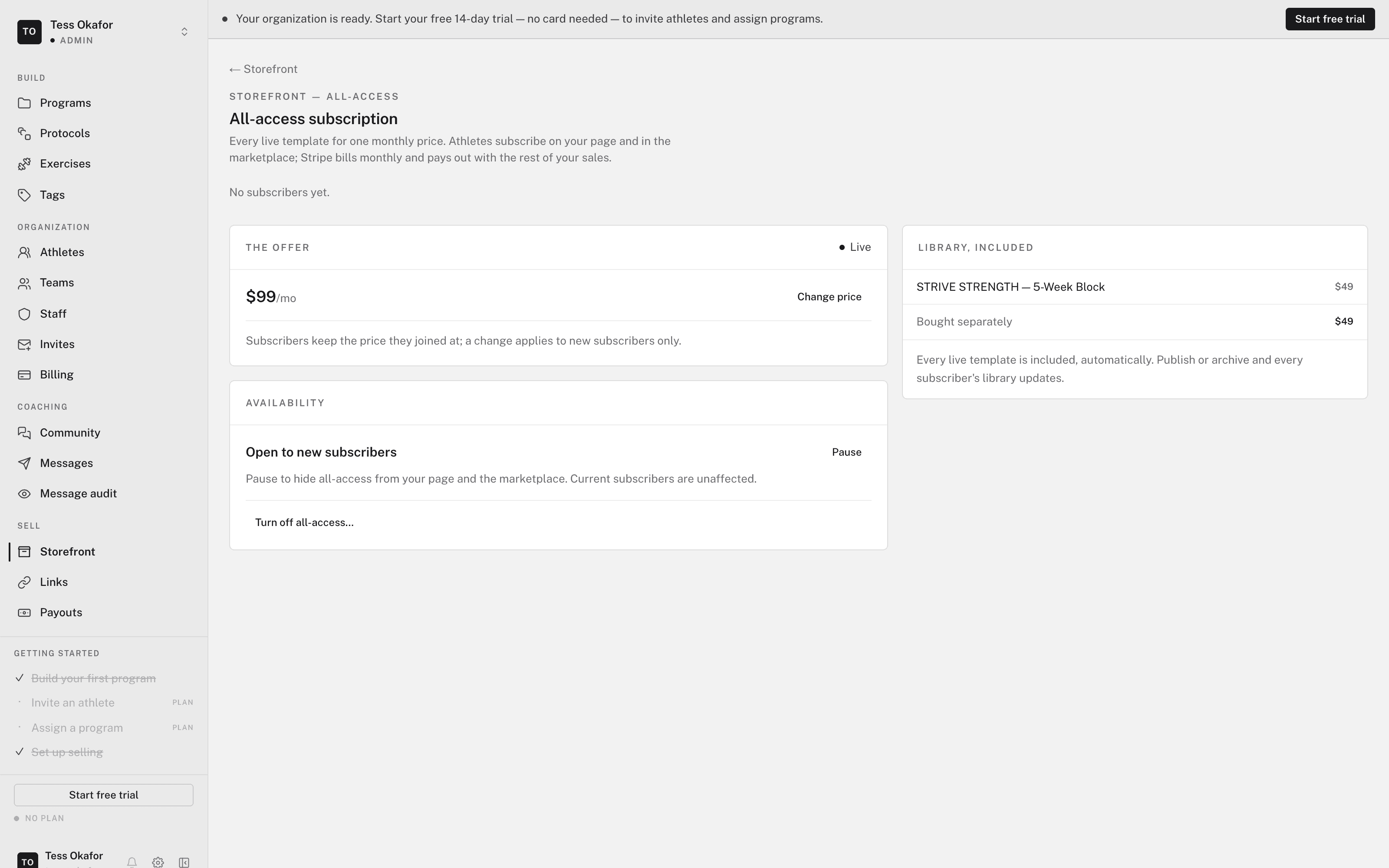
In your web dashboard, open Sell > Storefront > All-access.
How it works
- Every live program is included by default, and so is every program you make live later. Switch any program out.
- Subscribers subscribe on your Storefront page. The All-access panel there has a Subscribe button, or Start free trial when you offer a trial.
- Draft programs aren't included until you make them live. Subscribers then get them automatically.
- Calendars count too. Subscribers get an included calendar without paying its monthly price on top.
Turn on all-access
- Set the monthly price
Enter a Monthly price. All-access can't be free.
- Add a free trial (optional)
Toggle Free trial on and enter a Trial length from 1 to 90 days. The default is 7.
- Click Turn on all-access
It goes live at once. There is no separate publish step.
Once it is on, the page shows your subscriber count, the price, the Availability switch, and the Included library.
Changing the price or trial
Change the price, then click Update price. The new price applies to new subscribers only. Everyone already subscribed keeps the price they joined at, for as long as they stay.
A trial change also applies to new subscribers only. A card is collected at signup, and the first charge comes when the trial ends unless the subscriber cancels first.
Choosing what's included
The Included library lists every live program with an Included switch. The same switch is on each program's listing, as Included in all-access. A change takes effect at once, in both directions.
- A program you switch out keeps selling on its own, at its own price.
- Switching a program out takes it away from current subscribers too. Use it for a program you want to sell on its own, not to stage a release.
- With every program switched out, nobody can subscribe. The page reads Nothing is included right now.
Closing it or turning it off
- Open to new subscribers — toggle this off to stop new subscriptions. Current subscribers keep billing and keep access. Your Storefront page shows all-access as Paused. Toggle it on to reopen.
- Turn off all-access — ends the offer. Click Turn off all-access…, then Turn it off. Current subscribers keep access until they cancel.
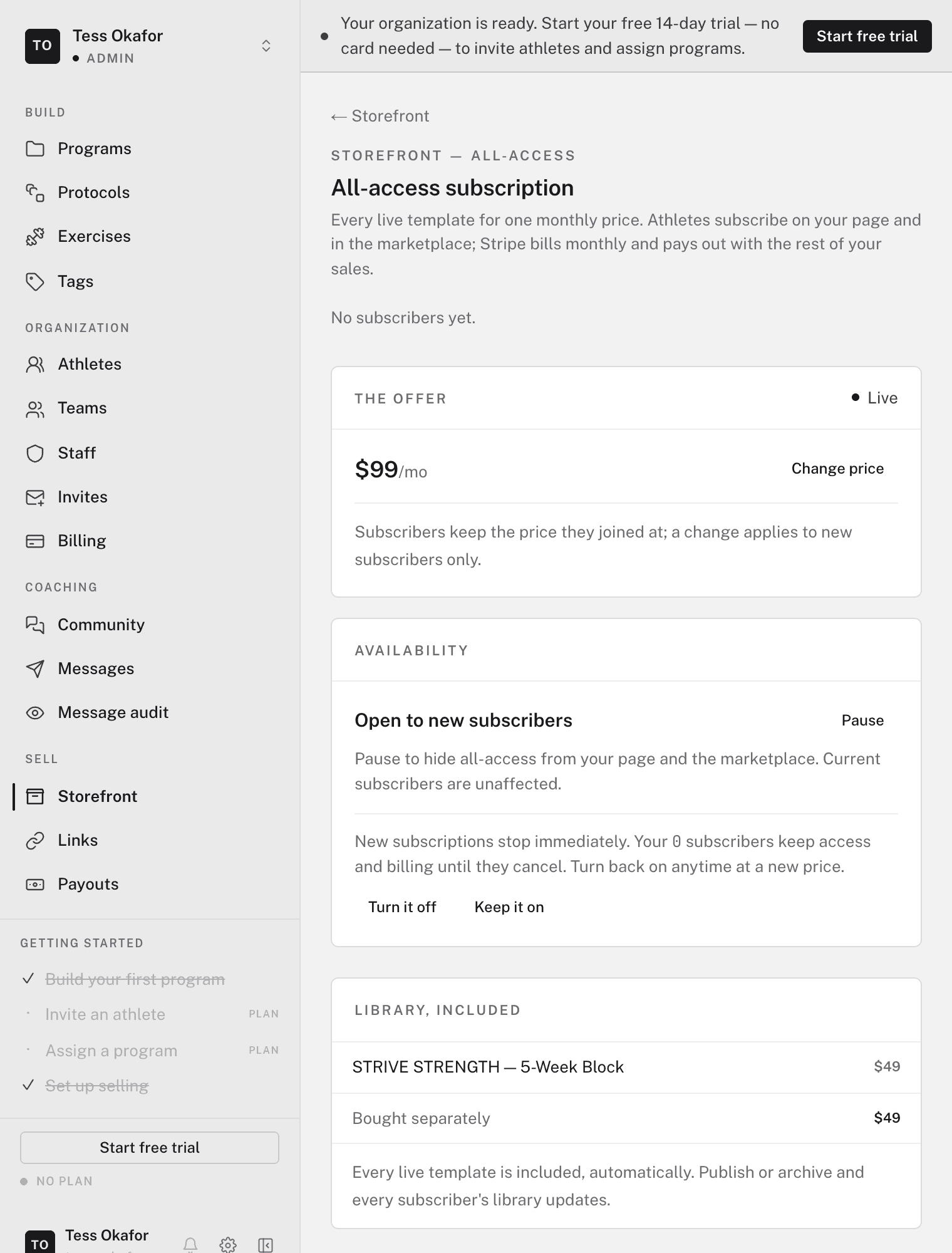
Close it for a while if you're unsure about demand. Turn it off only to retire the offer.
Fees and payouts
The fee is the same as for program sales: 0% on a paid plan and 5% on Free. Each billing cycle pays out to your Stripe account. See getting paid.