Inviting athletes
An invite puts an athlete on your roster. Each invite is single-use and locked to the recipient's email. An existing account signs in and accepts. A new athlete creates an account first.
Each pending invite holds one of your plan's seats. See managing invites.
Invite athletes to a team
- Create the team
In your web dashboard, open Coaching > Teams and click New team. Enter a Team name and click Create team. The team's roster opens with the invite dialog.
- Send the invites
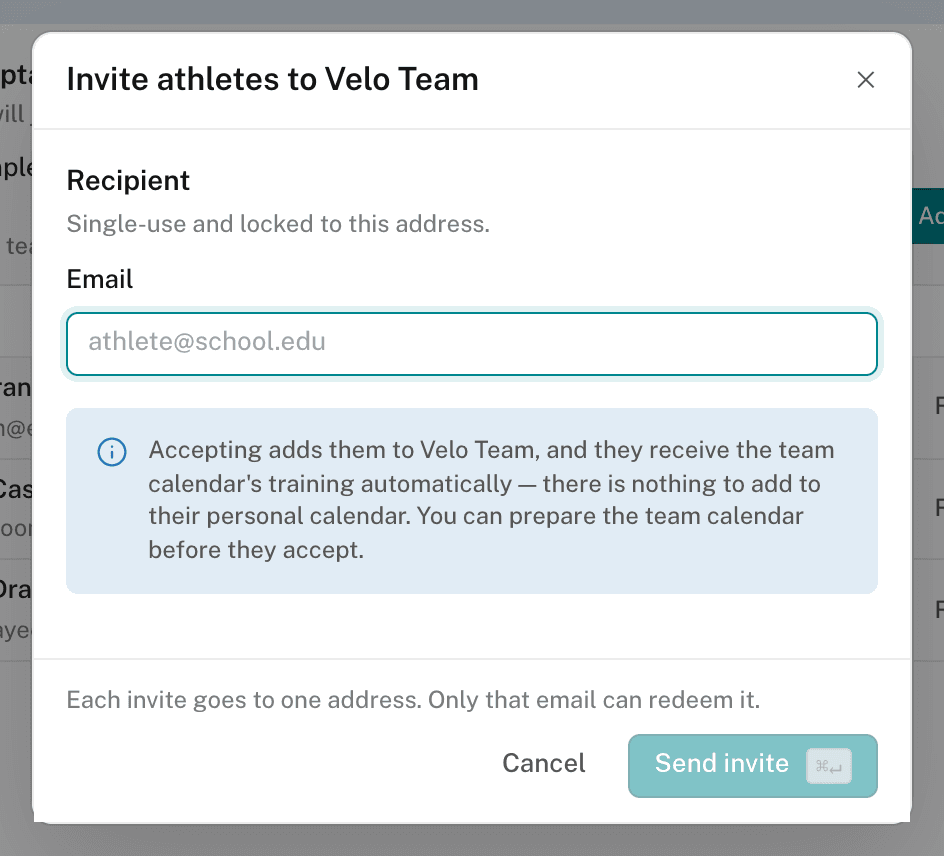
The dialog reads Invite athletes to your team. Enter an email and click Send invite. Repeat for each athlete. Accepting adds the athlete to this team and to the organization.
- Set up the team calendar
You don't need to wait for anyone to accept. On the roster, click Continue to calendar. Then choose Follow a program or Place a template. See adding a program to a calendar.
Team members receive the team calendar's training through membership. Don't add the same training to each athlete's own calendar.
To put someone who is already in the organization on the team, click Add existing on the team roster. The list shows organization members who are not on a team.
Invite an athlete on their own
- Open Athletes
Open Coaching > Athletes and click Invite.
- Choose the training destination
Leave Training destination as Individual athlete (no team). Or choose a team, and the athlete joins it on acceptance.
- Send the invite
Enter the email and click Send invite.
An athlete with no team joins the organization only. After they accept, open the athlete page and set up their calendar.
To invite many athletes at once, click Import CSV. See importing staff and athletes from CSV.
Pending invites and delivery failures
The team roster lists pending invites under Awaiting acceptance, apart from members. The Pending tab on Athletes and the invite ledger show them too.
If the invite email fails to send, the dialog offers Retry email. It sends the same invite again. It doesn't create a second one.
If the athlete needs a different address, revoke the invite and send a new one. Don't forward an email-locked link to someone else.