Getting paid
Payouts run on Stripe. You connect one Stripe account for your organization. After that, each sale sends your share to it. There is no invoicing and no manual payout.
When you need Stripe
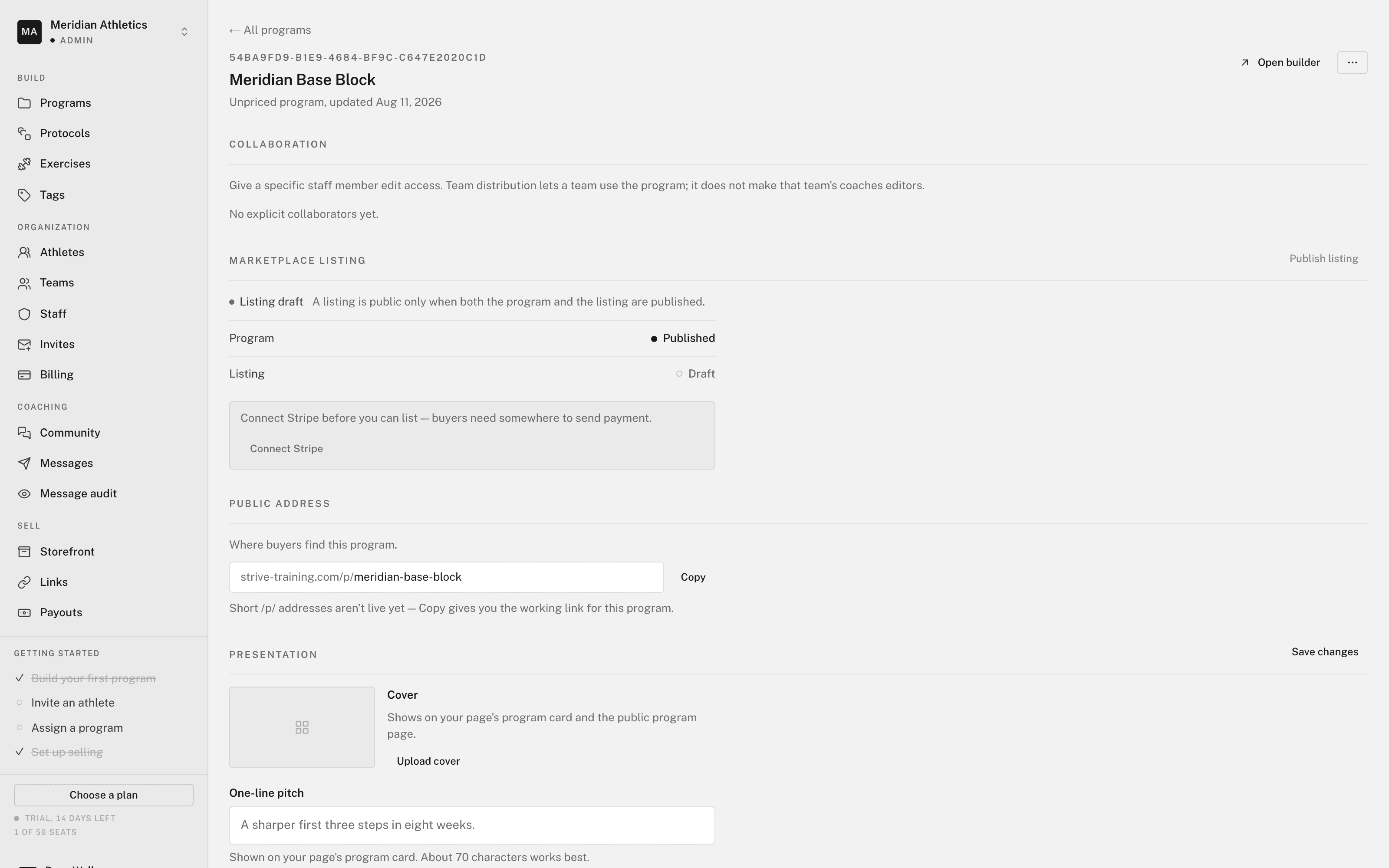
You don't need Stripe to set up a Storefront, write programs, or coach athletes. You need it before anyone can buy. A listing can't be published, and your Storefront page can't take payment, until Stripe is connected.
Your organization has one Stripe account. It serves both the Storefront and athlete billing.
Connect Stripe
- Open your Storefront profile
In your web dashboard, open Sell > Storefront > Profile. The Payouts section shows Stripe Connect — Not connected.
- Click Connect Stripe
Stripe opens. Enter your business and bank details.
- Clear verification
Stripe must verify who it pays. While it checks, the status reads Verifying. If you left part-way, click Resume.
When the status reads Active, you can sell. You can also connect from Organization > Billing > Athlete billing. It is the same account.
Where the money goes
Each sale's proceeds land in your Stripe balance. Proceeds are the price minus the platform fee and Stripe's processing fee. The platform fee is 0% on a paid plan and 5% on Free. Stripe pays out to your bank on its own schedule.
Subscriptions, both all-access and calendar programs, pay out on each billing cycle. A buyer who cancels stops future cycles. It doesn't claw back past ones.
Checking payouts
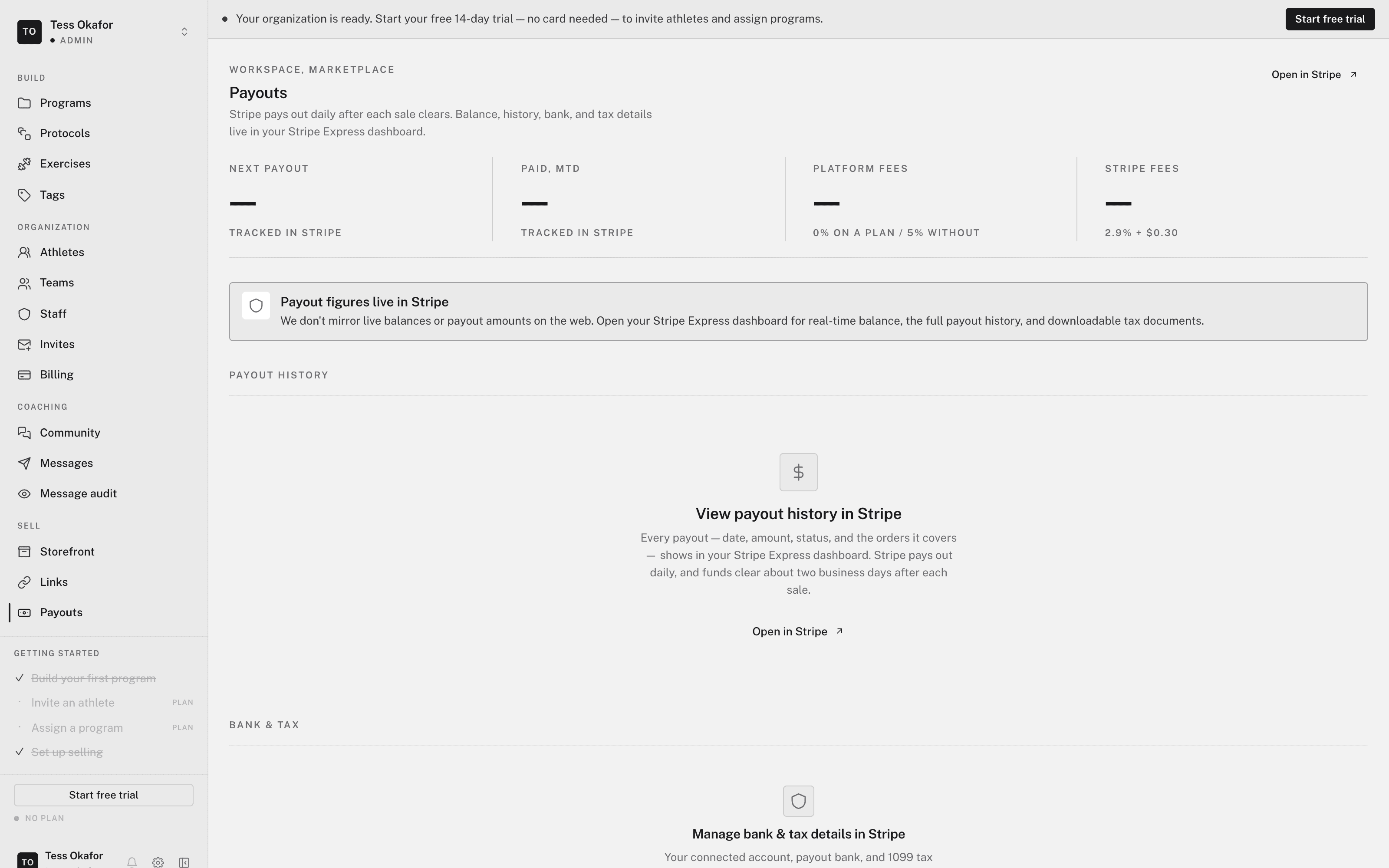
Open Sell > Storefront > Payouts. The page shows the connection status, the platform fee, and Stripe's fee. The full ledger of charges, payouts, and fees lives in Stripe:
- Open in Stripe — opens your Stripe Express dashboard.
- View payout history in Stripe — lists every payout.
- Manage bank & tax details in Stripe — changes your bank account and tax forms.
Next payout and Paid, MTD read — on this page, because Stripe
tracks them. Before Stripe is connected, the page reads Connect Stripe
first. with a Go to Storefront button.