Coaching
Communities
Communities is the group layer: shared feeds your athletes read and post to in the mobile app. In your web dashboard, open Coaching > Community. You post, pin, answer, and moderate from there.
Spaces
The spaces list on the left holds every feed you can see:
- All spaces — every space you can see, in one feed.
- Topic spaces — rooms created around a subject.
- Teams — each team's own space.
Moderators see New topic space at the bottom of the list, and Space settings above each feed.
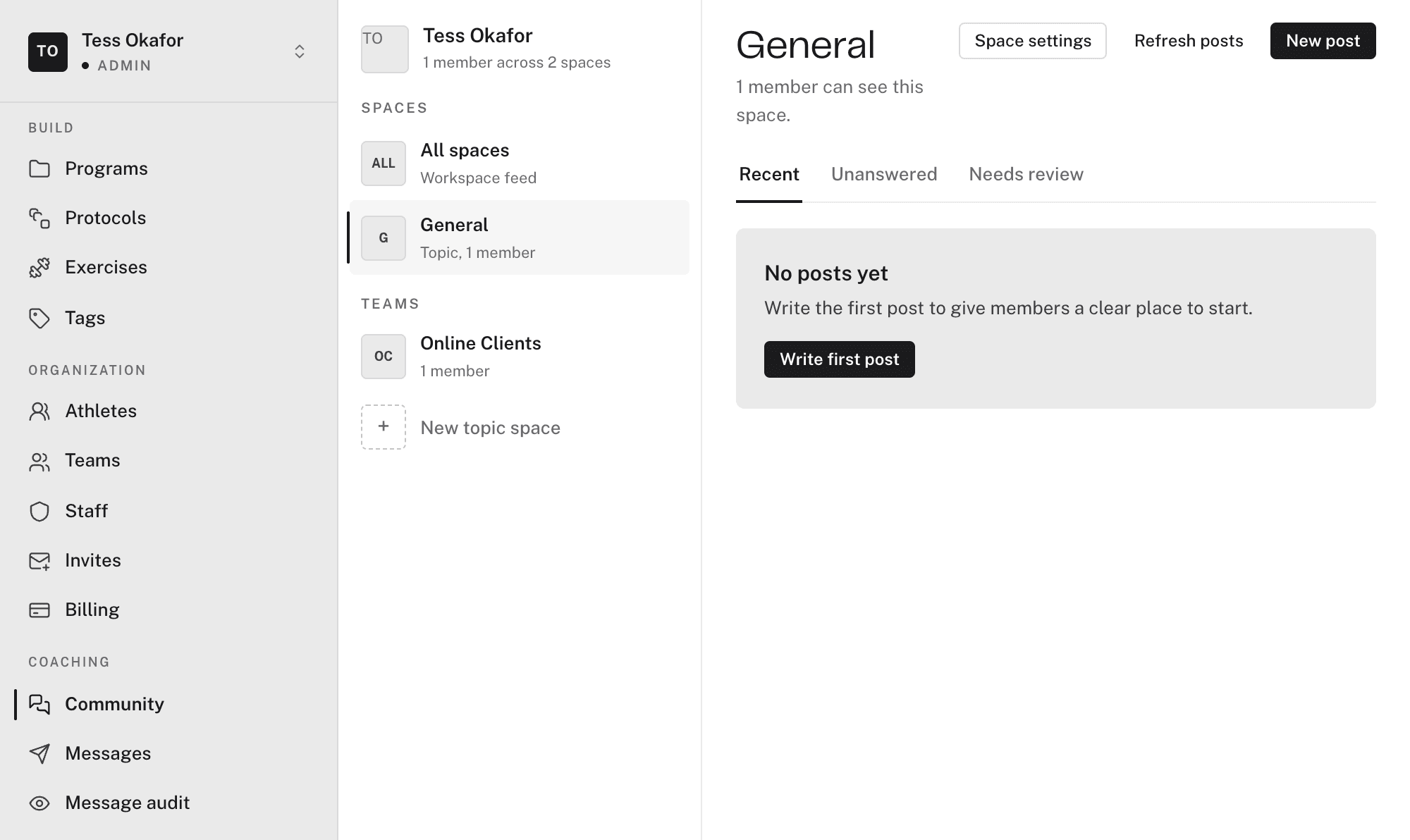
Each feed has three tabs:
- Recent — newest posts first.
- Unanswered — posts with comments but no coach reply. They show No coach reply yet.
- Needs review — posts and comments that someone reported. Moderators only.
Posting
Click New post. The post form has these fields:
- Post to — the space the post lands in. Members of that space see it.
- Title — optional, up to 200 characters.
- Body — up to 5,000 characters.
- Photo — up to four images, JPEG, PNG, or WebP, 10 MB each.
- Poll — two to ten options, with an optional closing time. Options lock after the first vote.
- Pin this post — moderators only. A pinned post stays at the top of the space.
Click Publish post to send it.
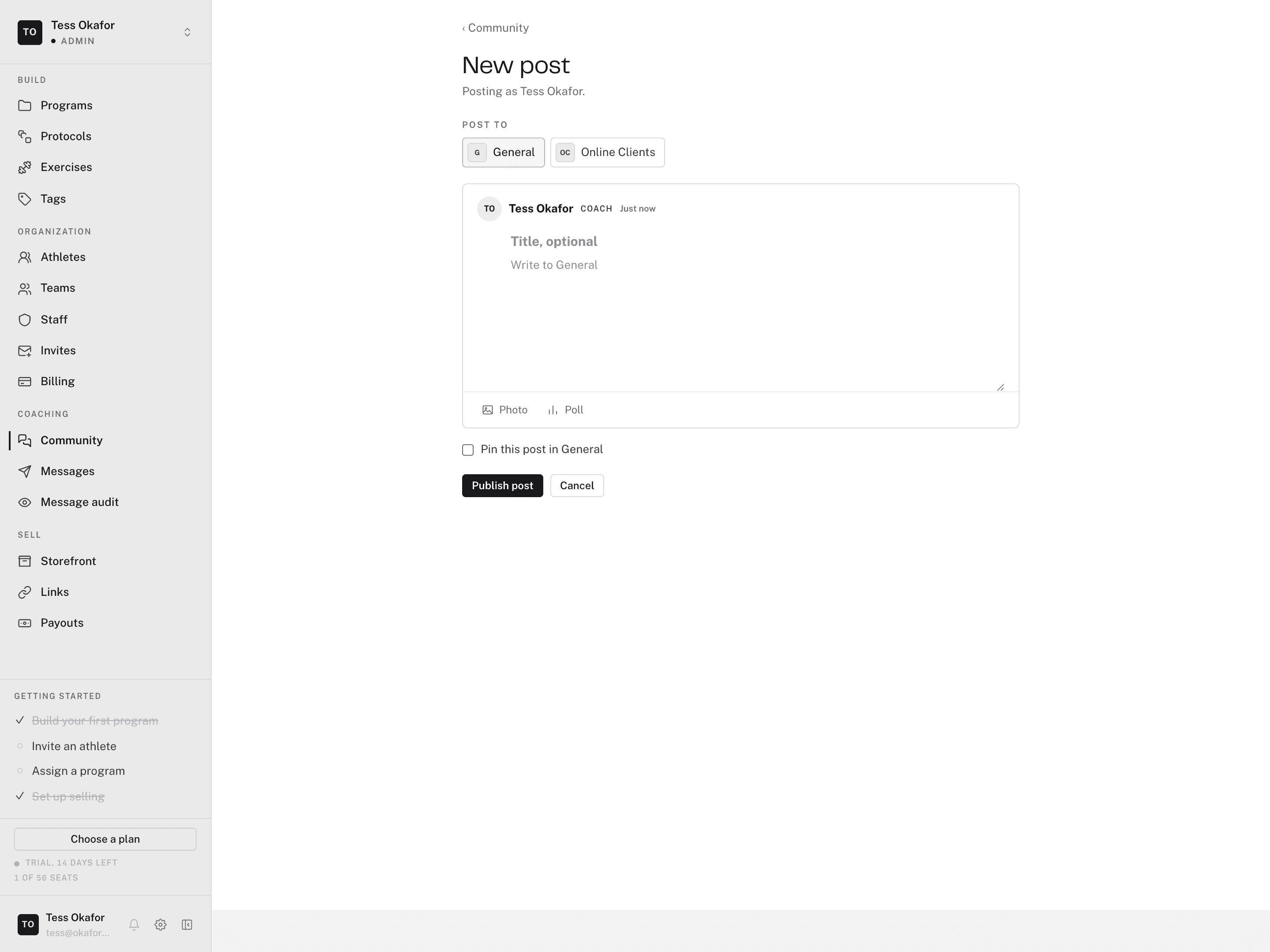
Your posts and comments carry a Coach pill, so athletes know when it's you. Members can comment, vote in polls, and react.
Moderation
- Pin / Unpin — holds a post at the top of the space.
- Remove / Restore — hides a post or comment, and brings it back. A removed post reads "Removed by a coach".
- Needs review — each report offers Remove post or Keep post, and a link to see the post in its thread.
Members report a post or comment with a reason: Spam, Not training related, or Other, plus an optional note. The report lands in Needs review.