Organization & billing
Two admin rooms keep the organization in order: Settings for who you are, and Billing for what you pay. Both are in the Organization group of your web dashboard.
Organization settings
Organization > Settings has its own sub-rail:
- General — the organization's profile and clock.
- Forms — the organization's Intake and Readiness forms. See team forms and readiness rules.
- Automation — the organization's Readiness rules.
General holds these fields:
- Identity — Organization name, Type, and Logo.
- Details — Department, Primary sport, and Contact email.
- Clock and minors — Time zone, Digest hour, Low days before an alert, and Minor age.
The Admins section below the form lists your admins. See staff roles and permissions.
Free is where every organization starts
A new organization is on Free. There is no trial, no countdown, and no card. Free is a plan, not a waiting period, and it doesn't expire.
Free includes full coaching: teams, invites, calendars, the builder, and a Storefront. It covers a small number of people. Seats on the Billing page shows the count. A seat is a person, so you, your staff, and your athletes share one pool.
The one cost on Free is selling. The platform takes 5% of each program sale and each renewal, on top of Stripe's processing fee. On a paid plan, the fee is 0%.
Reading the Billing page
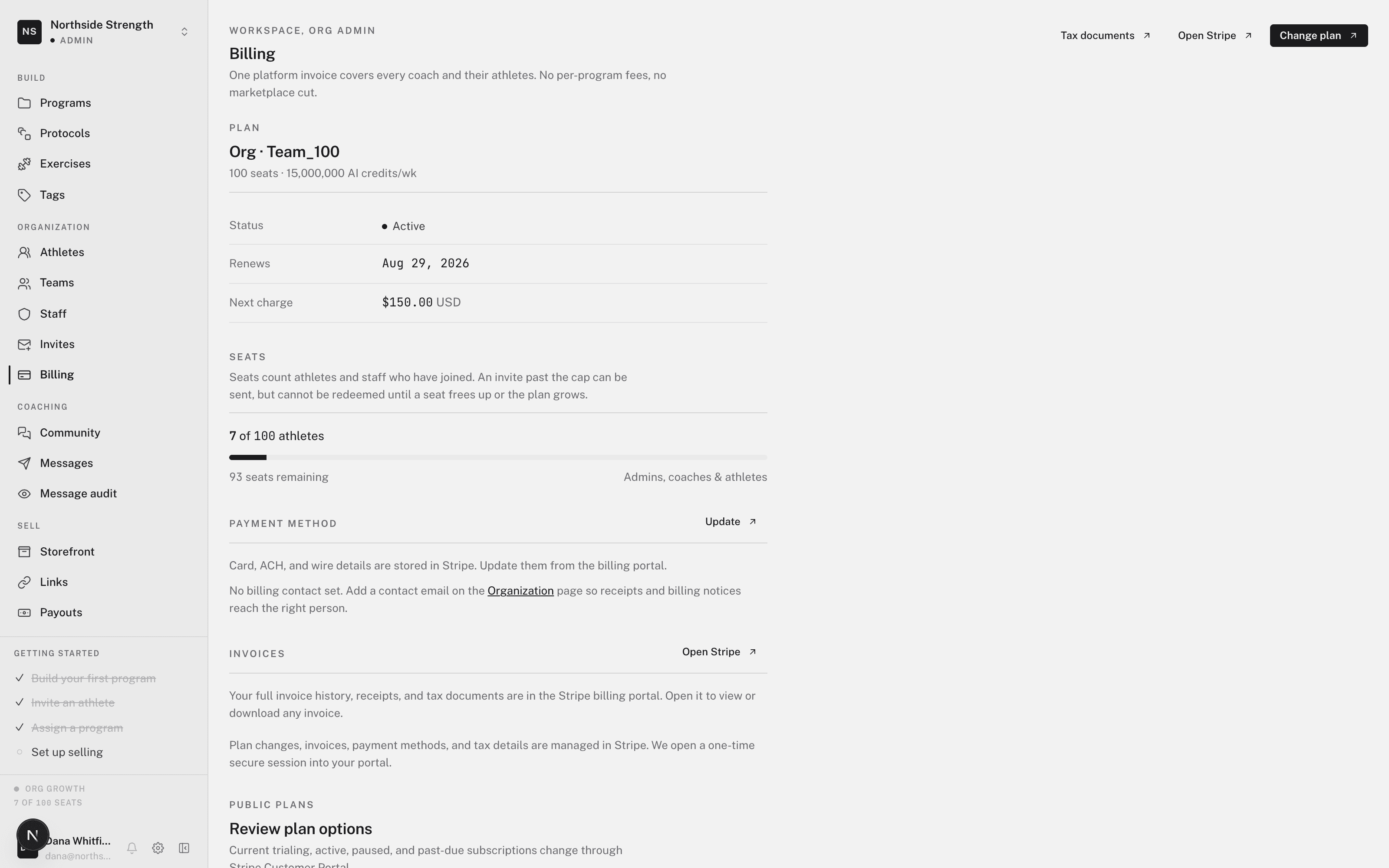
In your web dashboard, open Organization > Billing. The Your plan tab shows:
- Status — Free, Active, Past due, Paused, or Cancels soon.
- Seats — people in use out of the plan's total. Pending invites hold seats too. See managing invites.
- Coaching and the marketplace fee for your plan.
- Plans — on Free, the paid plans with their prices.
- Manage — on a paid plan, the payment method, invoices, and the email that receives receipts.
The Athlete billing tab is for charging your own athletes. See charging athletes directly.
Choose a paid plan
Paid plans add seats, AI, and the 0% marketplace fee.
- Open the plan list
On Free, click Choose a plan in the header.
- Pick a plan
Choose a plan in the Plans section.
- Pay with Stripe
Stripe Checkout opens. Every plan is charged immediately, with no trial.
Changing a paid plan
On a paid plan, every change runs through the Stripe Customer Portal. The Portal is a Stripe page where you're already signed in as your organization. The dashboard has no card form, because your payment details live only with Stripe.
- Change plan — switches to another plan.
- Update payment method — replaces the card.
- Open Stripe — opens the Portal for invoices and everything else.
- Tax documents — opens your tax documents in Stripe.
- Manage in Stripe — cancels or downgrades the plan.
If you cancel, the plan runs to the end of the period you paid for.
If a paid plan ends
A plan that ends doesn't switch coaching off. The organization returns to Free. Athletes you already programmed keep training, and members above the Free count stay. You can't add another person until a seat frees up or you choose a paid plan again.
A failed renewal shows Past due. A notice at the top of Billing has an Update payment button that opens the Portal. If you scheduled a cancellation, the same notice offers Re-enable to keep the plan.
Set the receipts email to an address someone reads. Most past-due plans are an expired card.