Profile & security
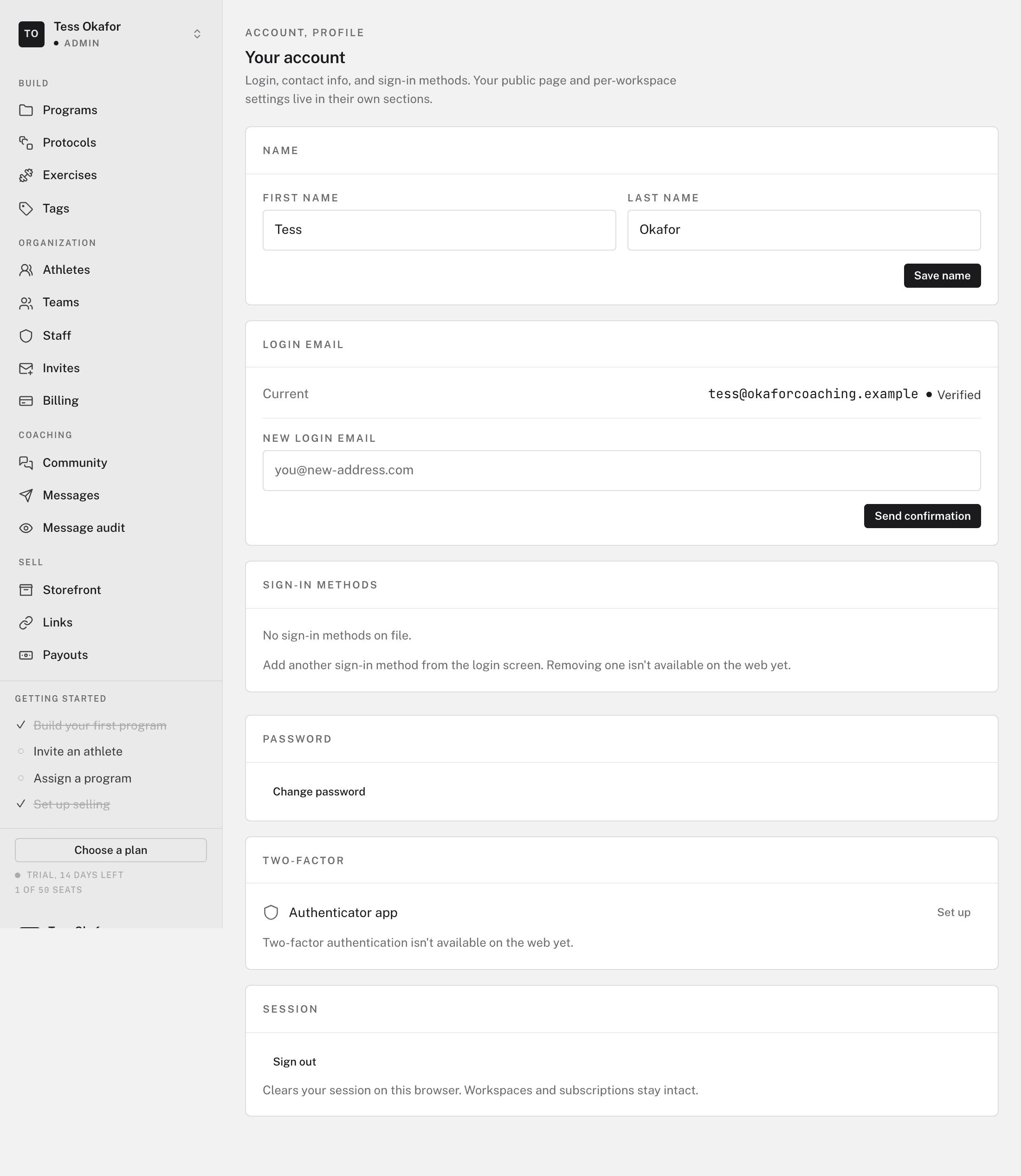
You manage your name and sign-in details on the web, on the Your account page. Open the account menu at the right end of the topbar and click Account. Changes apply everywhere at once, because the web dashboard, the builder, and the mobile app share one account.
Changing your name
In the Profile section, edit First name and Last name. Click Save name. Coaches, athletes, and staff see this name across the app.
Changing your email
Your email is how you sign in, and where account mail goes. You confirm a new address before it takes effect:
- Enter the new address
In the Email section, enter the address under New login email. Click Send confirmation.
- Confirm it
Open the confirmation email at the new address and click its link. Until then, your old email keeps working, so a typo cannot lock you out.
Changing your password
In the Password section, enter a New password and confirm it. Click Update password. You stay signed in on this browser. If you are locked out, use Forgot password on the login page, and we email you a reset link.
Sign-in methods and two-factor
Sign-in methods lists how your account signs in, such as email and password or Google. Removing a method is not available on the web yet. Two-factor authentication is not available on the web yet.
Signing out
Session > Sign out ends your session on this browser. Log out in the account menu does the same. Your workspaces and plans stay as they are.
One account, several workspaces
The workspace switcher at the left of the topbar lists every organization you belong to. These are memberships of one account, not separate logins. An invite sent to your existing email adds a workspace to this account. See Adding or joining a workspace.