Setting up your storefront
Your Storefront is your organization's public page on the marketplace.
It carries the name, handle, bio, and images buyers see beside everything
you sell. Its address is /c/{handle}. Only organization admins can create
and edit it.
Create the storefront
- Open Storefront
In your web dashboard, open Sell > Storefront. With no storefront yet, the page offers Set up selling. Click it.
- Enter a page name
Page name is how you appear to buyers. It starts as your organization's name. You can change it later.
- Choose a handle
The Handle is 3 to 30 lowercase letters, numbers, dashes, or underscores. The Public address below it shows the address it makes. The handle is permanent, because every shared sales link depends on it.
- Click Create storefront
The storefront opens on its Profile tab. It is not published yet.
You don't need a payout account to create the storefront. Stripe comes in when you want to take money. See getting paid.
Fill in the profile
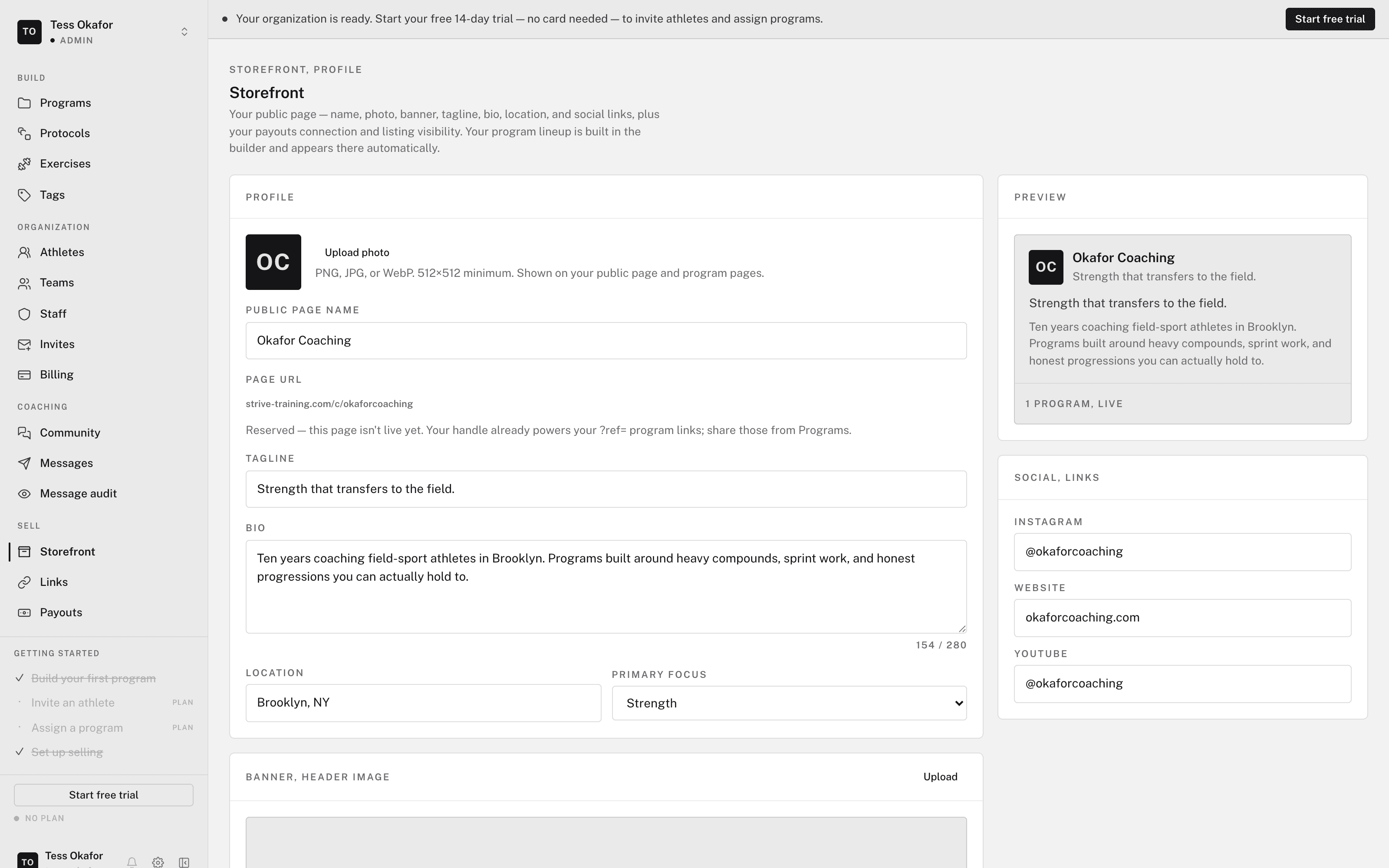
Storefront > Profile holds everything buyers read. A save bar appears when you change a text field.
- Identity — Public page name and an optional Tagline. The Page URL is shown but fixed.
- About — Bio (up to 280 characters), Location, and Primary focus.
- Links — Instagram, Website, and YouTube.
- Images — a Photo and a Banner, up to 5 MB each. Images save the moment you pick a file.
The Preview section shows your page as buyers see it, including edits you haven't saved yet.
Put the storefront live
The Publish section on Profile controls whether buyers and your tracked links can reach the page. Toggle Listed and accepting purchases on. The status reads Live. Toggle it off and the status reads Not published. The page then returns "not found" to visitors, and nobody can buy.
Click View public page in the header to open the page in a new tab. See your public storefront page for what buyers see.
The Storefront sub-rail
The storefront has its own sub-rail:
- Profile — this page.
- All-access — one subscription for your whole library. See all-access.
- Program listings — every program your organization owns, listed or not. See publishing and pricing a program.
- Links — your tracked links. See share links and attribution.
- Payouts — your Stripe payouts. See getting paid.
Coaches don't see Sell at all. Selling belongs to the organization's admins.