Getting started
Bring your program in
At the end, the program you run from a spreadsheet is in Gridlines. Its exercises are in your library, with their demo videos and notes, and its weeks are written in the builder. Your athletes can then train it from their phone.
You'll need
- Your program spreadsheet, open beside the builder.
- Your exercise list as a CSV, TSV, or XLSX file with a header row, if you keep one. The import takes up to 1,000 rows.
Steps
Import your exercise list
In the sidebar, open Library. On Exercises, click Import CSV. Drop the file on the dialog, or click Choose file.
The review page marks each row Ready, Skipped, or Error. Fix or skip the rows with errors, then click Import. A name already in your library is skipped unless you click Import anyway. See bring in exercises from a spreadsheet.
BUILD › Library › Exercises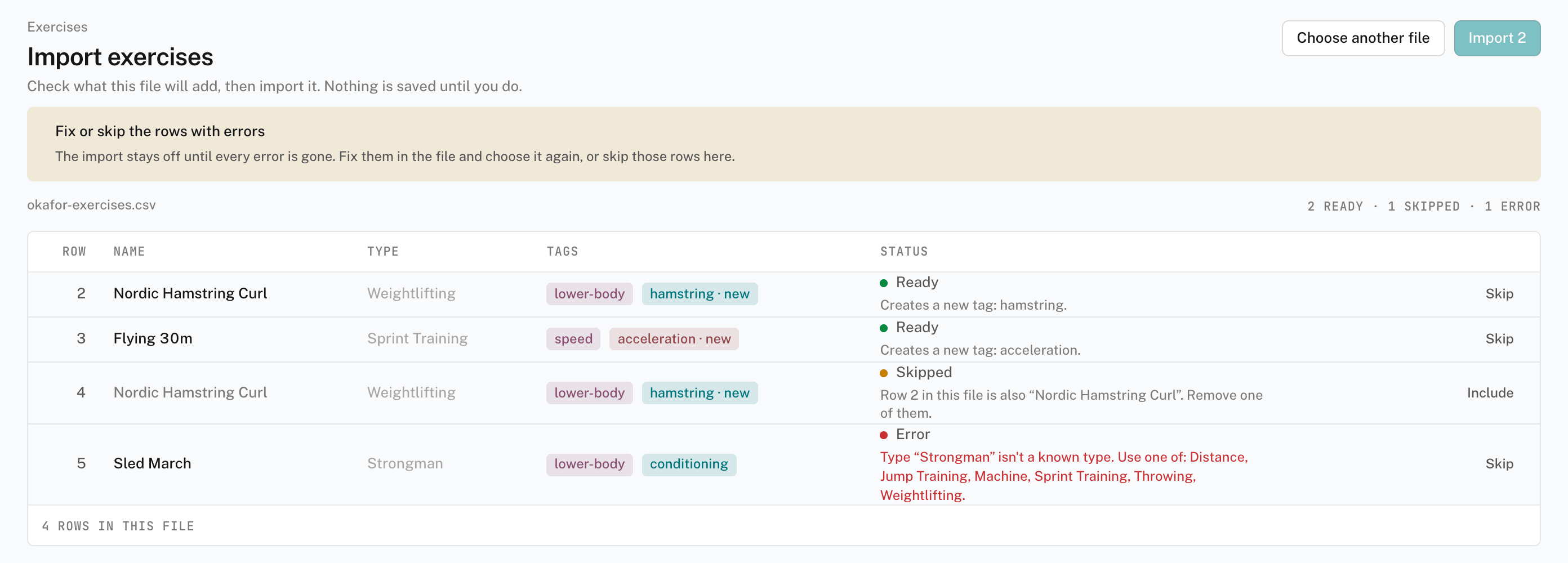
Create the program
Open Programs and click New program. Enter the Name your athletes know it by. Choose a Type:
- Template — a fixed block with no dates, such as a 12-week off-season. Most spreadsheet programs are this kind.
- Calendar — training on real dates that you keep writing forward.
Click Create program. The program opens on its Overview, with weeks as rows and days as columns.
BUILD › ProgramsWrite the first week
Add each day's sessions and exercises, picking the exercises from your library. Then select an exercise row. In the helper bar, the line where you type sets and reps, enter the prescription the way your spreadsheet has it, such as
3x5 @ 75%. Press Enter. The builder fills in the exercise's sets, reps, and intensity.Type sets and reps quickly covers what the helper bar reads, including percentages, RPE, and sprint distances.
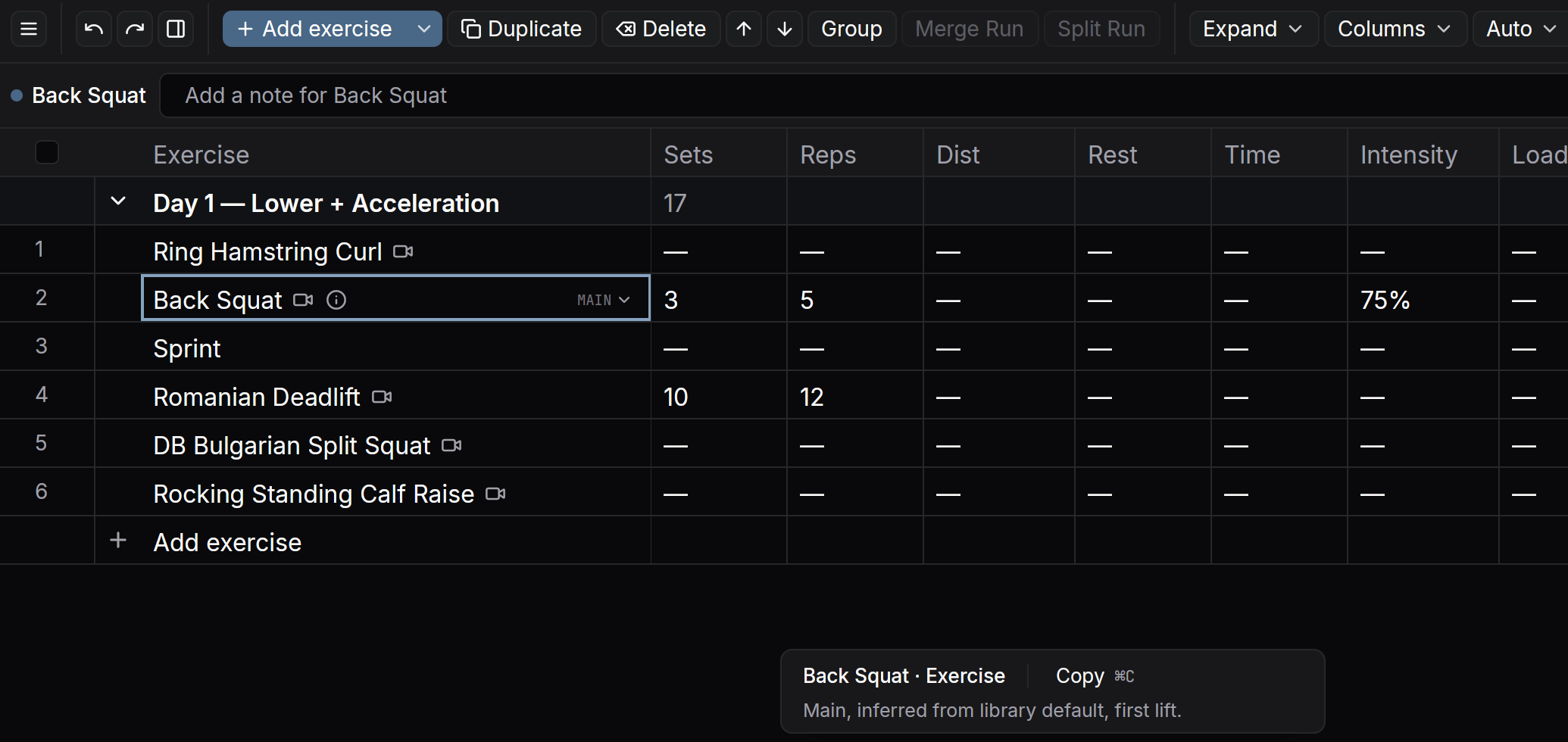
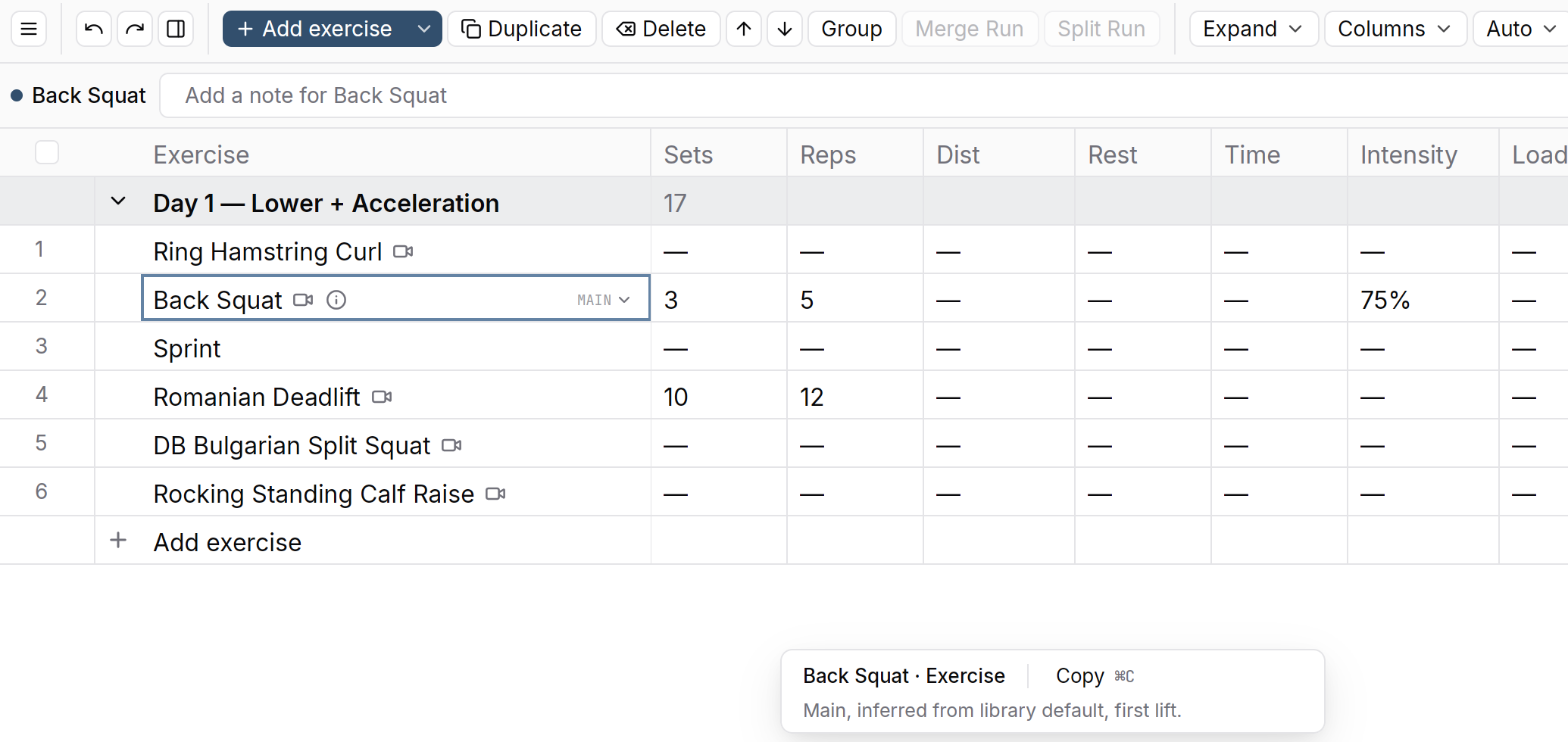
Back Squat after 3x5 @ 75%. Copy the week forward
Right-click the week's tab and choose Duplicate week. The days, sessions, exercises, and volumes come across. Change what progresses, such as the load in week 2. Repeat until the block is in. See copy a week forward.
Check it worked
The program's Overview shows every week you wrote, with each day's sessions on it. The exercises you imported are listed in Library > Exercises.
Keys on this screen
| Enter | Fill the rows from what you typed in the helper bar |
| Cmd+D | Duplicate the selected row, session, or day |
| Cmd+Z | Undo |
Common questions
Can the Agent build the program from my spreadsheet?
Yes, on a paid plan. The Agent is the AI in your dashboard, and it
isn't on Free. Attach the file in the Agent's message box and ask it to
turn the sheet into a program. It reads .xlsx, .xls, .xlsm,
.csv, and .tsv files, PDFs, and photos, up to six attachments in a
message. Check the program in the builder before it reaches an
athlete. See hand work to the Agent.
My exercises don't have a type. Can I still import them?
Yes. The type column is optional. A row with a type the import
doesn't know is an error, so leave the cell blank rather than guess.
Should my program be a Template or a Calendar?
A block you run start to finish, or reuse with new athletes, is a Template. You place it on an athlete's calendar. Programming you write week by week as it happens is a Calendar. See choose a fixed block or ongoing programming.
Related
Stuck? Message us directly.