Plan and build
Copy a week forward
At the end, next week is a copy of this week with your changes on top, and the layout is as you left it.
Open your programs in Gridlines
You'll need
- A program or calendar with one finished week. See build your first week.
Steps
Open the program
Open the program, or the athlete's calendar, in the builder. The week tabs run along the bottom.
Programs › the program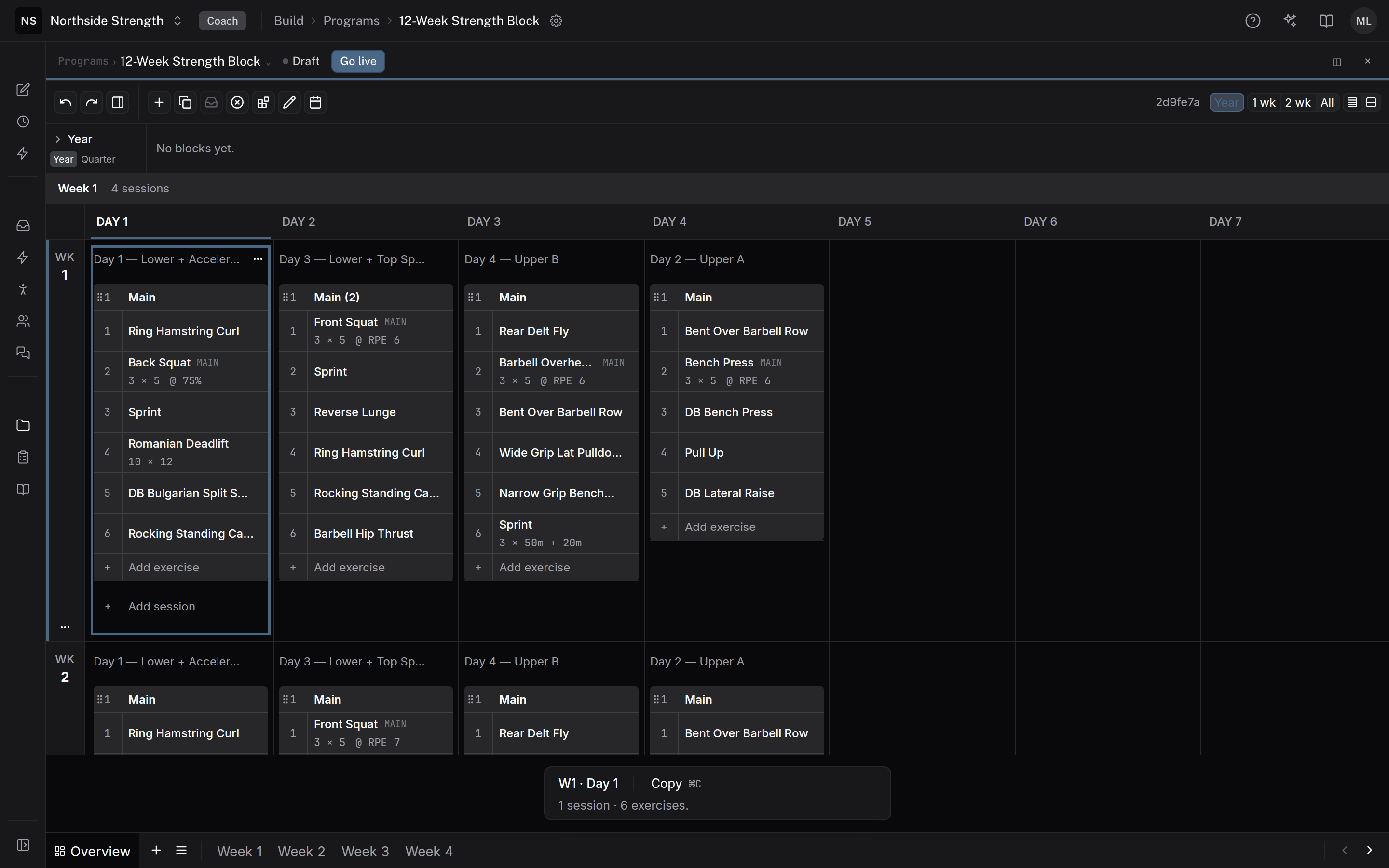
 Week 1
Duplicate the week
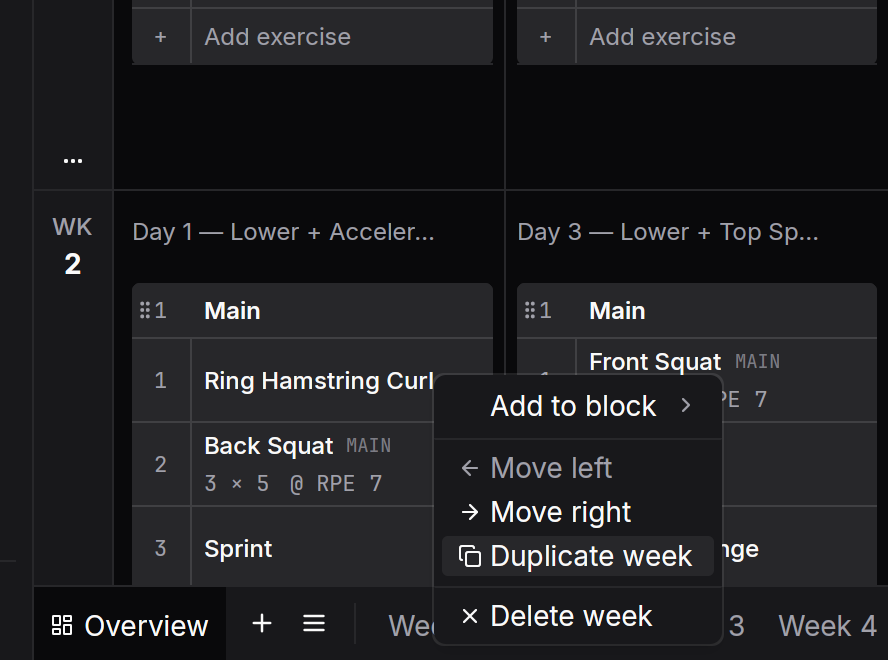
Right-click the week's tab and choose Duplicate week. The copy lands right after it with the same days, sessions and groups. A program holds up to 52 weeks.
Or copy only some days
Check the exercises, sessions, or days you want, then choose Copy to next week in the selection bar. They land on the same weekday one week on. The copy never overwrites, so copied rows go after what that day already holds. A toast says what was copied and where, such as "Copied 3 exercises to Week 2, Day 1". Go to week on the toast takes you there.
Several days copy together only when their days next week are empty. When next week already has training on those days, the bar reads "Next week already has some of these days. Copy them one at a time."
⌘⌥↓
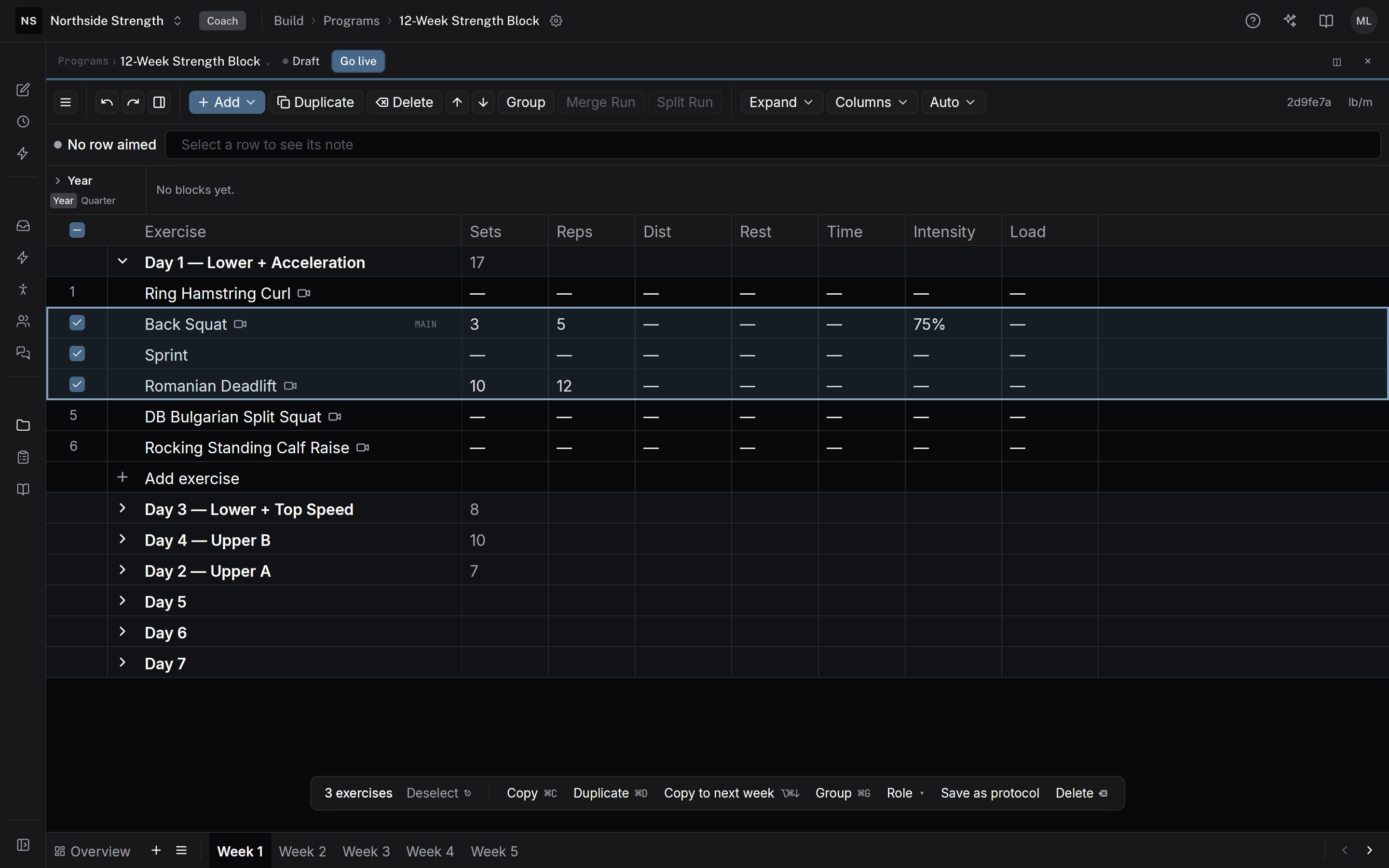
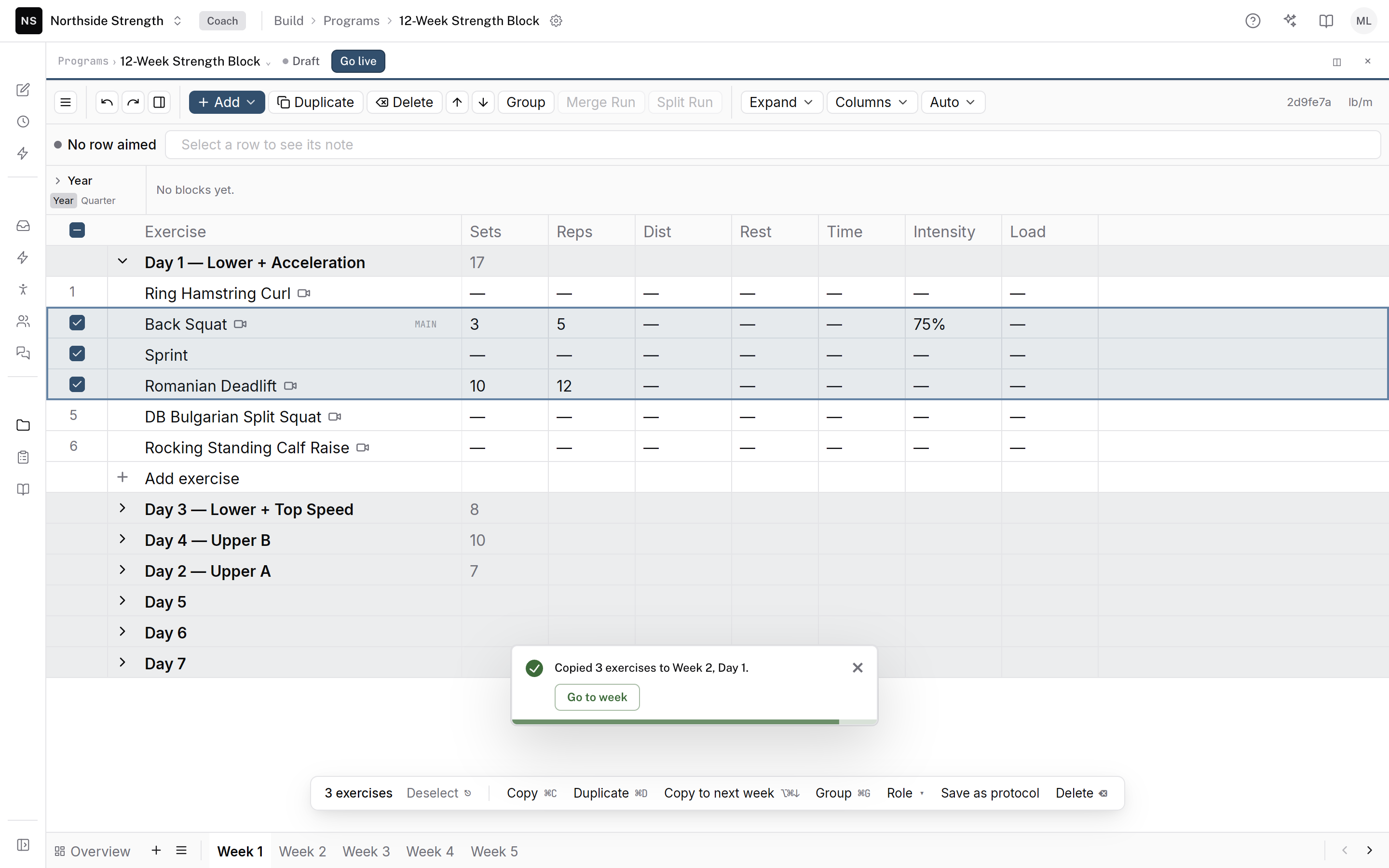
Three exercises checked, ready to copy. Change what moves on
Edit the copy. Retype a line in the helper bar, such as
3x5 @ 80%, and the builder rewrites the row. See type sets and reps quickly.↵
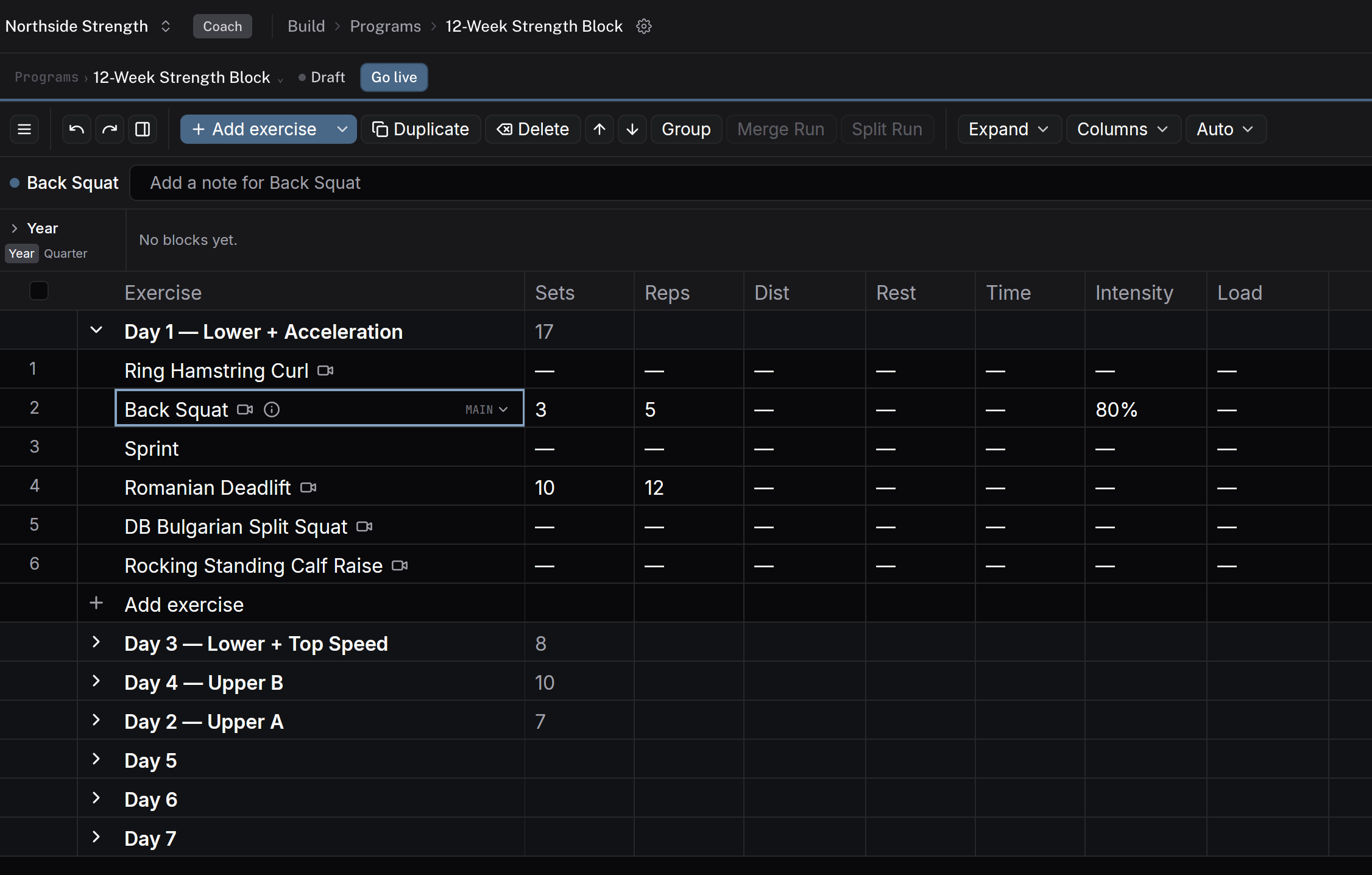
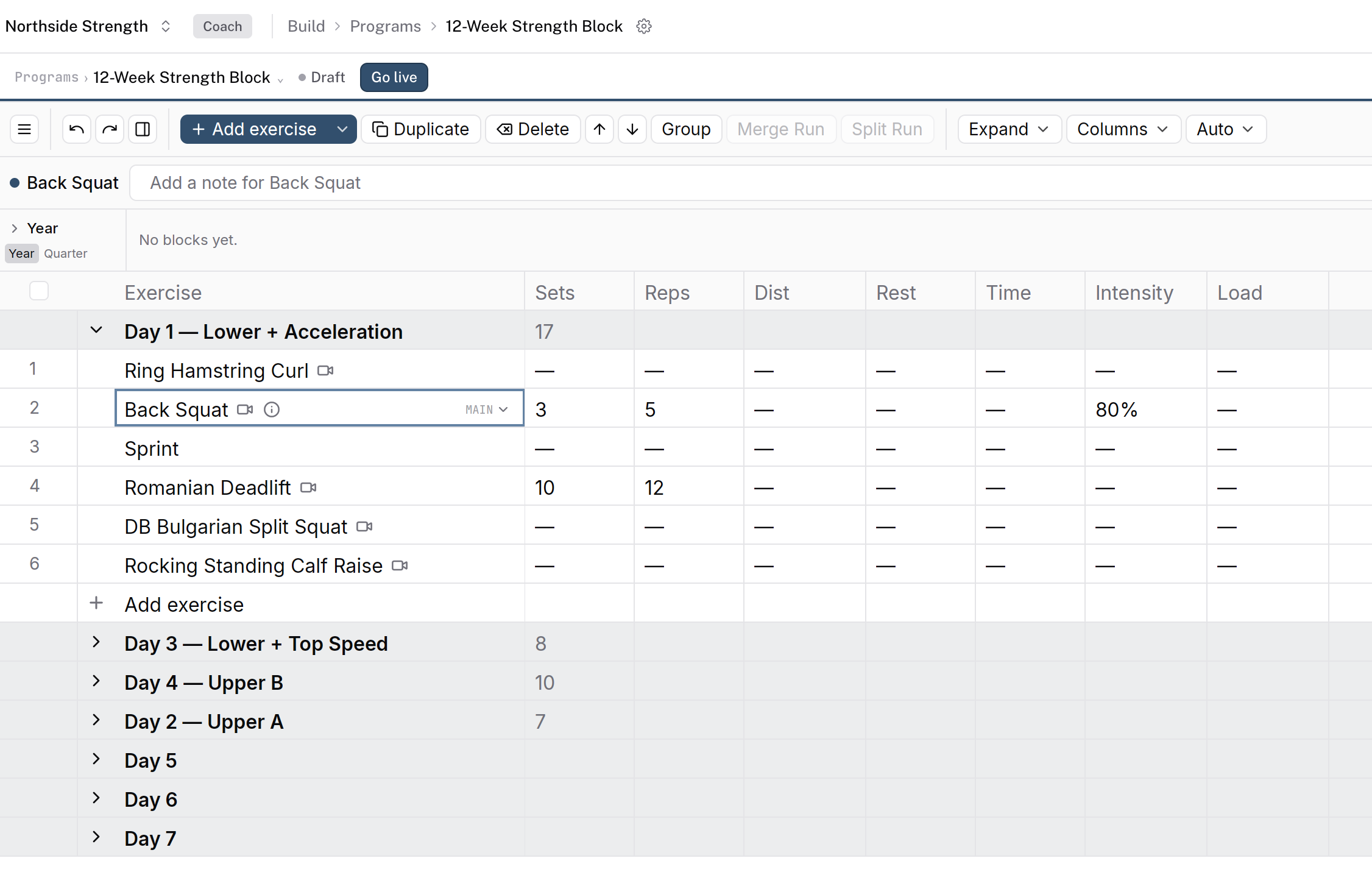
Week 2's Back Squat at 80%, up from 75% in week 1.
Check it worked
Week 2 has the same sessions as week 1, the layout matches, and only the values you changed are different.
Keys on this screen
| ⌘⌥↓ | Copy to next week |
| ⌘C | Copy |
| ⌘V | Paste |
| ⌘Z | Undo |
Common questions
Does a copy keep supersets?
Yes. Groups such as supersets come across with their exercises. Copy to next week won't take one exercise out of a group on its own, because it would have no group to land in. Check the whole group instead.
Does Copy to next week replace what's already there?
No. Copied rows go after what the target day holds. If next week has no day in that slot, the builder makes one with only the copied rows.
How do I undo a copy?
Press ⌘Z. Each copy is one step, so one undo takes all of it back.
Related
Stuck? Message us directly.