Review
Work the feed
At the end, you'll clear Review in one pass. You'll move through it from the keyboard, narrow it with filters, and mark a group of routine threads done together. A thread is one row in Review, such as a session, a message, or a form answer, with the conversation about it.
You'll need
- A staff role in an organization that uses Review.
- Athletes whose sessions, messages, or forms have reached Review.
Steps
Move through the list
Press J or ↓ for the next thread, and K or ↑ for the one before. Press Space to peek at a thread beside the list without opening it. Press Enter to open it. With a thread open, J and K step to the next and previous thread.
Opening a thread marks it seen. A peek doesn't. On a phone, a tap always opens the full thread.
JK
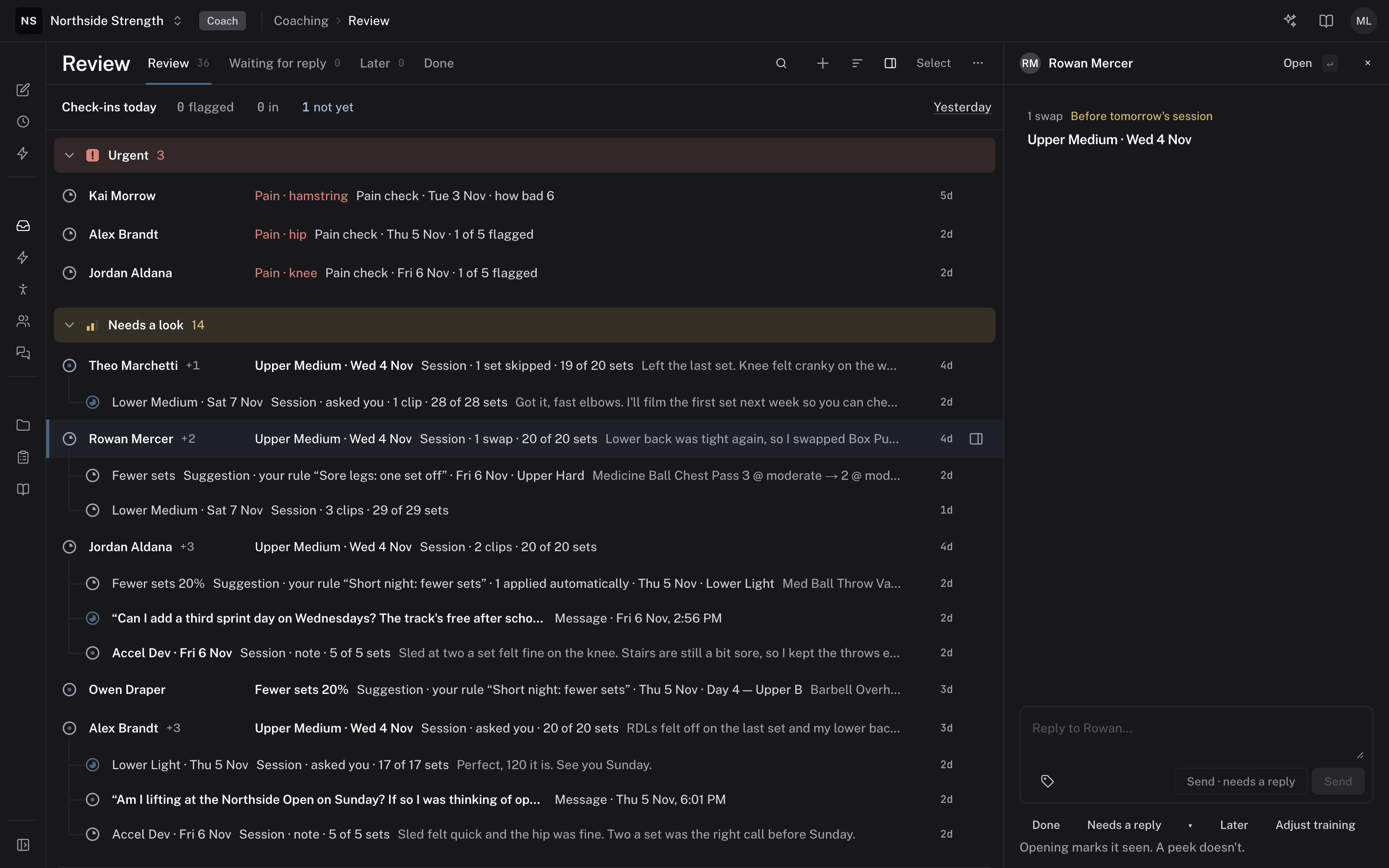
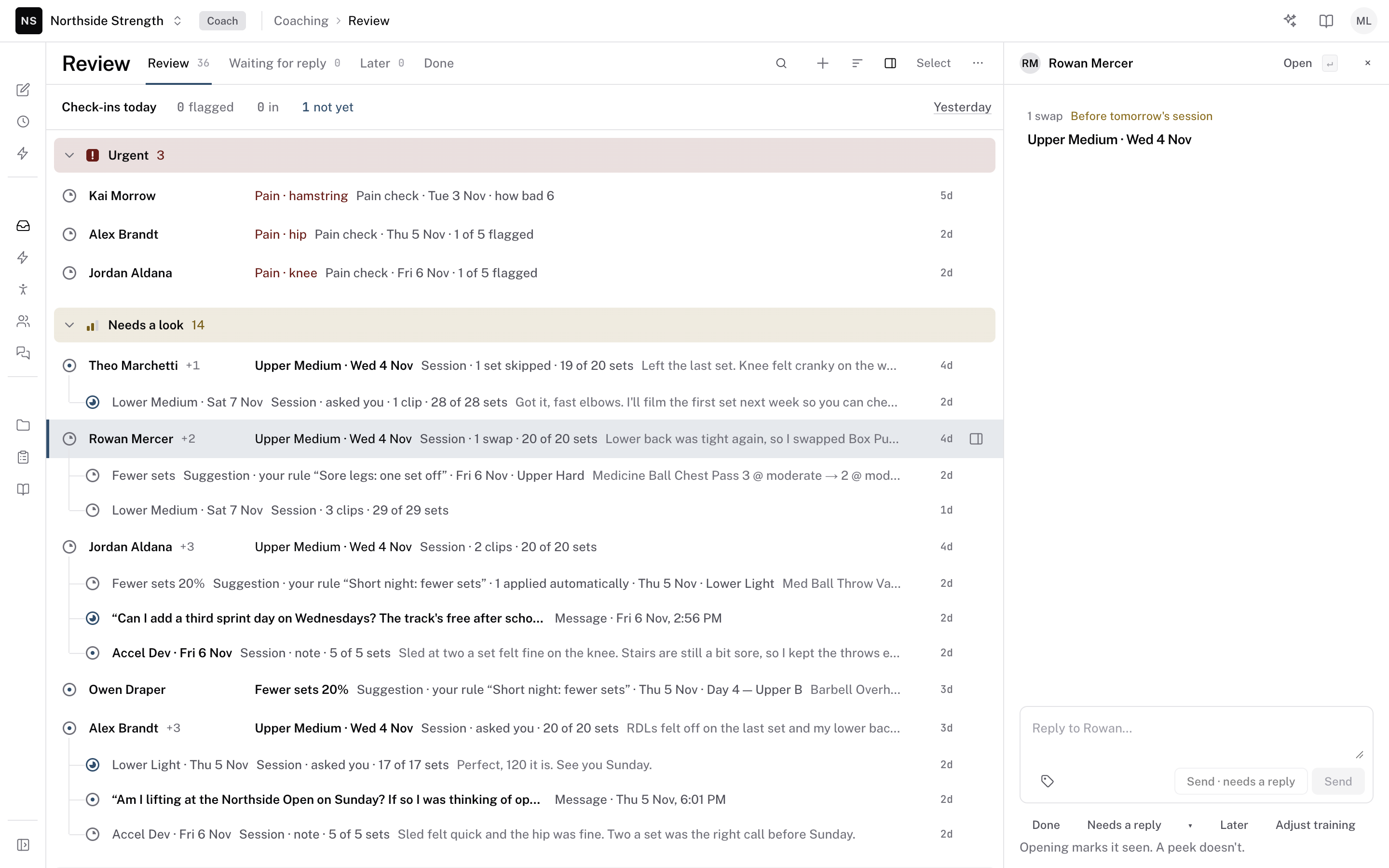 Peek
Act on the thread
Press E to mark the thread Done. Press H to hide it until tomorrow morning. In an open thread, H opens the Later menu so you can pick the time. Press W to wait for the athlete's reply, back in two days if they don't answer.
Press R to reply to the athlete, or N to add a note for staff. Either key opens the thread first. Press Z to undo your last move.
E
Filter the list
Press F, or click Filter. Pick a field, then its values:
- Reason — such as Pain, Athlete asked, Flagged form, Missed, or Routine.
- Kind — sessions, forms, messages, and the other kinds.
- Team and Athlete.
- Check-in — Flagged, In, Not yet, or No check-in due.
- Last activity — Today, Yesterday, 2–7 days ago, or Over a week ago.
Starred athletes only keeps the athletes you starred. When other coaches work in your organization, Whose picks Mine, All coaches, or Mentions you. Each filter you add shows as a chip under the bar. Press / to search threads by text.
F
Select several threads
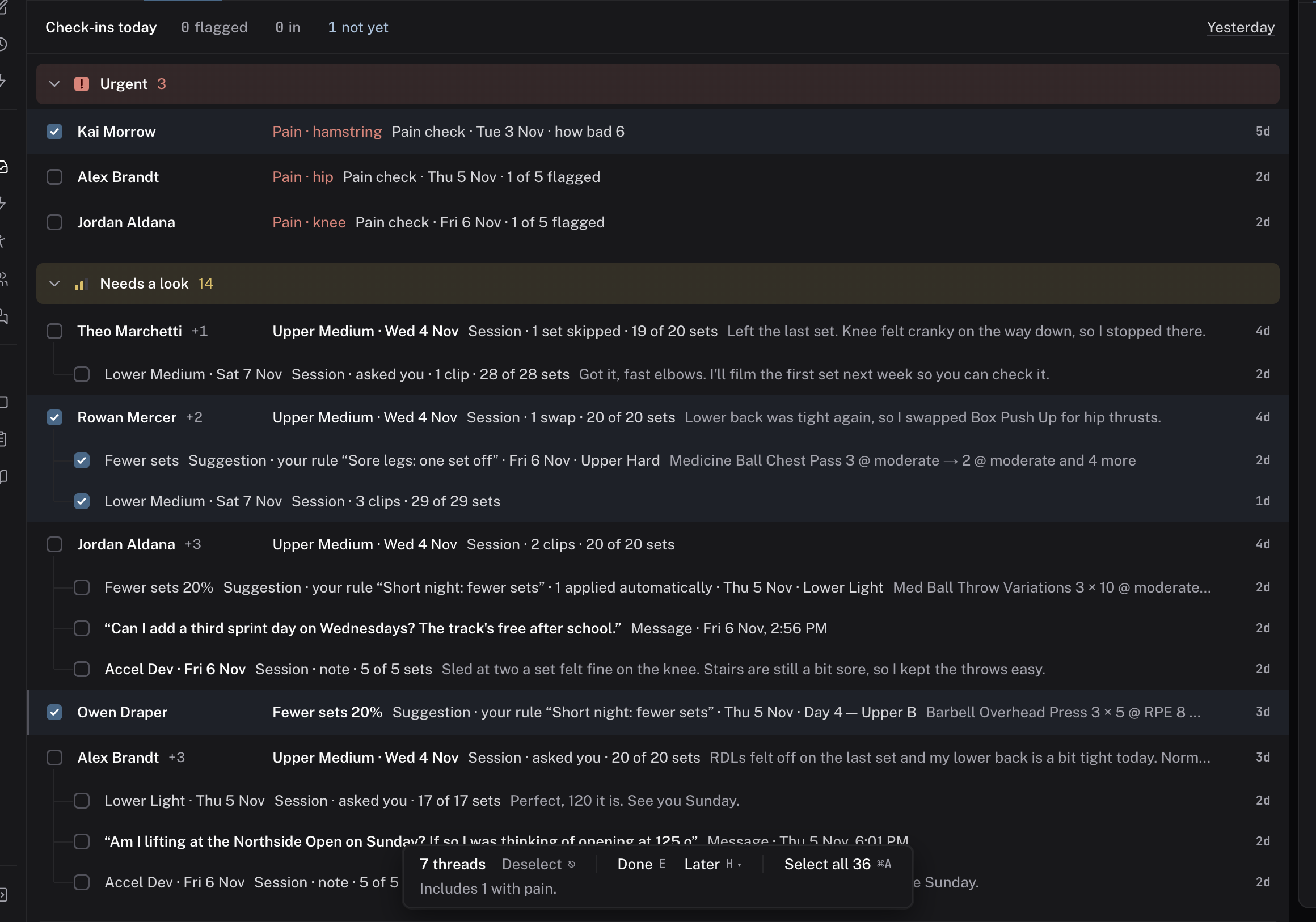
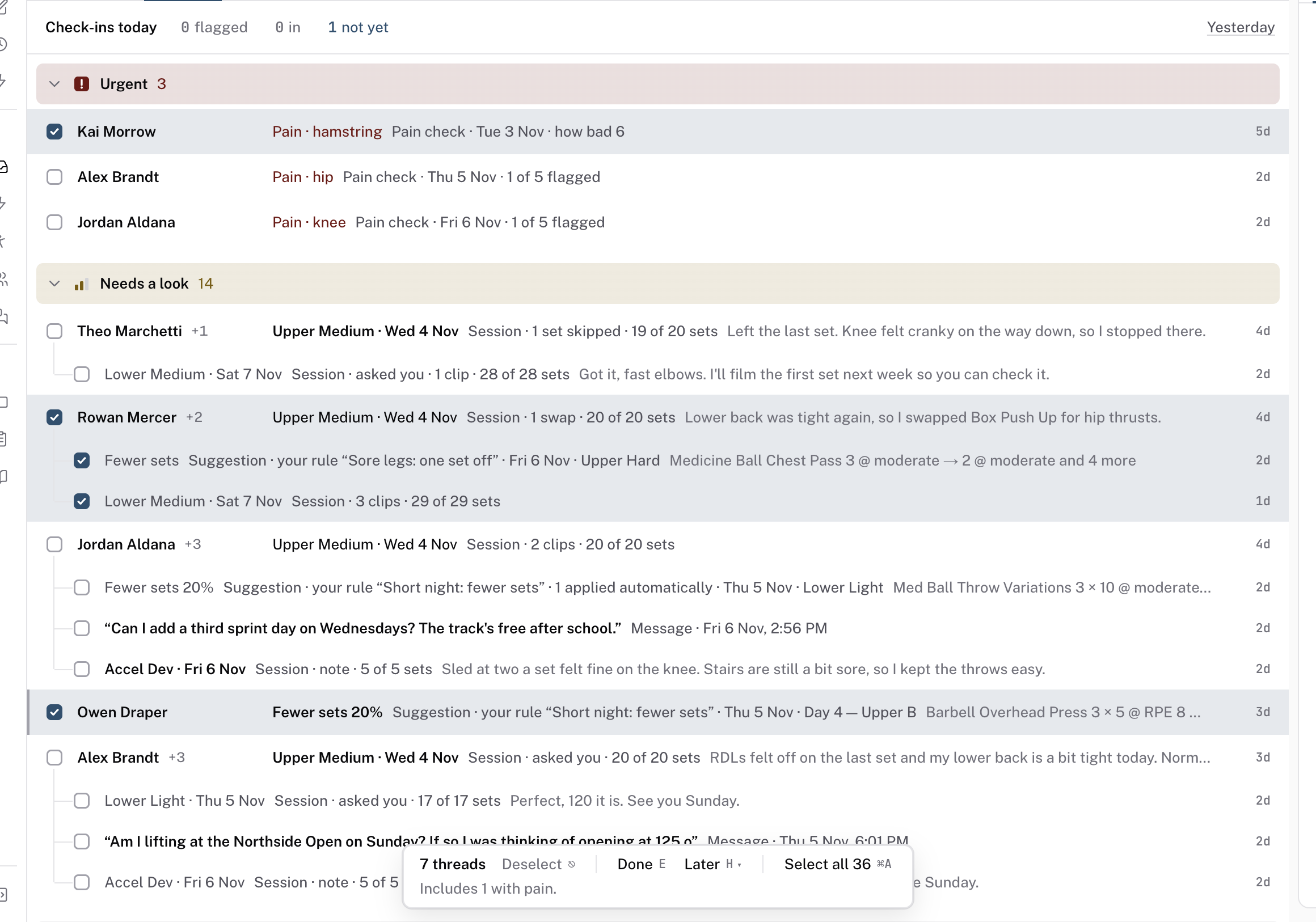
Click Select, or press X, to start selecting. Click a row's box to pick it. Shift-click picks a range, and Space toggles the row you're on. Press ⌘A to pick every thread the filters left.
A bar at the foot of the list counts your picks. Click Done (E) to finish them all, or Later (H) to pick a time for them. Before you act, the bar says whether the picks include pain or a thread in a folded group.
X
Clean up old threads
On the Review tab, open the ⋯ menu and choose Clean up…. Pick Older than (Any age, 1 day, 3 days, or 7 days) and Which (Routine sessions, All sessions, Videos, or Everything). Click Mark N done, where N is the count.
Clean up never closes a thread with pain, an unanswered message, or an answer due before the athlete's next session. The dialog says how many it keeps and why. You can undo the whole clean-up from the message that follows it.
Check it worked
The threads you finished leave the Review tab and show under Done. The count on each tab drops to match.
Keys on this screen
| J / ↓ | Next thread |
| K / ↑ | Previous thread |
| Space | Peek |
| ↵ | Open |
| E | Done |
| H | Later |
| W | Needs a reply: Waiting for reply, back in 2 days |
| R | Reply |
| N | Note |
| X | Select |
| ⌘A | Select all, while selecting |
| Z | Undo |
| / | Search |
| F | Filter |
| ⌘↵ | Send |
| Esc | Close or go back |
| ? | Show these keys |
Common questions
Why can't I select threads?
Select works on the Review, Waiting for reply, and Later tabs, and on unassigned threads. It doesn't run on Done, Mentions, a search, or a phone.
Where do I see the keys in the app?
Press ? in Review, or choose Keyboard shortcuts from the ⋯ menu. Keyboard shortcuts lists the keys for every screen.
Can a thread open as a page instead of a window?
Yes. Display > Open threads as picks Full page or Modal. A phone always opens the full page.
Related
Stuck? Message us directly.